EasyManua.ls Logo

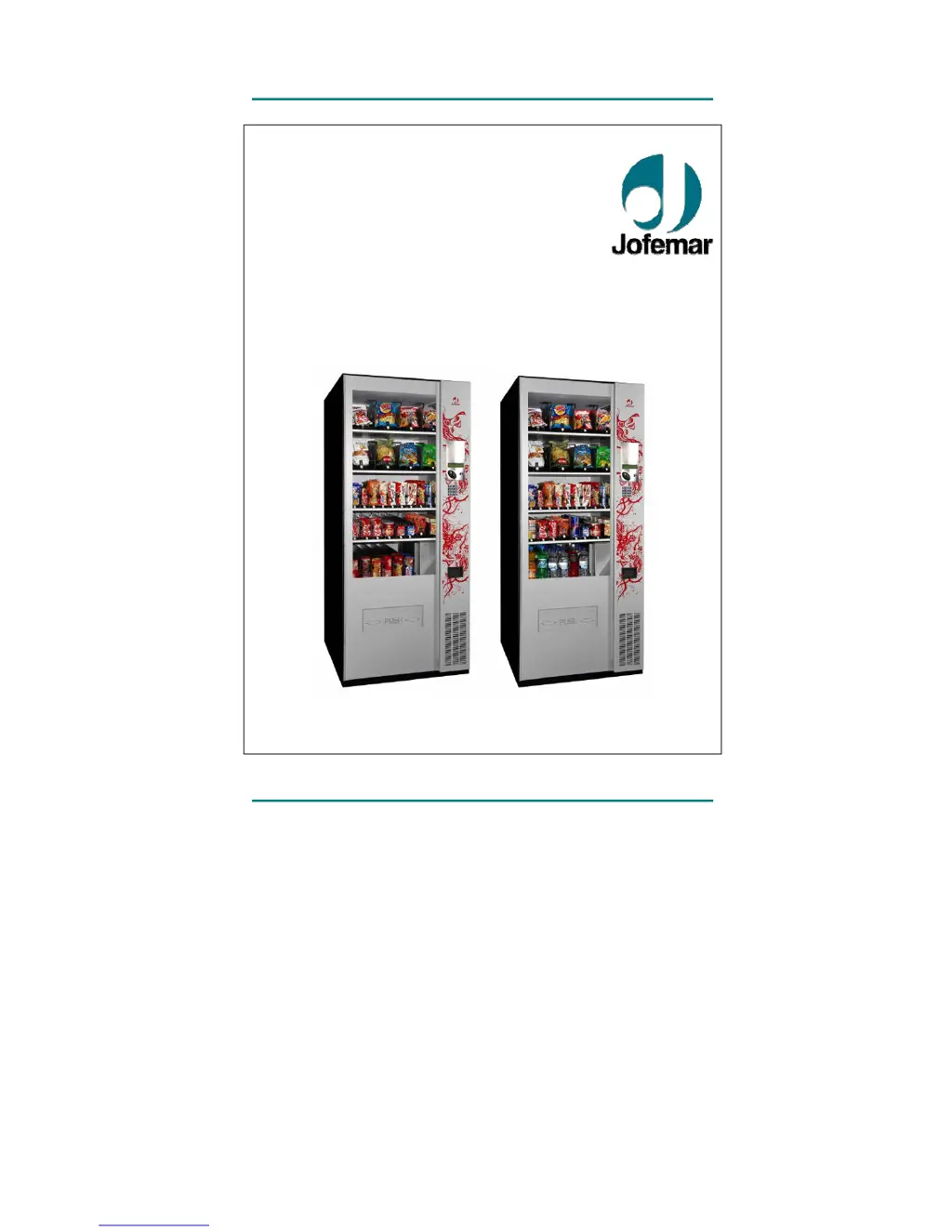
Jofemar Vision Snack Plus - User Manual

Jofemar Vision Snack Plus
62 pages
Print Icon
To Next Page IconTo Next Page
Loading...
vision
Snack Plus/Easy Combo
//
Vending
MNP86V03GBV00 Date: 2010/06/14 Rev. 0 PAGE 1 OF 62
English
vision
Snack Plus
Easy Combo
TECHNICAL MANUAL

Other manuals for Jofemar Vision Snack Plus

Questions and Answers

Summary

Safety Warnings and Precautions

General Usage Warnings

Important safety instructions for operating and handling the vending machine.

Symbols and Conventions

Symbol Explanations

Explanation of symbols used in the manual for clarity and understanding.

Operating Conditions

Optimal Environmental Parameters

Specifies ambient temperature, humidity, and maximum load for proper machine operation.

Machine Components Overview

Component Identification

Visual identification of major machine parts labeled with letters.

Key Technical Features

Product Dispensing Capabilities

Details on product size variety, tray configuration, and dispensing systems.

Machine Functionality and Control

Covers LCD screen, telemetry, accounting, product pushing force, self-testing, and safety systems.

Construction and Durability

Information on material quality, galvanization, and paint finish for longevity.

Machine Door Components

Door Exterior Features

Details external components visible on the machine door, including safety glass and card readers.

BT-10 Banknote Reader Functionality

Explains the banknote reader's operation, validation, and status indicators.

Card Reader Options

J-130 Card Reader Functionality

Details the J-130 card reader's capabilities for purchases, recharging, and programming.

Display Unit Functionality

Describes the display's role in programming, accounting, and showing product information.

Coin Inlet and Return

Explains the different types of coin inlets and the function of the coin return pushbutton.

Product Selection Interface

Pushbutton Panel Operation

Details the 16-key panel used for product selection and machine programming.

Lock and Programming Button

Describes the machine's locking system and the internal programming pushbutton.

Coin Changer Systems

J-2000 MDB Compact Operation

Explains operation modes, credit limits, and sales processes for the MDB compact.

J-2000 Executive Compact Operation

Executive Coin Changer Communication

Details communication protocols and error handling between machine and executive compact.

Coin Changer Price Storage

Describes options for price storage modes and display updates.

T-15 Coin Selector

Coin Selector Characteristics

Details the T-15 coin selector's validation capabilities and coin handling.

Machine Cabinet Details

Cabinet Structure and Function

Describes what the cabinet holds and its construction for insulation and consistency.

Trays and Channels

Tray Types and Dimensions

Details the dimensions, capacity, and weight of large and small trays.

Product Compatibility Table

Lists the types of snacks, drinks, and sandwiches compatible with the machine.

Product Vault Options

Vault Capacity and Locking

Describes vault options like capacity, self-locking, and door configurations.

Electronic Control System Components

Control Card Functions

Governs machine movements, programming, audits, and power supply for logic and motors.

Relay Card and Custom Display Card

Controls relays for cooling, lights, and manages the LCD display and pushbuttons.

Other Electronic Cards

Details photodiode, phototransistor, thermometer, and modem interface cards.

Cooling Unit (Easy Combo)

Cooling Unit Operation and Control

Manages temperature electronically via a program, controlling cut-off and turn-on cycles.

Cooling Unit Components and Operation

Cooling Unit Assembly

Details the compressor, condenser, fan, evaporator, and turbine within the cooling unit.

Defrosting Cycles and Air Circulation

Explains automatic defrosting cycles and the importance of air circulation for the unit.

Cooling System Maintenance

Provides conditions for proper cooling operation and maintenance advice.

Product Delivery Bin and Detection

Product Delivery Bin Dimensions

Provides the dimensions for the product delivery bin.

Product Detection System

Explains how photodiodes and phototransistors detect product drop.

Machine Lighting System

Fluorescent Lamp Specifications

Details the number and wattage of fluorescent lamps based on power supply.

Machine Anchoring and Security

Anchoring Kit and Options

Describes the anchoring kit for securing the machine to the floor or wall.

Machine Dimensions and Weight

Snack Plus Dimensions and Weight

Details the height, width, depth, and weight of the Snack Plus model.

Easy Combo Dimensions and Weight

Details the height, width, depth, and weight of the Easy Combo model.

Electrical and Electronic Specifications

Power Supply Requirements

Specifies the main voltage, maximum power, and intensity for the machine.

Initial Electrical Installation

Guidance on preparing a suitable electrical socket and installation checks.

Product Dispenser Channel Types

Describes three types of dispensers and their motor specifications.

Display Card Connectors

Display Card Connector Layout

Details the connectors on the display card, including pushbutton panel and power supply.

Control Card Connectors

Control Card Connector Assignments

Lists connections for transformer, product sensor, motors, thermometer, and communication interfaces.

Relay Card Connectors

Relay Card Connection Functions

Details connections for cooling unit, lighting, control card power, and transformer.

Photodiode and Phototransistor Cards

Phototransistor Connections

Lists connections for phototransistors, including branch enabling and power supply.

Front and Side Photodiode Connections

Details connections for front and side photodiodes, including power and sensing.

Photodiode and Phototransistor System

Photodiode System Diagram

Illustrates the communication and distances between photodiodes and phototransistors.

Electronic Thermometer Card

Thermometer Placement and Function

Explains the function and typical placement of the electronic thermometer.

Modem Communications Interface

Modem Interface Card Connections

Details connections for modem, power supply, and battery charger.

R 134 A CFC-Free Cooling Unit Specs

Cooling Unit Compressor and Coolant Details

Provides specifications for compressor make, model, coolant, and displacement.

Cooling Unit Power Supply and Turbine

Details power supply for condenser fan and turbine, and maximum airflow.

Electronic Control System Mounting

Control System Accessibility

Explains the mounting of the control system for easy access and component replacement.

Main Switch and Fuse Specifications

Details the main switch type, EMI filter, and protection fuse ratings.

T-15 Validator (Selector) Details

T-15 Validator Connections

Shows how the T-15 validator connects to the control card, listing its connectors.

Compact J-2000 Validation Unit

J-2000 Power and Current Specifications

Provides power consumption, peak current, and power supply voltage for the J-2000 unit.

J-2000 Unit Features and Protection

Highlights features like electronic coin validation, separator, return tubes, and water resistance.

J-2000 Coin Separator Function

Coin Separator Operation and Jam Detection

Explains how the coin separator directs coins and uses photocells for jam detection.

J-2000 Return Carriage System

Return Carriage Mechanism

Describes the system for extracting coins from return tubes and preventing accidental drops.

Recovery Motor Functionality

Recovery Motor Installation and Power

Details the installation, mounting, and 12 VDC power supply for the recovery motor.

BT-10 MDB Banknote Reader Features

BT-10 Sensor and Validation Capabilities

Explains the optical and magnetic sensors for banknote validation and security features.

BT-10 Communication and Updating

Details communication protocols, program updating via PC, and operating temperature.

BT-10 Power Consumption and Voltage

Provides standby and active power consumption, and MDB input voltage range.

Electrical Diagram

Illumination Circuit Block

Diagram showing the wiring for the illumination system, including lamps and starters.

Refrigeration Circuit Block

Diagram illustrating the wiring for the refrigeration unit, including compressor and fans.

Main PCB and Power Supply Wiring

Shows wiring for the main PCB, transformer, and various power supply connections.

Installation and Initial Startup

Machine Installation Guidelines

Instructions on placement, avoiding heat sources, and ensuring proper air circulation and leveling.

Initial Machine Startup Procedure

Safety measures for connecting to mains after installation and initial J-2000 compact reloading.

Memory Reset Procedure

Step-by-step guide for resetting machine memories, prices, and configuration.

Restocking Machine Trays

Tray Removal and Product Loading

Procedure for opening the door, releasing trays, and loading products.

Product Selection Process

Entering Product Codes

How to enter two-digit codes to select products and how the display shows prices and credit.

Channel Detection and Product Selection Logic

Explains channel detection upon startup and the logic for product selection with credit.

Machine Program Update Methods

Updating Program via PC

Step-by-step guide for updating machine software using a PC and RS-232 cable.

Updating Program via J-120 Card Reader

Instructions for updating software using a J-120 reprogramming card reader.

Updating Program via EasyFlash Device

Procedure for updating software using the EASYFLASH reprogramming device.

Machine Programming Modes

Standby Menu Without Credit

Describes the display rotation in standby and how to view product prices.

Machine Out-of-Service Indicators

Explains the messages shown when the machine is out of service and potential causes.

Standby Menu With Credit

Product Selection with Credit

How to select products when credit is inserted and display indications for insufficient credit.

Entering Programming Mode

Accessing Programming Addresses

Instructions on how to enter the programming menu and navigate through addresses.

Programming Address Navigation

Explains how to move forward and backward through programming addresses.

Audit Ticket and Reset Key Access

How to obtain audit tickets and access the reset key function.

Programming Addresses Overview

Communication Via Modem (MDB)

Configuration for modem communication, calling management center, and checking modem function.

Price Programming (Address 00)

Procedure for programming product prices for cash and card sales.

Discharging Change Tubes (MDB)

Coin Extraction from Compact Tubes

Procedure for discharging coins from compact change tubes and motor operation.

Money Accounting Audits (MDB)

Available Money Accounting Audits

Lists the 14 different audits available for tracking money transactions.

Setting the Clock and Time Format

Clock Programming Options

Allows programming of minutes, years, and time display format.

Adjusting Time Settings

Explains how to change time settings by increasing or decreasing values.

Fault Review

Machine General Faults Display

Shows the machine's general faults, indicating status like 'OK' or specific errors.

Fault Resetting Procedure

Clearing Machine Faults

Resets general machine faults and temperature expired product marks.

Motor Operation and Component Checks

Moving Channel Motors

Allows adjusting motor voltage and selecting channels for movement.

Product Detection System Check

Procedure for checking the product detection system and its branches.

Channel Configuration

Programming Channel Configurations

Procedure for programming, checking, and erasing channel configurations.

Consulting Programmed Data

How to consult programmed data and access channel selection menus.

Coin Inhibition (MDB)

Coin Status Display

Shows the value of coins and their status (inhibited or enabled).

Return Option Settings (MDB)

Coin Return Possibilities

Allows selecting between coin return possible or compulsory sale modes.

Sales Options Configuration

Sales Options for MDB Compact

Details Single Sales, Free Sales, and Mixed Single Sales Mode 2.

Sales Options for EXECUTIVE Compact

Describes Sales with Money and Free Sales options for the EXECUTIVE compact.

Maximum Return Value Setting (MDB)

Programming Maximum Credit

Sets the maximum return value in single sale mode, coinciding with maximum credit.

Adjusting Maximum Return Value

Explains how to increase or decrease the maximum return value and its automatic update.

Interior Light Programming

Interior Light Control Options

Options for turning lights on, time programming, and turning lights off.

Light Time Programming

Sets the times for machine lights to go on and off, with adjustable settings.

Temperature Options Configuration

Temperature Expiry Alarm

Allows enabling or disabling the temperature expired product alarm.

Displaying Internal Temperature

Temperature Display Setting

Option to display or not display the machine's internal temperature with the time.

Cooling Unit Cut-off Temperature

Programming Cut-off Temperature

Sets the cooling unit cut-off temperature between 4°C and 12°C.

Expiry Temperature Setting

Setting Expiry Temperature Threshold

Defines the temperature from which the product expiry count begins.

Expiry Period Configuration

Setting Expiry Period in Hours

Sets the period (in hours) the product must be at expiry temperature to be considered expired.

Date Expiry Options

Programming Product Expiry Dates

Procedure for programming individual expiry dates for products.

Displaying Product Expiry Dates

Accessing Product Expiry Date Display

How to access the channel selection menu to display programmed expiry dates.

Deleting Product Expiry Dates

Erasing Product Expiry Dates

Procedure to erase all programmed product expiry dates.

Programming Channel Expiry Dates

Setting Channel Expiry Dates

Procedure for programming expiry dates for specific channels.

Displaying Channel Expiry Dates

Accessing Channel Expiry Date Display

How to access the channel selection menu to display programmed expiry dates.

Deleting Channel Expiry Dates

Erasing Channel Expiry Dates

Procedure to erase all programmed channel expiry dates.

Product and Machine Codes

Machine Code Programming

Procedure for programming or changing the machine's 6-digit code.

Product Code Programming

Procedure for programming or changing the 4-digit product code for selection numbers.

RS-232 C Serial Port Communication

RS-232 C Interface and Data Format

Describes the RS-232C interface, data format, and DIN 5 connector.

Banknote Acceptance and Inhibition (MDB)

Checking Banknote Acceptance

Procedure to check banknote acceptance by inserting bills and viewing their status.

Banknote Inhibition Programming

Programs banknote options: enabled without escrow, enabled with escrow, or disabled.

Token Value Programming (MDB)

Token Value Configuration

Programs the value of up to three recorded tokens and setting values to zero.

Channel Motor Voltage Control

Programming Channel Motor Voltage

Allows changing motor voltage in steps of 0.5 Vdc and recording it for selections.

Consulting Programmed Motor Voltage

Accesses options to check the voltage programmed for selected channels.

Card Sales Price Configuration

Programming Prices for Card Sales

Sets prices for sales made with cards, defaulting to cash prices if not programmed.

Inhibited Sales Schedule (H.V.I.)

Programming Inhibited Sales Time

Programs the start and end times for inhibited sales periods.

Inhibited Sales Schedule Days

Selecting Days for Inhibited Sales

Allows choosing specific days of the week to apply the inhibited sales times.

Inhibited Sales Schedule Products

Selecting Products for Inhibition

Chooses product selection numbers to be affected by the inhibited sales schedule.

Viewing Programmed Sales Schedule

Displaying Inhibited Sales Settings

Shows programmed start time, end time, days, and products for the inhibited sales schedule.

Deleting Inhibited Sales Schedule

Disabling Inhibited Sales Schedule

Deletes all programmed settings to completely disable the inhibited sales schedule.

Program Version Information

Machine Control Card Program

Shows the name of the program recorded in the machine control card's flash memory.

ATMEGA Microprocessor Program

Displays the program for the digital thermometer controlled by the ATMEGA microprocessor.

Product Detection System Program

Shows the program version for the product detection system.

Currency Character Configuration

Setting Currency Characters

Allows changing the three characters currently programmed for currency display.

Display Language Selection

Choosing Display and Ticket Language

Selects the language for display texts and tickets printed via RS232.

Buzzer Control

Enabling or Disabling the Buzzer

Allows enabling or disabling the buzzer located on the display control card and pushbutton panel.

Calling Schedule Programming (MDB)

Setting Calling Time

Sets the daily time for the machine to call the management centre.

Setting Begin and End Standby Times

Defines the time window during which the machine waits for a call.

Telephone Number Programming (MDB)

Entering and Editing Telephone Numbers

Allows entering and editing the machine's telephone number, up to 20 characters.

Password Programming (MDB)

Setting the Machine Password

Programs a maximum 4-character password using numbers or blank spaces.

GSM PIN Programming

Setting the GSM PIN

Programs a maximum 4-character GSM PIN using numbers.

Alarm Consultation (MDB)

Viewing Active Alarms

Displays active alarms that have been sent via modem.

Configurable Alarms

List of Programmable Alarms

Lists various alarms that can be programmed, such as motor faults, temperature expiry, and sold out.

Advertising Message Programming

Setting the Rotating Advertising Message

Programs a message of up to 80 characters that rotates on the display.

Troubleshooting Common Failures

Coin Acceptance and Display Issues

Covers coins not accepted, display off, coin rejection, and error '2'.

Programming Mode and Communication Errors

Addresses programming mode access and communication failures.

Tube Jams and Coin Handling Problems

No Coin;Banknote Acceptance or Lost Settings

Covers no coin accepted, lost settings, specific tube issues, and value rejection.

System Out of Service and Sales Failures

Banknote Acceptance and Inhibition Issues

Addresses banknote acceptance and inhibition problems.

Annexes and Peripherals

Modem and GSM Options

Details landline or GSM modems with interface cards for MDB compact versions.

EASYFLASH Reprogramming Device

Describes the EASYFLASH device for tasks like reprogramming, reading audits, and monitoring.

Monitor Application and Device Versions

Monitor Functionality and Applications

Explains the Monitor application for loading device applications and checking versions.

Included Cables for Device Connectivity

Lists the cables provided for connecting the device to Jofemar machines.

J-2000 Compact Tube Jams and Changes

Disassembling the J-2000 Compact

Step-by-step instructions for disassembling the J-2000 compact unit.

Accessing and Re-assembling J-2000 Tubes

Procedure for accessing tubes after disassembly and re-assembling the unit.

Installing and Removing Channels

Channel Installation Guidelines

Explains how to easily replace tray channels, noting they are adjustable and tool-free.

Channel Fitting and Connection

Securing Channels in Trays

Details fitting metal tabs and connecting tray connectors to channel motors.

Transport and Levelling Feet

Removing Transport Feet

Instructions for removing plastic transport feet for better stability.

Installing and Adjusting Levelling Feet

Procedure for installing adjustable levelling feet and positioning the machine.

Cleaning and Maintenance Procedures

Cleaning Machine Exterior Glass

Recommends using a moist cloth and neutral product for cleaning the outside glass.

Cleaning Product Delivery Bin

Instructions for cleaning the product delivery bin and checking moving parts.

Cleaning Trays and Internal Areas

Guidance on cleaning trays, channels, and internal areas for hygiene and sales.

Cleaning Ventilation Grilles and Cooling Unit

Emphasizes cleaning ventilation grilles and the cooling unit condenser regularly.

Cleaning Machine Exterior Surfaces

Exterior Cleaning Methods

Uses a moist cloth with warm water for exterior cleaning, avoiding abrasive products.

Coin Selector Cleaning

Selector Walls and Ramps Cleaning

Recommends regular cleaning of the coin selector's walls and ramps with a soft brush.

Recycling and Disposal Information

Packaging Material Recycling

Advises consulting local authorities for packaging material recycling information.

Electronic Circuit Recycling

Highlights that electronic circuits are recyclable and mentions Jofemar's ECOLEC system.

Environmental Considerations

Energy Saving Advice

Provides advice on optimizing machine energy usage for savings and longevity.

Machine Placement for Energy Efficiency

Recommends placing the machine in a cool, dry, well-ventilated area, avoiding direct sunlight.

Cooling Unit Grilles and Ventilation

Benefits of Clean Grilles

Clean grilles result in significant energy savings and longer machine life.

Programmable Interior Lighting

Optimizing Energy Savings with Lighting Control

Programs showcase lights to save energy by turning them on or off based on light conditions.

Door Operation and Restocking Timing

Minimizing Door Open Time

Advise to open the door only when necessary and for short periods to save energy.

Jofemars Environmental Commitment

Measures for Reduced Environmental Impact

Highlights lower energy consumption, use of plastic feet, avoided cardboard, and improved thermal isolation.

Regulatory Compliance

European Standards Compliance

Confirms design to European standards and CE mark accreditation.

Jofemar Vision Snack Plus Specifications

General IconGeneral
TypeSnack Vending Machine
Power Supply230 V / 50 Hz
Number of Trays6
RefrigerationYes
DisplayLCD Display
TemperatureAdjustable
Payment OptionsCoin, bill, card, contactless

Related product manuals