vision
Snack Plus/Easy Combo
//
Vending
MNP86V03GBV00 Date: 2010/06/14 Rev. 0 PAGE 47 OF 62
..............................................................................
............................................................................
To return to previous menu.
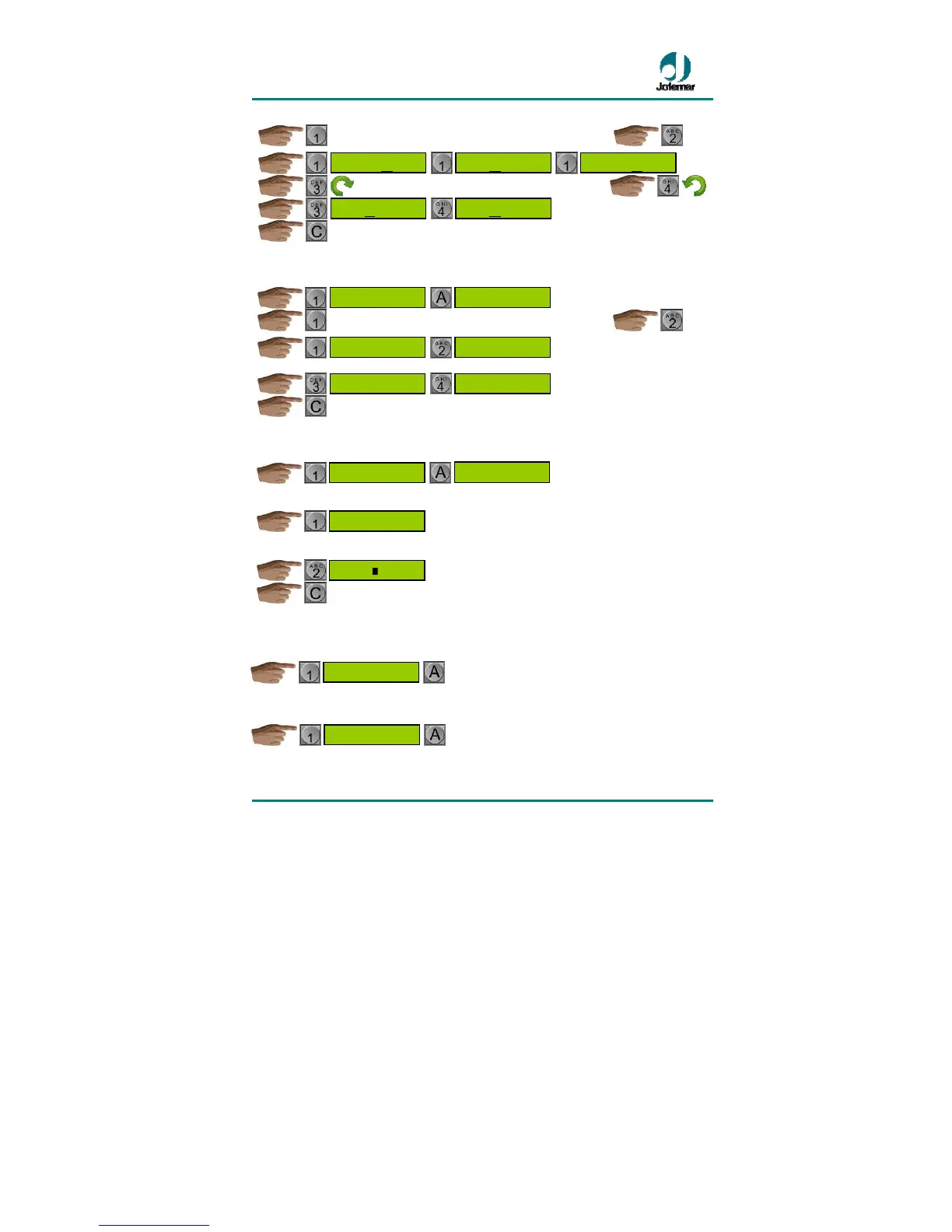
• Program days with H.V.I. : this option allows you to choose days in the week
when you want to apply the inhibited sale times.
..............................................................................
Once you have chosen the desired day of the week
To return to previous menu.
• Program products with H.V.I. : this option allows you to choose the product
selection numbers which you wish to be affected by the inhibited sales schedule.
You will see a menu where you can select all the products.
If you only wish to choose a product.
To return to previous menu.
• See programmed settings: the display will show all the settings that you have
programmed in this programming address in the following order: start time, end
time, days of the week with h.v.i. and products with h.v.i.
• Delete settings: all the settings programmed at this address will be deleted so that
the inhibited sales schedule is completely disabled.
CLEAR LOCK OUT


 To Next Page