12
Using the oven
1.
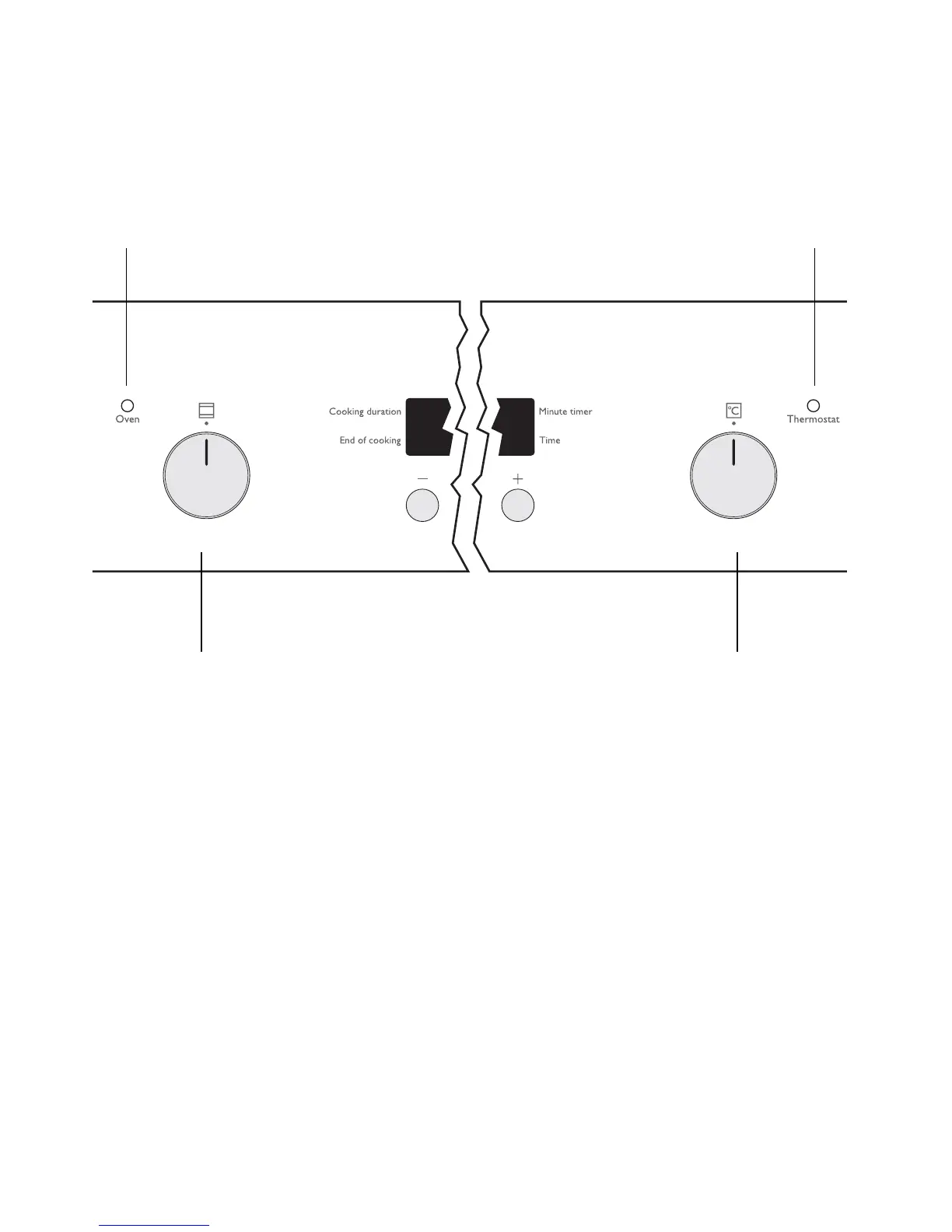
Turn the oven functions dial to the desired
function.
2.
Turn the temperature selector to the de-
sired temperature.
The power indicator light illuminates when
the oven starts to operate.
The temperature pilot light illuminates when
the oven starts to heat up
.
3.
To turn the oven off, turn the oven functions
dial and the temperature selector to the Off
position.
3
Cooling fan
The fan switches on automatically in or-
der to keep the appliance’s surfaces
cool. When the oven is switched off,
the fan continues to run to cool the ap-
pliance down, then switches itself off
automatically.
Temperature Pilot Light
Temperature selector
Oven Power Indicator
Oven Functions dial



 To Next Page