TEC2145-4 N2 Networked Thermostat Controller with Single Proportional Output and One-Speed Fan
Control Installation Instructions
10
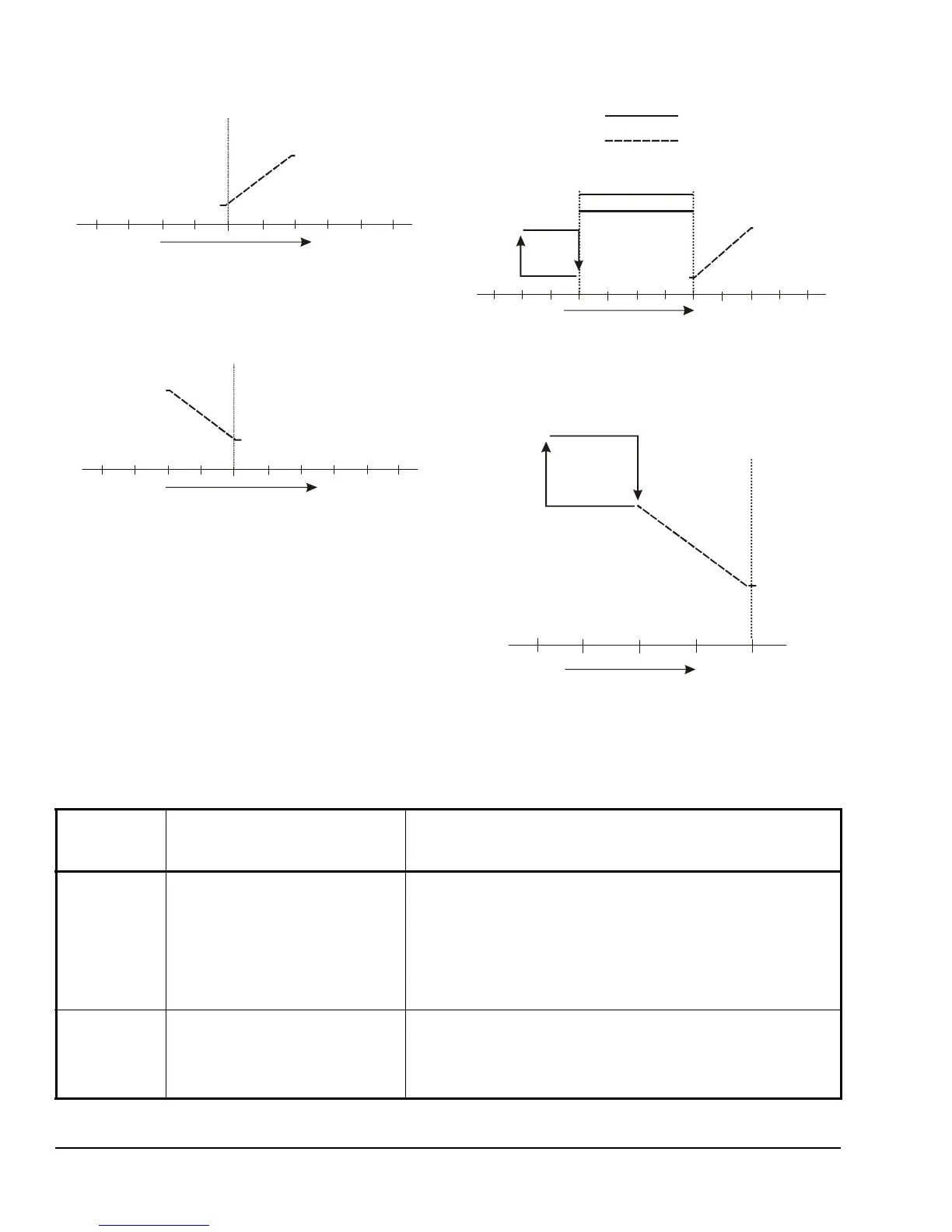
Temperature Increase
(Increments of 1F°/0.5C°)
Cooling Setpoint
Device Opened
On/Off, Floating,
or Proportional
Output
FIG:clng_nly
Temperature Increase
(Increments of 1F°/0.5C°)
Heating Setpoint
Device Opened
On/Off, Floating,
or Proportional
Output
FIG:htng_nly
Temperature Increase
(Increments of 1F°/0.5C°)
Device
Cooling Setpoint
Device
Opened
FIG:clng_wth_rht
Deadband
Reheat
On/Off, Floating,
or Proportional
Outputs
Heating Output
Cooling Output
Off
Off
On
On
Figure 9: Cooling with Reheat
Temperature Increase
(Increments of 1F°/0.5C°)
rht
0%
100%
Proportional
On
Figure 10: Heating with Reheat
Table 4: Installer Configuration Menu (Part 1 of 6)
Parameter
Appearing
on Display
Description and Default Selection Options
Pswrd Sets the protective access
password to prevent unauthorized
access to the Installer Configuration
Menu.
Default: 0
Note: The default setting does not
lock out access to the Installer
Configuration Menu.
Range: 0 to 1,000
Com addr N2 address at the thermostat
controller; coincides with the
address assigned at the supervisory
controller.
Default: 254
Range: 0 to 254



 To Next Page