TEC22x6(H)-4 and TEC22x6H-4+PIR Series LONWORKS® Network Thermostat
Controllers with Dehumidification Capability, Fan Control, and Occupancy Sensing
Capability Installation Instructions
1
Applications
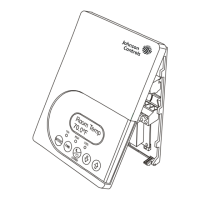
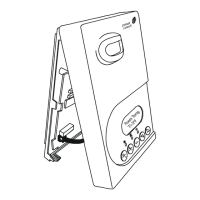
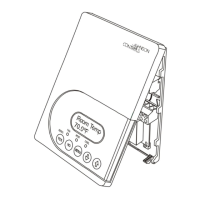
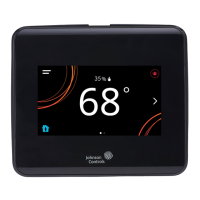
The TEC22x6(H)-4 and TEC22x6H-4+PIR Series
Thermostat Controllers are L
ONWORKS® network
devices that provide control of two- or four-pipe fan
coils, cabinet unit heaters, or other equipment using
on/off, floating, or proportional 0 to 10 VDC control
input, dehumidification capability, and up to three
speeds of fan control. The TEC22x6H-4+PIR Series
Thermostat Controllers have occupancy sensing
capability built into the device. These devices maximize
up to 30% energy savings in high-energy usage light
commercial buildings, such as schools and hotels,
during occupied times by using additional standby
setpoints. See the Occupancy Sensor Operation –
TEC22x6H-4+PIR Series Thermostat Controllers
section for more information.
The technologically advanced TEC22x6(H)-4 and
TEC22x6H-4+PIR Series Thermostat Controllers
feature a Building Automation System (BAS)
L
ONWORKS network communication capability that
enables remote monitoring and programming for
efficient space temperature control. Specific models
are available to accommodate commercial and
hospitality applications.
The TEC22x6(H)-4 and TEC22x6H-4+PIR Series
Thermostat Controllers feature an intuitive User
Interface (UI) with backlit display that makes setup and
operation quick and easy. The thermostats also employ
a unique, Proportional-Integral (PI) time-proportioning
algorithm that virtually eliminates temperature offset
associated with traditional, differential-based
thermostats.
North American Emissions Compliance
United States
Canada
Installation
Location Considerations
Locate the TEC22x6(H)-4 or TEC22x6H-4+PIR Series
Thermostat Controller:
• on a partitioning wall, approximately 5 ft (1.5 m)
above the floor in a location of average
temperature
• away from direct sunlight, radiant heat, outside
walls, behind doors, air discharge grills, stairwells,
or outside doors
• away from steam or water pipes, warm air stacks,
unconditioned areas (not heated or cooled), or
sources of electrical interference
For integrated Passive Infrared (PIR) models, make
sure the thermostat controller is located centrally,
where occupant movement is frequent.
IMPORTANT: The TEC22x6(H)-4 and
TEC22x6H-4+PIR Series Thermostat Controllers
are intended to provide an input to equipment under
normal operating conditions. Where failure or
malfunction of the thermostat controller could lead to
personal injury or property damage to the controlled
equipment or other property, additional precautions
must be designed into the control system.
Incorporate and maintain other devices, such as
supervisory or alarm systems or safety or limit
controls, intended to warn of or protect against
failure or malfunction of the thermostat.
This equipment has been tested and found to
comply with the limits for a Class A digital device
pursuant to Part 15 of the FCC Rules. These limits
are designed to provide reasonable protection
against harmful interference when this equipment is
operated in a commercial environment. This
equipment generates, uses, and can radiate radio
frequency energy and, if not installed and used in
accordance with the instruction manual, may cause
harmful interference to radio communications.
Operation of this equipment in a residential area is
likely to cause harmful interference, in which case
the user will be required to correct the interference
at his/her own expense.
This Class (A) digital apparatus meets all the
requirements of the Canadian Interference-Causing
Equipment Regulations.
Cet appareil numérique de la Classe (A) respecte
toutes les exigences du Règlement sur le matériel
brouilleur du Canada.
TEC22x6(H)-4 and TEC22x6H-4+PIR Series
LONWORKS
® Network
Thermostat Controllers with Dehumidification Capability, Fan Control,
and Occupancy Sensing Capability
Installation Instructions
Part No. 24-9890-1249, Rev. —
Issued February 8, 2010

 Need help?
 General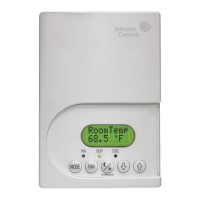


 To Next Page