EasyManua.ls Logo

Johnson Controls TEC3023-14-000 - User Manual

Johnson Controls TEC3023-14-000
40 pages
Print Icon
To Next Page IconTo Next Page
Loading...
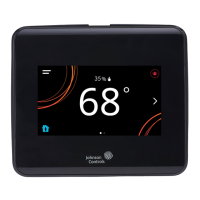
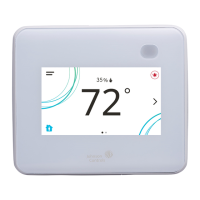
TEC3000 Series Proportional Fan Coil
Thermostats Installation Guide
Applications
The networked TEC3000 Series Thermostat Controllers
are stand-alone and field-selectable BACnet
®
MS/TP or
N2 networked devices. Wireless networked models of the
TEC3000 Series Thermostat Controller are also available.
Proportional Fan Coil and Individual Zone Thermostat
Controllers provide control of the following:
Local hydronic reheat valves
Pressure-dependent variable air volume (VAV)
equipment with or without local reheat
Two- or four-pipe fan coils
Cabinet unit heaters
Other individual zone equipment using an on/off or
floating control input
The networked models feature a field-selectable
Building Automation System (BAS) BACnet MS/TP or N2
communication capability that enables remote monitoring
and programming for efficient space temperature control.
The wireless models (TEC30xx-xx-000) are compatible
only with the WNC1800/ZFR182x Pro Series Wireless Field
Bus System that enables communication with a building
automation system (BAS). The new wireless models
(TEC31xx-14-000) are compatible only with WRG1830/
ZFR183x Pro Series Wireless Field Bus System. All models
include a USB port configuration that reduces installation
time to allow simple backup and restore features from a
USB drive, which enables rapid cloning of configuration
between similar units.
Some models have occupancy sensing capability built into
the device. These thermostat controllers maximize up to
30% energy savings in high-energy usage commercial
buildings, such as schools and hotels, during occupied
times by using additional standby setpoints.
All models feature an intuitive onboard touchscreen UI
with backlit display that makes setup and operation quick
and easy. For Single-or Two-Stage Economizer Thermostat
Controller models, only the single-speed fan configuration
is supported. For TEC3x1x and TEC3x2x models, multiple
fan configurations are supported for fan coil equipment
types, as follows:
Single-speed
Multi-speed (two or three discrete speeds)
Variable-speed/EC motors (0 to 10 VDC control)
Some models support dehumidification on two-pipe
fan coil units with reheat, and four-pipe fan coil units
with or without reheat. When no heating is required,
the thermostat controller monitors space humidity and
activates dehumidification control as necessary. Heat
and/or reheat is used as required to maintain the space
temperature. For optimal dehumidification performance,
use a fan coil unit that has a multi-speed or variable-speed
fan (VSF).
Important: The TEC3000 Series Thermostat
Controller is intended to provide an input to
equipment under normal operating conditions.
Where failure or malfunction of the thermostat
controller could lead to personal injury or property
damage to the controlled equipment or other
property, additional precautions must be designed
into the control system. Incorporate and maintain
other devices, such as supervisory or alarm systems
or safety or limit controls, intended to warn of
or protect against failure or malfunction of the
thermostat controller.
Important: Le TEC3000 Series Thermostat Controller
est destiné à transmettre des données entrantes
à un équipement dans des conditions normales
de fonctionnement. Lorsqu'une défaillance ou un
dysfonctionnement du thermostat controller risque
de provoquer des blessures ou d'endommager
l'équipement contrôlé ou un autre équipement, la
conception du système de contrôle doit intégrer des
dispositifs de protection supplémentaires.Veiller
dans ce cas à intégrer de façon permanente d'autres
dispositifs, tels que des systèmes de supervision
ou d'alarme, ou des dispositifs de sécurité ou de
limitation, ayant une fonction d'avertissement
ou de protection en cas de défaillance ou de
dysfonctionnement du thermostat controller.
North American emissions
compliance
United States
This equipment has been tested and found to comply with
the limits for a Class B digital device, pursuant to Part 15
of the FCC Rules. These limits are designed to provide
reasonable protection against harmful interference in
a residential installation. This equipment generates,
uses and can radiate radio frequency energy and, if not
installed and used in accordance with the instructions,
may cause harmful interference to radio communications.
However, there is no guarantee that interference will not
occur in a particular installation. If this equipment does
cause harmful interference to radio or television reception,
which can be determined by turning the equipment
off and on, the user is encouraged to try to correct the
interference by one or more of the following measures:
Reorient or relocate the receiving antenna.
Increase the separation between the equipment and
receiver.
Connect the equipment into an outlet on a circuit
different from that to which the receiver is connected.
Consult the dealer or an experienced radio/TV
technician for help.
LIT-12013162
2020-12-15
TEC3322-1x-xxx, TEC3323-1x-xxx, TEC3622-1x-xxx,
TEC3623-1x-xxx, TEC3022-1x-xxx, TEC3023-1x-xxx,
TEC312x-14-xxx

Questions and Answers

  • R
    richardsonpatriciaSep 16, 2025
    Why TEC3000 zone temperature doesn't change fast enough?
    • B
      bonniewrightSep 16, 2025
      If the TEC3000 zone temperature does not change fast enough compared to the measured zone temperature from a verification device, it is because the TEC3000 is configured by default for larger spaces with normal-sized equipment when a proportional device is active. To resolve this, select Control Setup > Tuning > Equipment Size > Oversized.
  • W
    whensleyAug 25, 2025
    How to fix Remote Zone Temp Fail on Johnson Controls Thermostat?
    • K
      Katherine RodriguezAug 25, 2025
      If you are experiencing a Remote Zone Temp Fail error on your Johnson Controls Thermostat, it means that the External Zone Temperature sensor has been disconnected or has failed. Here's what you can do: * Check the wiring of the sensor. * If the sensor was intentionally disconnected, reset sensors through the menu. * If the problem continues, order replacement units and return the affected devices to Johnson Controls under the RMA program.
  • C
    Christopher MorenoAug 25, 2025
    How to fix Supply Temp Fail on Johnson Controls TEC3023-14-000?
    • A
      Angela DavisAug 26, 2025
      If your Johnson Controls Thermostat shows a Supply Temp Fail error, it indicates that the External Supply Temperature sensor has either been disconnected or has failed. To resolve this: 1. Check the wiring of the sensor. 2. If the disconnection was intentional, reset the fault by going to the menu, then Control Setup, and selecting Inputs to reset the sensors. 3. If the problem persists, order replacement units and return the affected devices to Johnson Controls under the RMA program.
  • D
    Dawn LiAug 27, 2025
    What to do if Johnson Controls TEC3023-14-000 shows Internal Sensor Fail?
    • C
      Craig ReedAug 27, 2025
      If your Johnson Controls Thermostat displays an Internal Sensor Fail, it means that an internal sensor has failed on the TEC. The solution is to order replacement units and return the affected devices to Johnson Controls under the RMA program.
  • A
    Angel AguilarSep 18, 2025
    Why does Johnson Controls TEC3023-14-000 Thermostat provide an error when trying to back up settings?
    • M
      Michael LewisSep 18, 2025
      If your Johnson Controls Thermostat provides an error when trying to back up settings, it means the USB drive is defective. Try a different USB drive.
  • J
    jamesstoneSep 23, 2025
    What to do if Johnson Controls TEC3023-14-000 displays Firmware Mismatch?
    • B
      Brandon Warner DDSSep 23, 2025
      If your Johnson Controls Thermostat displays a Firmware Mismatch, it could be due to a previous upgrade that did not complete. In this case, upgrade the TEC3000 to the latest released version and then upgrade it to the current version again. Alternatively, the previous downgrade might not have completed because the previous version is no longer supported; in this case, reboot the TEC3000 to clear the fault.
  • V
    Veronica RamirezSep 8, 2025
    What causes Supply Fan Fault on Johnson Controls TEC3023-14-000 Thermostat?
    • M
      Mary SanchezSep 9, 2025
      If your Johnson Controls Thermostat reports a Supply Fan Fault, it means the Supply Fan Status configured for either BI1 or BI2 has not proved within the configured Fan Alarm Delay. Verify that the Supply Fan is operating when turned on, and that the Supply Fan Status wiring is connected correctly.
  • K
    Kerry PerrySep 9, 2025
    What to do if Johnson Controls Thermostat zone temperature is too cold?
    • W
      Wanda AdamsSep 9, 2025
      If the zone temperature is too cold on your Johnson Controls Thermostat, it means that the Zone Temperature decreased below the configured Zone Temp Low Limit. Verify that the TEC and the RTU heating are enabled and functioning.
  • M
    Michael WoodSep 2, 2025
    How to fix Fan Lock on Johnson Controls TEC3023-14-000 Thermostat?
    • R
      Robert WhiteSep 3, 2025
      If your Johnson Controls Thermostat displays 'Fan Lock', it means the switch connected to the BI configured for Fan Lock did not sense airflow within 10 seconds of starting the fan, and control has been shut down. Here's how to address it: 1. Inspect equipment to ensure the fan functions. 2. Check sensor functionality with an ohmmeter and verify wiring to the TEC. 3. Reset the fault by entering the menu, selecting Fault Status, and selecting the Fan Lock. 4. If the problem persists, order replacement units and return the affected devices to Johnson Controls under the RMA program.
  • G
    Gregory LawrenceSep 1, 2025
    Why Johnson Controls Thermostat shows Humidity Unreliable?
    • T
      tammymartinezSep 1, 2025
      If your Johnson Controls Thermostat displays 'Humidity Unreliable', it means the zone humidity reading was reliable but has now failed. If the source of zone humidity was the onboard sensor, contact Johnson Controls product sales and support. If the source of zone humidity was a BAS, check the BAS to ensure it is still online and providing the TEC with the humidity reading. If removal of the BAS mapping was intentional, reset sensors through the menu.

Summary

Applications

North American Emissions Compliance

United States

FCC compliance statement for digital devices in residential installations.

Canada Emissions Compliance

Installation

Parts Included

Lists essential components provided with the thermostat controller.

Location Considerations

Guidelines for optimal placement of the thermostat controller.

Installing the Thermostat Controller

Step-by-step guide for mounting the thermostat controller base.

Wiring

Terminal Identification

Wiring Diagrams

Setup and Adjustments

Overview

Introduces the thermostat's home screen and customization options.

Customizing the Home Screen

Explains how to adjust display settings, brightness, and visible elements.

Touchscreen Icons

User Lockout

Details access levels to manage thermostat functionality and restrict user changes.

Using the USB Port

Loading Firmware

Steps to update the thermostat's operating system using a USB drive.

Backing Up Settings

Procedure to save current thermostat configuration settings to a USB drive.

Restoring Settings

How to load saved configuration settings from a USB drive back to the thermostat.

Choosing Communication Mode

Configuration for BACnet or N2 network communication modes.

Configuring the Thermostat Controller

Configuring Network Settings for Wireless Models

Steps to set up network parameters for wireless thermostat models.

Installer Configuration Menu

Overview of the factory default settings and menu navigation for installers.

Screen Reset

Information on how the screen resets and disabling the screensaver.

Selecting the Unit Type

Guide to choosing between four-pipe, two-pipe, or VAV unit types.

Configuring the Supply Fan

Setting the Control Mode

How to configure the thermostat for Cooling only, Heating only, or Automatic mode.

Setting the Fan Mode

Options for handling fan operation (On, Auto, Smart, Low, Med, High).

Configuring Zone Space or Equipment Size

Changeover

Dehumidification Control

Temperature Setpoints

Configuring Occupancy

Selecting Schedule Source

Choosing between local or BAS-managed schedules for occupancy.

Scheduling (for All Models)

Setting up the schedule source (local or BAS) for occupancy.

Setting the Local Schedule

Programming a weekly occupancy schedule with up to four events per day.

Enabling Optimal Start

Enabling the Motion Sensor

PID;PRAC+ Automatic Control Tuning

Configurable Binary Inputs

Aux Control

Commissioning Mode

Scheduled Circulation

Configurable Analog Inputs (Als)

Configuring the Als

Setting up analog inputs for sensors like humidity, temperature, or CO2.

Networked Sensors

Available Fault Diagnostics

Troubleshooting

Technical Specifications

Johnson Controls TEC3023-14-000 Specifications

General IconGeneral
BrandJohnson Controls
ModelTEC3023-14-000
CategoryThermostat
LanguageEnglish

Related product manuals