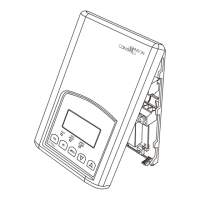
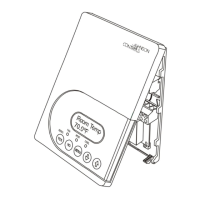
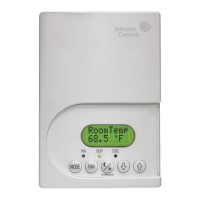
TEC2145-4 N2 Networked Thermostat Controller with Single Proportional Output and One-Speed Fan
Control Installation Instructions
12
UI3 Configuration of Universal Input 3.
Default: None
(None): No function is associated with an input.
(COC/NH): Changeover Contact/Normally Heat: A dry contact input
is used to signal seasonal hot/cold water changeover. The contact
closes when cold water is present. Valid only for two-pipe systems.
(COC/NC): Changeover Contact/Normally Cool: A dry contact input
is used to signal seasonal hot/cold water changeover. The contact
closes when hot water is present. Valid only for two-pipe systems.
(COS): Changeover analog Sensor: Used for hot/cold water
changeover switching. Valid only for two-pipe systems.
Note: Choose the selection option (0): Cooling Only for the
SeqOpera parameter to allow changeover to occur between
Cooling Only and Heating Only. Choose the selection option (2):
Cooling and Reheat to allow changeover to occur between
Cooling and Reheat and Heating and Reheat.
(SS): Supply Air Sensor Monitoring
Note: The temperature readings from these sensors can be
monitored at the thermostat controller or the supervisory controller.
MenuScro Gives the option of having the
display continuously scroll the
parameters.
Default: on
(off): The scroll is inactive.
(on): The scroll is active.
AutoMode Enables the Auto function (if
Cooling with Reheat is chosen in
the SeqOpera parameter) to be
visible within the MODE key menu.
(The MODE key is the key at the far
left of the thermostat controller
cover.)
Default: off
(on): The Auto function is active (Off-Auto-Heat-Cool). Provides
automatic changeover between heating and cooling.
(off): The Auto function is inactive (Off-Heat-Cool).
C or F Provides temperature scale options
for display.
Default: °F
(°C): Celsius scale
(°F): Fahrenheit scale
Lockout Selectable Lockout Levels for
limiting end user keypad interaction.
Default: 0
Lockout
Level
Function
Mode
Setting
Fan
Setting
Local
Override
Occupied
Temperature
Setpoints
(0) Access Access Access Access
(1) Access Access No Access Access
(2) No Access No Access Access Access
(3) No Access No Access No Access Access
(4) No Access No Access Access No Access
(5) No Access No Access No Access No Access
SeqOpera Determines the sequence of
operation.
Default: 1
(0): Cooling Only (Off-Cool). The default is Cool.
(1): Heating Only (Off-Heat). The default is Heat.
(2): Cooling and Reheat (Off-Auto*-Heat-Cool). The default is Auto.
(3): Heating and Reheat (Off-Heat). The default is Heat.
* Auto can be disabled with the AutoMode parameter.
Note: Choose the selection option (0): Cooling Only when using a
changeover sensor to allow changeover to occur between Cooling
Only and Heating Only.
Table 4: Installer Configuration Menu (Part 3 of 6)
Parameter
Appearing
on Display
Description and Default Selection Options



 To Next Page