www.johnsonlevel.com/manuals
USING THE DETECTOR
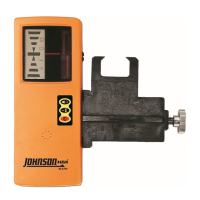
1. Follow the instructions in “GETTING STARTED” to prepare the
detector for use and set your desired accuracy mode.
TIP: If the rotary laser you are using has multiple rotational speed
options, use the highest speed when working with the detector.
This will make it easier to locate the laser beam.
2. Position the detector so the detection window is facing the laser
and nothing (including your own body) is in between the detector
and the laser.
TIP: Be cautious of laser reflections from windows, trucks and
other surfaces that can cause laser reflection and erroneous
signals.
3. Move the detector perpendicular to the plane of laser light until
you begin to locate the beam. The detector will beep (if sound
is enabled), and the LCD beam location indicator will appear. If
you’re having trouble finding the beam initially, make sure you are
using a slow, steady motion to move the detector.
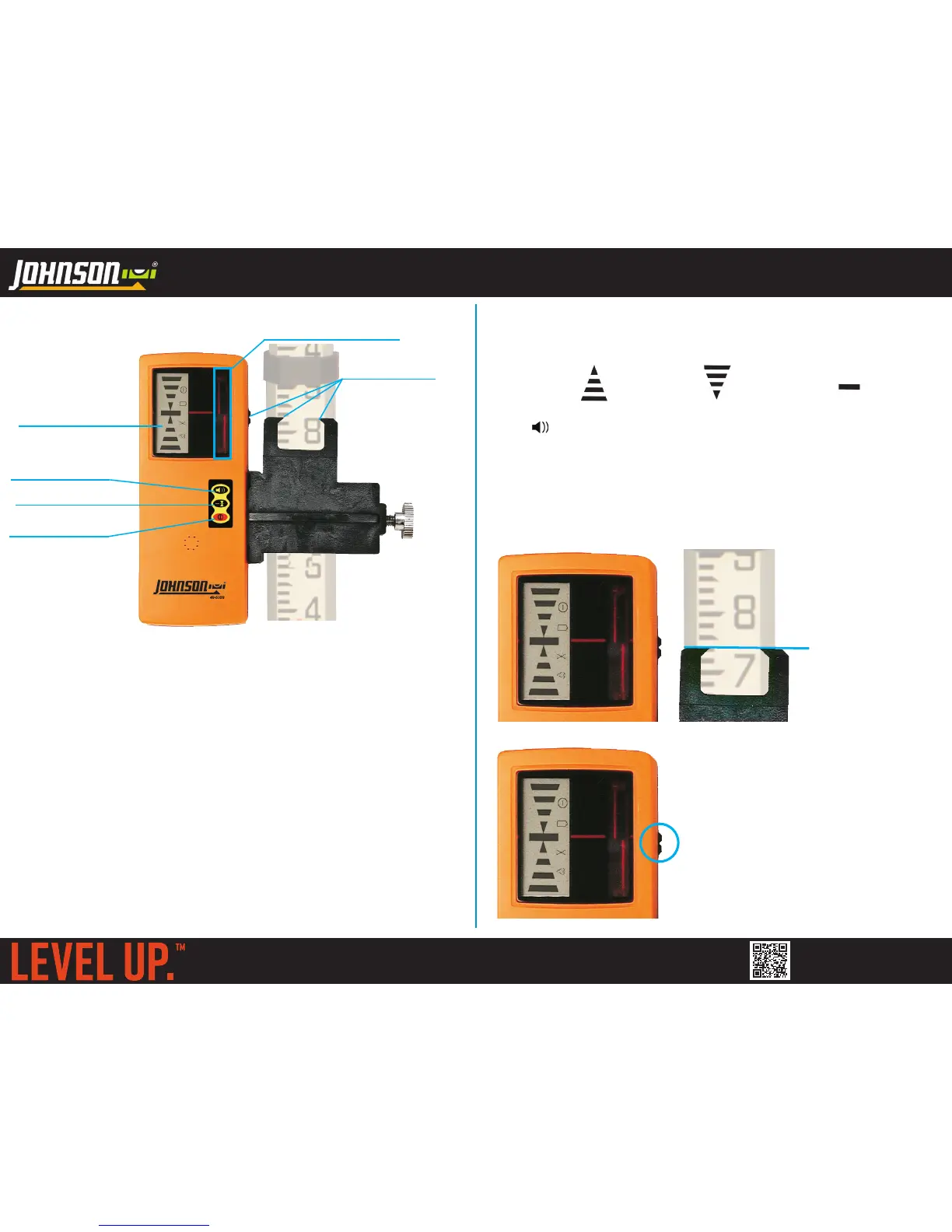
GRADE ROD CLAMP
GRADE POSITION
INDICATORS
LCD DISPLAY
VOLUME BUTTON
DETECTION WINDOW
ACCURACY BUTTON
POWER BUTTON
GRADE ROD (NOT INCLUDED)
4. Continue to move the detector up or down until you locate grade.
You will receive both visual cues and audio cues (if enabled)
regarding which direction to move the detector to locate grade:
MOVE UP MOVE DOWN ON GRADE
(FAST BEEP) (SLOW BEEP) (SOLID TONE)
Use the grade position indicators to read or mark grade:
IF USING A GRADE ROD: Read the top edge of the grade
position indicator on the grade rod clamp (indicated by the blue
line in the image below). In this image of a ft/100’s (engineer’s
scale) grade rod, the grade reading would be 0.74’.
IF NOT USING A GRADE ROD:
Read grade position using the grade
position indicator on the housing of
the laser detector (shown in the blue
circle in the image to the left).
For your convenience, the dual raised
edges will help center a pencil, marker
or other marking tool so that you can
mark the grade position directly on
your work surface.
0.74’


 To Previous Page