Need help?
Do you have a question about the Johnson 40-6526 and is the answer not in the manual?
Instructions for installing batteries in the remote control and laser unit.
Procedure for charging the rechargeable battery pack.
Steps for placing and powering on the laser unit for operation.
Overview of the laser's control panel and remote control buttons.
How to turn the unit on/off, low battery, and range alarms.
Using the tilt mode and its associated indicators and functions.
Adjusting rotation speed, scan mode, and scan line direction.
Detailed instructions for using the X and Y direction slope modes.
Covers timed auto-off, remote shield, and vertical mode operation.
Step-by-step guide to check the laser's accuracy in X and Y directions.
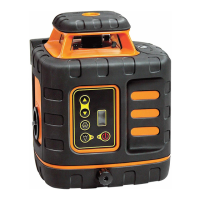
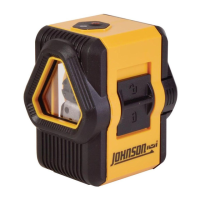
The Johnson Electronic Self-Leveling Horizontal & Vertical Rotary Laser is a precision tool designed for laying out indoor or outdoor construction projects. It emits one rotating laser beam and one 90° split beam, offering both horizontal and vertical working modes with electronic self-leveling.
The laser features a large electronic self-leveling range of ±5°. If the unit is beyond this range, the laser beam flashes, rotation stops, and an audible alarm activates, ensuring accuracy. It operates with two rotational speeds: 300 and 800 RPM. A scan function allows adjustment of the scan size and direction, and a fine self-calibration function is included. An out-of-level alarm further ensures working accuracy. The "Tilt Mode" is a crucial feature: if the laser is bumped, it will stop rotating and flash, alerting the user to potential height changes and maintaining work accuracy. A slope function enables users to perform slope measurements in both X and Y axes. The device is designed to be dust and rain resistant, making it suitable for various job site conditions.
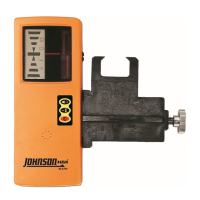
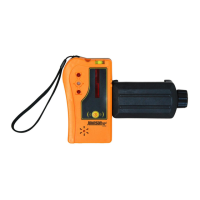
The laser can be powered on by pressing the power button, which illuminates the power indicator LED. The unit then automatically levels itself and begins rotation. Pressing the power button again turns the unit off. A remote control (not included with 40-6526) can also be used to power down the laser beam and rotating beacon, though it does not fully power off the laser. A blinking battery indicator LED signals low battery, prompting replacement or recharging. If the laser is inclined beyond its ±5° auto-leveling range, an audible alarm sounds, rotation stops, and the beam flashes, requiring repositioning.
The "Tilt Mode" is activated after the laser self-levels and begins to rotate. The TILT symbol LED blinks for 30 seconds; if moved during this time, it re-levels. After 30 seconds, the TILT symbol LED becomes solid. If moved when solid, rotation stops, the beam blinks, and the TILT symbol LED blinks quickly, indicating a height change. Pressing the tilt reset button re-levels the laser and restarts TILT mode.
Speed adjustment allows switching between 800 RPM (highest speed) and 300 RPM (low speed) via the laser keypad or remote. High speed is recommended with a laser detector, while low speed is better for indoor use with the naked eye or laser enhancement glasses.
The scan mode is activated by pressing the scan mode button. Subsequent presses cycle through a shorter bright laser line and a bright laser point. To return to rotating, the speed adjustment button is pressed. The scan line can be rotated clockwise or counter-clockwise using dedicated buttons on the keypad or remote.
Slope mode allows for X and Y direction slope adjustments. Pressing the slope mode button once enters X-direction slope mode, turning on the X LED and disabling self-leveling. Buttons allow shifting the slope angle left or right. A second press selects Y-direction slope, turning on the Y LED, with buttons to shift the slope angle front or back. Pressing and holding the slope mode button returns the unit to normal operation. Holding the slope mode button for three seconds enters single slope mode, where the X-axis LED is on and the Y-axis LED flashes, allowing X-axis sloping while the laser self-levels.
A timed auto-off function puts the unit into sleep mode (rotating beacon and laser beam powered down) by pressing the remote's power button once. If in sleep mode for 30 continuous minutes, the unit automatically turns off. A second press of the remote's power button exits sleep mode and enters self-level mode. A remote control shield key disables remote control signals when pressed.
For vertical mode operation, the laser is placed on a flat surface with the keypad facing up.
This laser unit is a precision tool requiring careful handling. It should be protected from shock, vibrations, and extreme temperatures. Always turn the unit off before moving or transporting it. For extended storage (over 3 months), batteries should be removed to prevent deterioration. The unit should always be stored in its case when not in use and kept dry. The laser output window should be kept clean and dry, using a soft, dry cloth. Harsh chemicals, strong detergents, or cleaning solvents should not be used.
The user is responsible for verifying the instrument's calibration before each use. An accuracy check procedure is provided to ensure the laser is within tolerance (±1/8" at 50'). If the laser is found to be out of tolerance, Johnson's authorized service center should be contacted for calibration. Attempting to repair or disassemble the tool by unqualified persons will void the warranty. Only original Johnson® parts and accessories should be used.
Troubleshooting guidance is provided for common issues such as the unit not powering on, powering on briefly, laser not spinning, flashing/beeping, remote control not working, unit inaccuracy, and dim laser beam. Solutions include replacing/charging batteries, securing battery cases, repositioning the unit, exiting slope mode, or contacting a service technician for calibration.
 General
| Brand | Johnson |
|---|---|
| Model | 40-6526 |
| Category | Measuring Instruments |
| Language | English |


 To Next Page