©2019 Johnson Level & Tool - Rev. 3 9
Battery Installation
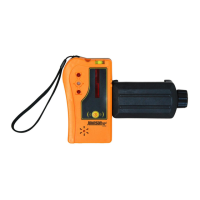
Install 1x9V battery into the remote control by depressing the arrow
on the remote’s lower cover and sliding the cover in the direction
indicated by the arrow until the battery compartment is exposed.
NOTE: The battery compartment is located below the calibration
function buttons - once you have slid the remote cover enough to
expose the calibration buttons, continue sliding it to expose the
battery housing.
Put 4 “C” alkaline batteries into the
alkaline battery pack according
to polarity direction, then insert
the battery pack into the laser.
Or, insert the rechargeable battery
into the laser, if equipped.
Charging the Rechargeable Batteries
Insert the charger into an AC outlet and into the rechargeable battery
pack, the rechargeable battery is now charging. The charger
indication light is red when it is charging, and it turns green when
the battery is full.
Charger indicator light



 To Next Page