14 ©2019 Johnson Level & Tool - Rev. 3
Slope Mode
1. Press the slope mode button once (see figure) on either the
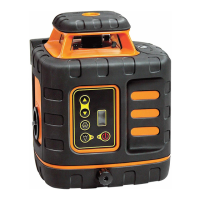
laser keypad or remote to enter into the X-direction slope
mode. The X LED will turn on. This will put the laser into dual axis
slope mode and the self-leveling motors will be
turned off.
- Press the button pointing to the left to shift the slope
angle down to the left facing the laser.
- Press the button pointing to the right to shift the slope
angle down to the right facing the laser.
2. Press the slope mode button again to select Y-direction slope. The Y
LED will turn on.
- Press the button pointing to the left to shift the slope angle
down to the front of the laser facing the laser.
- Press the button pointing to the right to shift the slope angle
down to the back of the laser facing the laser.
3. Another press of the slope mode button changes back to
X-direction slope selection. Pressing and holding the button returns
the unit to normal operation.
4. Hold the slope mode button in for three seconds to enter single slope
mode. X is the default axis. The X-axis LED is on and the Y-axis LED is
flashing. Push the slope button again to slope the X-axis. The laser
will continue to self-level in this mode. Pressing and holding the button
returns the unit to normal operation.



 To Next Page