901-10113 - 13 - 9/16/2024
3.2 User Interface
In 2024 we have introduced a new User Interface. The User Interface is installed on the front left corner
of the truck body. It has a digital color display of refrigeration system information and keypad to access
information and adjust system settings. The User Interface requires almost no interaction from the
operator. If troubleshooting or servicing is ever needed, technicians will appreciate the easy access to
complete system information.
The User Interface is rated for IP67 / IP65 protection from dust and jets of water. We have tested that it
is unharmed by a pressure washer, but it is a good idea to avoid excessive pressure washing at close
range.
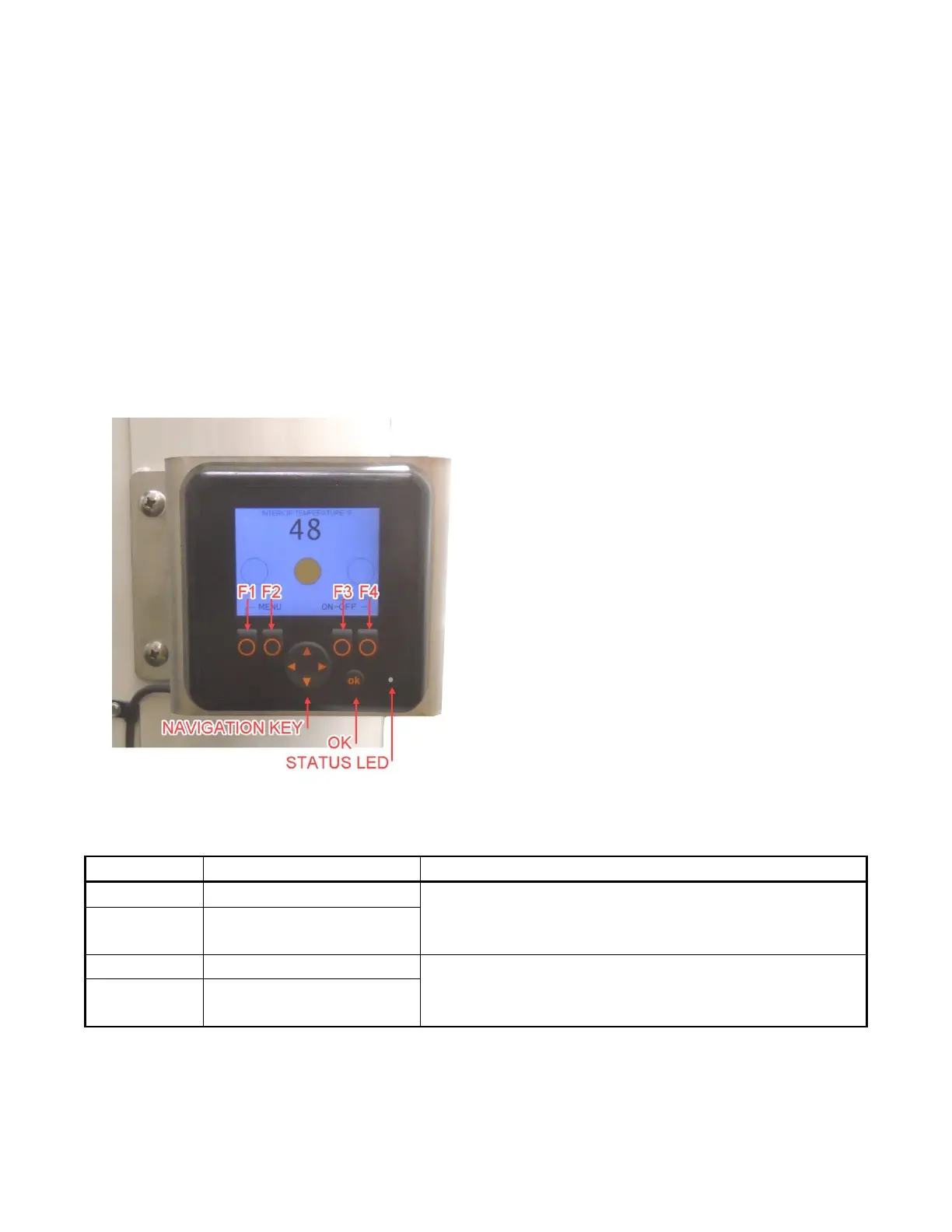
In this guide, we refer to the User Interface buttons as labeled in the picture below. Button functions
are generally unique to each screen. Screens have labels to show what each button does.
Figure 2: Keypad layout of User Interface
Table 2: Status LED and its meanings. Located to the right of the OK button.
The User Interface saves any settings or changes and remembers them each time it turns on. Some
features are password protected to prevent accidental or unauthorized settings changes.



 To Next Page