English - 14 -
5 BUSY XXX
Busy channel
lockout.
OFF: Turn off busy channel lockout
function.
ON: Turn on busy channel lockout function.
6 BOT XXX Call setting.
OFF: When press [PTT] will not transmit
DTMF code.
1~16: Press [PTT] to transmit DTMF code.
7 EOT XXX Call setting.
OFF: Release [PTT] will not transmit DTMF
code.
1~16: Release [PTT] to transmit DTMF
code.
8 CAL XXX Call setting.
OFF: When press [CALL] key will not
transmit DTMF code.
1~16: Press [CALL] key to transmit DTMF
code.
- Only when current channel has programmed DTMF code, the call settings will
work.
- See DTMF menu setting.
CHANNEL FUNCTION SETTINGS
How to enter channel menu:
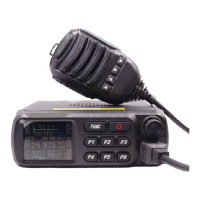
1. Press and hold [FUNC] key to enter main menu.
2. Press [F4], [F6] key or turn the channel selector knob to move cursor and choose
setting menu. Press [F5] key can fast turn page.
3. Press channel selector knob to enter channel menu.
4. Press [F4], [F6] key or the channel selector knob to move cursor and choose
wanted setting. Press [F5] key can fast turn page.
5. Press channel selector knob to enter setting, the chosen value in LCD will turn to
green color.
6. Turn channel selector knob to choose wanted setting.
7. Press channel selector knob or the [F3] key to confirm and exit.
- Channel menu is used to edit the setting for current channel.
- Channel setting is valid for a single channel.
1 PD XXX All channel setting.
OFF: All channel setting disable.
ON: The channel setting is valid for all
channels.
2 Scan XXX
Scans add/delete
setting.
ADD: Current channel add into scan list.
DEL: Current channel delete from scan
list.
3 RCDT XXX
Receiver CTCSS/DCS
encode setting.
Press and hold channel selector knob to
choose wanted setting.
CTC: 67.0 Hz~250.3 Hz, total 38
groups.
DCS: D023N~D754N, total 104 groups.


 To Next Page