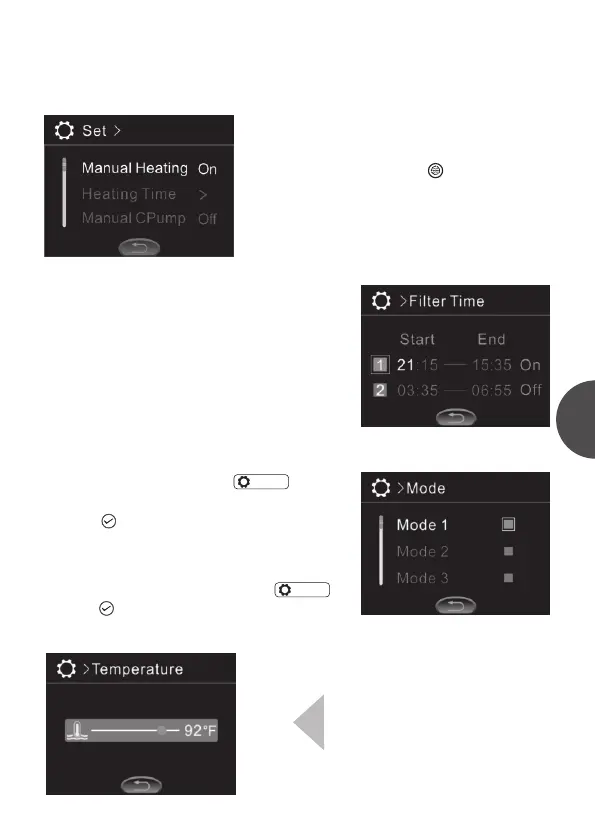
Manual Cpump
When the manual cycle pump is started, there
will be a cycle pump icon ” ” added in the
function operation interface. User can start
cycle pump manually in function operation
interface. The icon will disappear when the
manual cycle pump function is turned off.
When the system is set in timing water cycle
mode, its on/off and time setting are the same
as the time setting of timing heating.
Mode
PB554 control panel can store four different
modes. Mode can store the states of pump,
blower, ozone, heater, and backlight brightness.
How to store the setting: In“ ”, move
the cursor to the items need to be saved and
press“ ”. If the square on the right side of
the item is solid, then it indicates the current
mode is stored.
How to select the mode stored: In“ ”,
press“ ”in turn to select the stored the
modes.
>Mode
Temp. unit
Temperature unit can be set as ℃
or ℉ .
>Mode
Filter time
Attention:
all the time setting is based on the system time. So user need to keep the system
time accurate before operate the time period setting.
3


 To Next Page