Auto lock
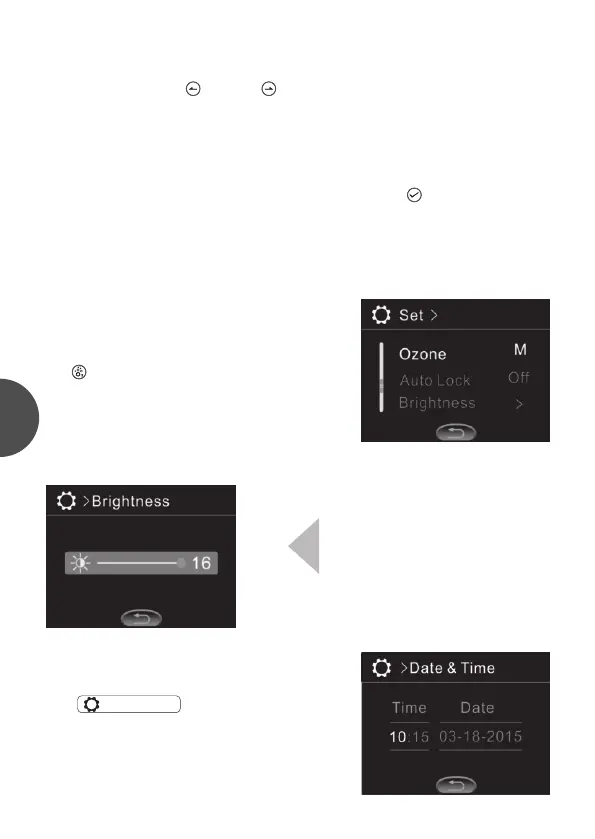
The auto lock starting time can be set as “off”, 30S“, “1 min” or “3min”.
When the lock function is started, press continuously ” ” for 3S till “Auto
lock” disappears, and the panel is unlocked. in the function operation
interface.
Brightness
Backlight brightness range is 1-16.
Date & time
In ” ”, date and time can be
set. If the control system is off power, the
correct time setting can be kept for a few days.
>Date & Time
Ozone
OZone has two modes: auto and manual
Ozone can be set as auto start or manual start.
In manual start mode, there will be an icon
“ ”added. User can star t the ozone
generator manually in the function operation
interface.
Temprature setting
The temperature setting range is 50 ℉ to 104 ℉ (10 ℃ to 40 ℃). In Set->
Temperature, press“ ”and“ ”to set the value of the temperature. The
value will be automatically stored after exiting the menu.
4


 To Next Page