DM Dead man mode:
Selecting this menu it’s possible to control each motor in dead man mode. Push up and down to
select one of following item:
O1 open motor1
C1 close motor1
Q1 open motor2
C2 close motor2
EX Exit
Keep pushed enter to start the selected motor in dead man mode.
Board settings:
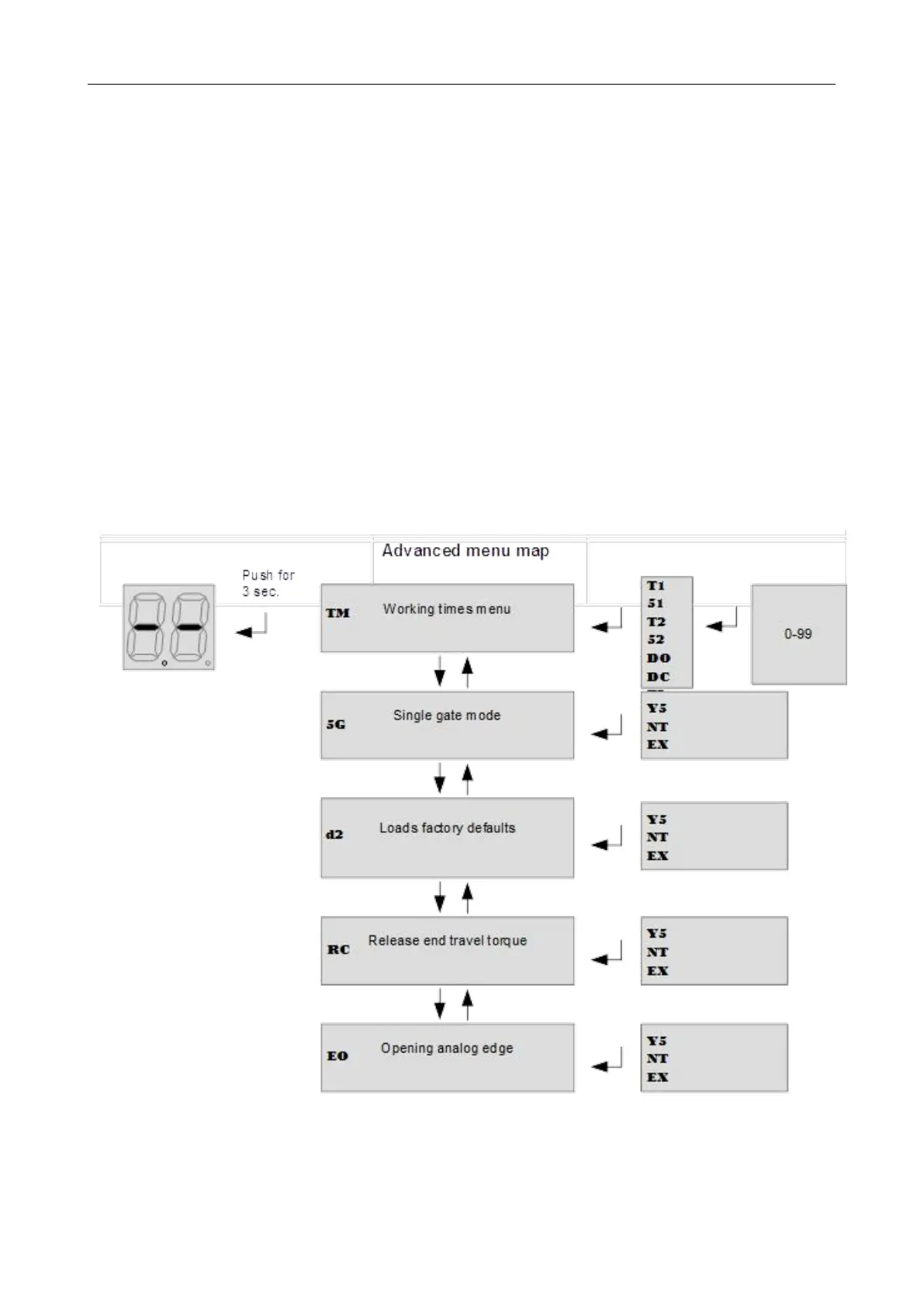
Advanced Menu
Push enter button till on the display is shown TM. With up/down it’s possible to select all items
In this menu.
To exit this menu select EX or push up/down together.
After 2 minutes without actions, control unit exits itself from this menu.



 To Next Page