EasyManua.ls Logo

JOYTECH PY300DC - User Manual

Default Icon
12 pages
Print Icon
To Next Page IconTo Next Page
Loading...
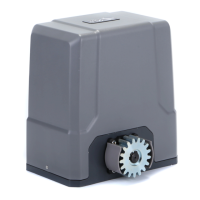
Sliding Gate Operator
User's Manual
PY300DC
Gear-Driven
www.thejoy.com.cn

Questions and Answers

  • R
    rsolisAug 1, 2025
    Why is my JOYTECH Gate Opener remote control not working?
    • A
      andrewcabreraAug 1, 2025
      If the JOYTECH Gate Opener's remote control isn't working, the battery level may be low, so replace the battery inside the transmitter. If that doesn't solve the issue, try re-programming the transmitter.
  • A
    amanda23Aug 10, 2025
    What to do if my JOYTECH Gate Opener door won't open or close and the LED display is off?
    • M
      Matthew CurryAug 10, 2025
      If your JOYTECH Gate Opener door fails to open and close and the LED display doesn't light, first make sure the power is ON. If the issue persists, replace the fuse.
  • K
    Kenneth WalkerAug 20, 2025
    Why does my JOYTECH Gate Opener open but not close?
    • H
      hansonaustinAug 20, 2025
      If the JOYTECH Gate Opener door opens but fails to close, it might be due to an obstructed infrared beam, so remove any obstructions. Also, if the infrared photocell function is enabled, but the photocell hasn't been installed, disable the infrared photocell function.

Summary

Important Safety Information

Mechanical Installation

Rack Installation

Wire Connecting

Electrical and Control Board

Programming Process

Adding Transmitters

Procedure for pairing new remote transmitters with the gate operator.

Setting Open and Close Positions

Setting Obstruction Force

Photo Beam Setup

Maintenance

Troubleshooting

Door Fails to Open;Close (No Display)

Addresses issues where the door does not operate and the LED display is off.

Door Opens, Fails to Close

Diagnosing problems when the gate opens but cannot close.

JOYTECH PY300DC Specifications

General IconGeneral
BrandJOYTECH
ModelPY300DC
CategoryGate Opener
LanguageEnglish

Related product manuals