EasyManua.ls Logo

JOYTECH SW300DC - User Manual

JOYTECH SW300DC
26 pages
Print Icon
To Next Page IconTo Next Page
Loading...
SW300DC
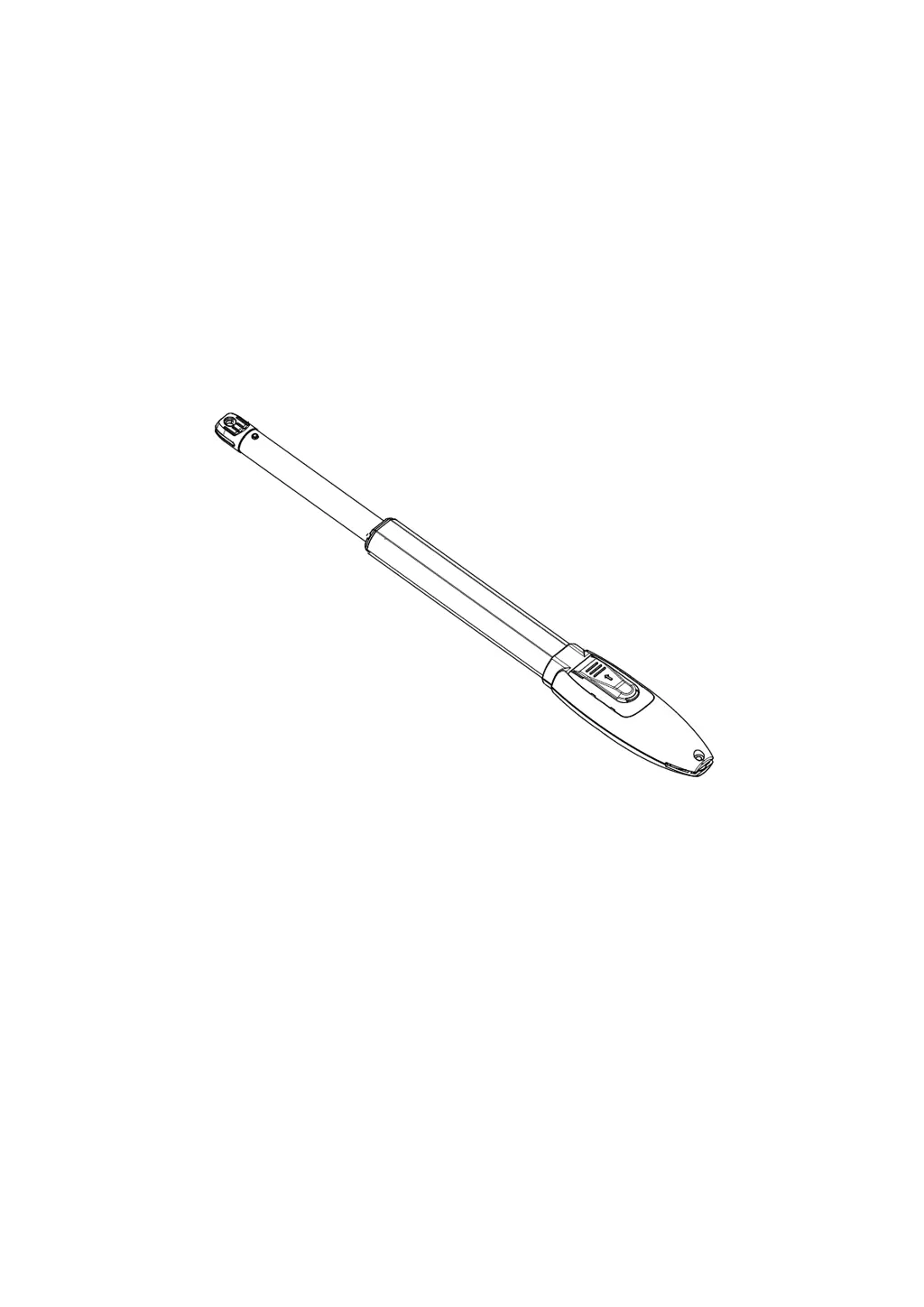
Swing Gate Opener
User Manual

Questions and Answers

  • C
    christinacarterAug 3, 2025
    Why doesn't my JOYTECH Gate Opener remote control work?
    • J
      joshua20Aug 3, 2025
      If the JOYTECH Gate Opener's remote control isn't working, the issue could be due to a low battery or the remote control learning process not being completed. Try changing the remote control battery first. If that doesn't work, re-conduct the remote control learning process.
  • K
    Kevin MorganAug 7, 2025
    What to do if JOYTECH Gate Opener opens but does not close?
    • T
      Timothy WolfeAug 7, 2025
      If your JOYTECH Gate Opener gate opens but doesn't close, it could be due to several reasons related to the photocell or obstacle sensitivity. Here are a few things to check: * **Photocell Wiring:** If you don't have a photocell connected, ensure that the 5 and 6, and 5 and 7 are short-circuited. If you have an infrared sensor connected, verify that the wiring is correct and the photocell is normally closed (N.C.). * **Photocell Mounting:** Make sure the photocell mounting positions are mutually aligned. * **Obstacles:** Remove any obstacles that might be blocking the photocell. * **Sensitivity:** Reduce the obstacle sensitivity.
  • A
    Antonio RobinsonAug 11, 2025
    Why JOYTECH Gate Opener won't open or close and the display is off?
    • S
      Samantha BrennanAug 11, 2025
      If your JOYTECH Gate Opener gate cannot open or close normally, and the display is not lighting up, there could be a few potential causes: * **Power Supply:** Ensure the power supply is switched on. * **Fuse:** Check the fuse and replace it if it's burned out. * **Wiring:** Inspect the control board power wiring and rewire according to the instructions if there's a problem.
  • S
    Samuel SmithAug 15, 2025
    What to do if JOYTECH Gate Opener stops or reverses mid-way?
    • K
      Keith BoydAug 15, 2025
      If your JOYTECH Gate Opener gate stops or reverses in the middle position, the cause might be insufficient motor output force, high obstacle sensitivity, or an actual physical obstruction. To resolve this: 1. **Motor Output Force:** Verify that the transformer power is normal. If it's not, replace the transformer. 2. **Sensitivity:** Adjust the TR2 to decrease sensitivity. 3. **Obstacles:** Remove any obstacles blocking the gate's path.
  • A
    Anthony MyersAug 20, 2025
    How to extend the remote control range of JOYTECH Gate Opener?
    • T
      Tracy FinleyAug 20, 2025
      If the remote control working distance for your JOYTECH Gate Opener is too short, it could be due to a blocked signal. To improve the range, connect an external receiver antenna, positioning it 1.5 meters above the ground.
  • S
    Sandra HughesAug 25, 2025
    What causes a JOYTECH Gate Opener leakage switch to trip?
    • K
      kbrownAug 25, 2025
      If the leakage switch for your JOYTECH Gate Opener has tripped, this indicates a short circuit. Check the wiring of the power supply line or the motor line to identify and fix the short circuit.
  • M
    Michael JohnsonAug 28, 2025
    What if JOYTECH Gate Opener motor is noisy but the gate doesn't move?
    • C
      christina37Aug 28, 2025
      If you press the OPEN or CLOSE button on your JOYTECH Gate Opener and the gate doesn't move but the motor makes noise, it suggests that the gate's movement is not smooth. Adjust the motor or the gate itself to ensure smooth operation, according to the actual situation.

Summary

1. Safety Instruction

2. Packing List (Standard)

3. Technical Parameters

4. Installation Drawing

5. Tools Needed for Standard Installation

6. Cable List

7. Direction of Gate Opening

7.1 Gate Opens Inwards

Instructions and diagrams for setting up the gate opener for inward opening.

7.2 Gate Opens Outwards

Instructions and diagrams for setting up the gate opener for outward opening.

8. Installation Steps

8.1 Preparation Before Main Machine Installation

Pre-installation checks for gate operation, electric lock clearance, and mounting height.

8.1.1 Cable Bury

Instructions for burying PVC pipes for motor, power, and control cables.

8.1.2 Mounting Brackets Fixing

Recommendation to use expansion screws for fixing mounting brackets.

8.3 Dimension of Control Box

Provides dimensional drawings and specifications for the control box.

9. Wiring and Debugging

9.1 Wiring Instructions

Detailed instructions and diagrams for wiring the gate opener control board.

9.2 Control Board Drawing and Instructions

Explains the terminals and functions of the control board with a diagram.

9.3 Digital Screen Setting

Explains how to interpret and use the digital screen for gate opener status.

9.4 Travel Setting

Critical procedure for setting the open and closed limit switch positions for gate travel.

9.5 Trimmers Setting

Adjustments for obstacle sensitivity, slow speed distance, and gate moving speed.

9.6 Learning Remote Control & Delete Remote Control

Procedures for programming and deleting remote controls for the gate opener.

9.7.1 Base Menu

Overview of accessing and navigating the base menu for system configuration.

9.7.2 Base Menu Instruction

Detailed explanation of options within the base menu for working modes and gate switching.

9.7.3 Advanced Menu Instruction

Guide to navigating and configuring advanced settings for photo sensor, electric lock, and alarm lamp.

9.7.4 Advanced Menu Instruction

Detailed instructions for advanced menu options like travel time, photo sensor, electric lock, and low consumption mode.

10. Others

10.1 Maintenance

Recommendations for regular checks and upkeep of the gate opener system.

10.2 Troubleshooting

Identifies common problems, their possible reasons, and solutions for the gate opener.

Warranty

Maintenance Record

JOYTECH SW300DC Specifications

General IconGeneral
BrandJOYTECH
ModelSW300DC
CategoryGate Opener
LanguageEnglish

Related product manuals