MANUAL DE INSTRUCCIONES CODIGO 80247 REV A Marzo/2011 (Sujetas a modicaciones sin previo aviso) Pag.: 23
J.P. SELECTA s.a. Autovía A2 Km 585.1 Abrera 08630 (Barcelona) España Tel 34 93 770 08 77 Fax 34 93 770 23 62
e-mail: selecta@jpselecta.es - website: http://www.jpselecta.es
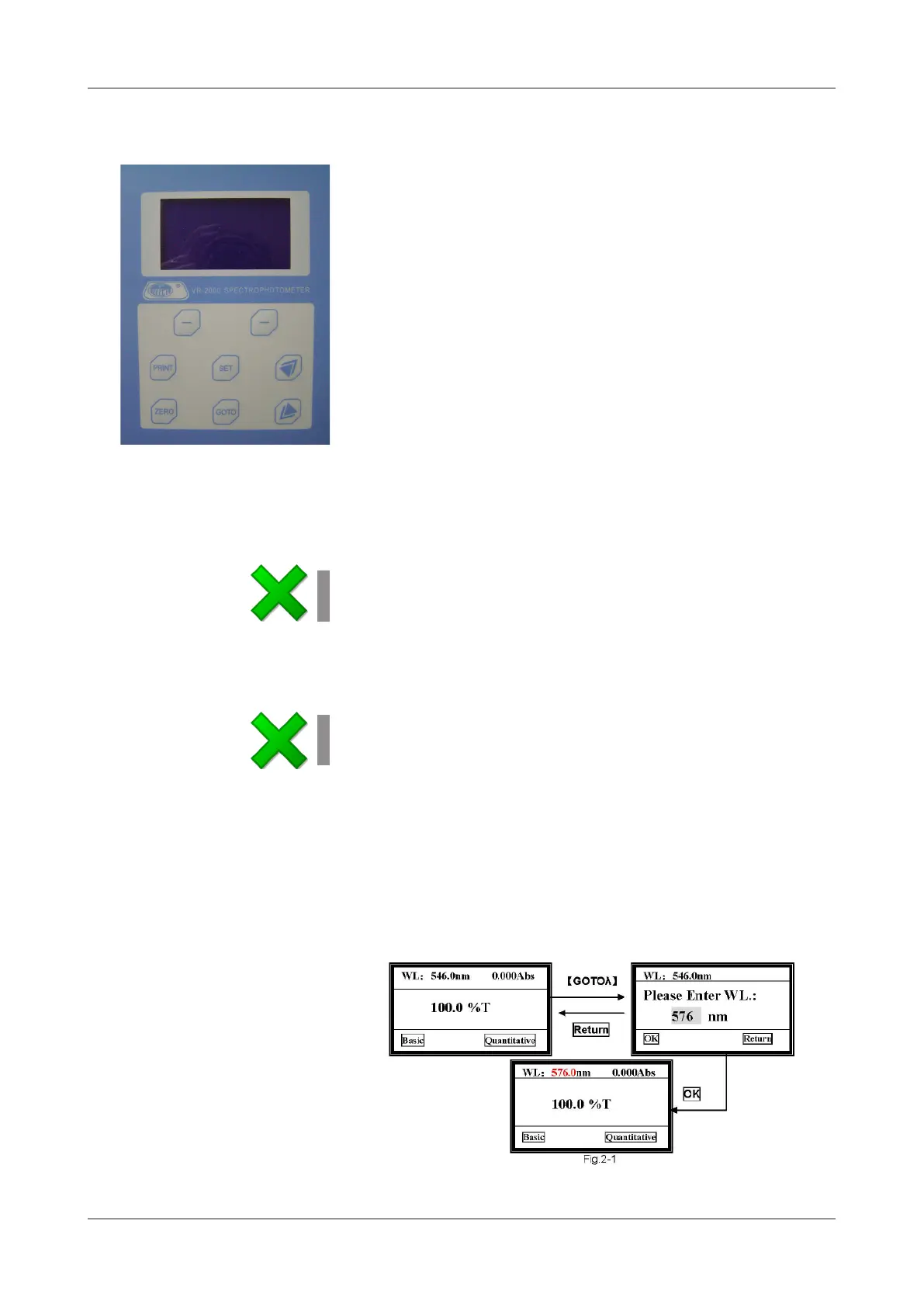
5.1 Keyboard description
[SET] To program parameters
[GOTO] To establish the wavelength
[ZERO] To make blank, 100%T/0Abs
[PRINT] To print out results
[-] «-» symbol that functions as indicated in the display
[»] [«] Cursors for selecting and scroll
Keyboard
5.2 Starting up
Switch the spectrophotometer on by pressing the main switch. The equipment will start.
First of all, do the self-testing.
Note:
Do not open the sample compartment during the self-testing.
Then, the equipment will enter the waiting mode for 20 minutes to achieve the
working pattern.
To leave the waiting mode, press any key.
Note:
If you do not respect the waiting time, it is possible that a little drift will be shown
in the equipment readings.
5.3 Basic Operation
The display screen is user-friendly, always you can complete all the operation according
to the clues on the screen.
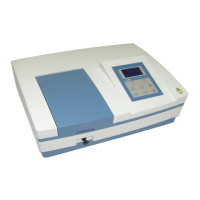
5.3.1 Set Wavelength
Press [GOTO] into wavelength setting screen. Then press [»] [«] to select the wa-
velength you want, and press OK to conrm. After the wavelength has been changed,
it returns to the main menu automatically (Fig. 2-1).
5 OPERATION
The control panel allows the equipment functions selection and informs about the
current operating status.


 To Next Page