MANUAL DE INSTRUCCIONES CODIGO 80247 REV A Marzo/2011 (Sujetas a modicaciones sin previo aviso) Pag.: 27
J.P. SELECTA s.a. Autovía A2 Km 585.1 Abrera 08630 (Barcelona) España Tel 34 93 770 08 77 Fax 34 93 770 23 62
e-mail: selecta@jpselecta.es - website: http://www.jpselecta.es
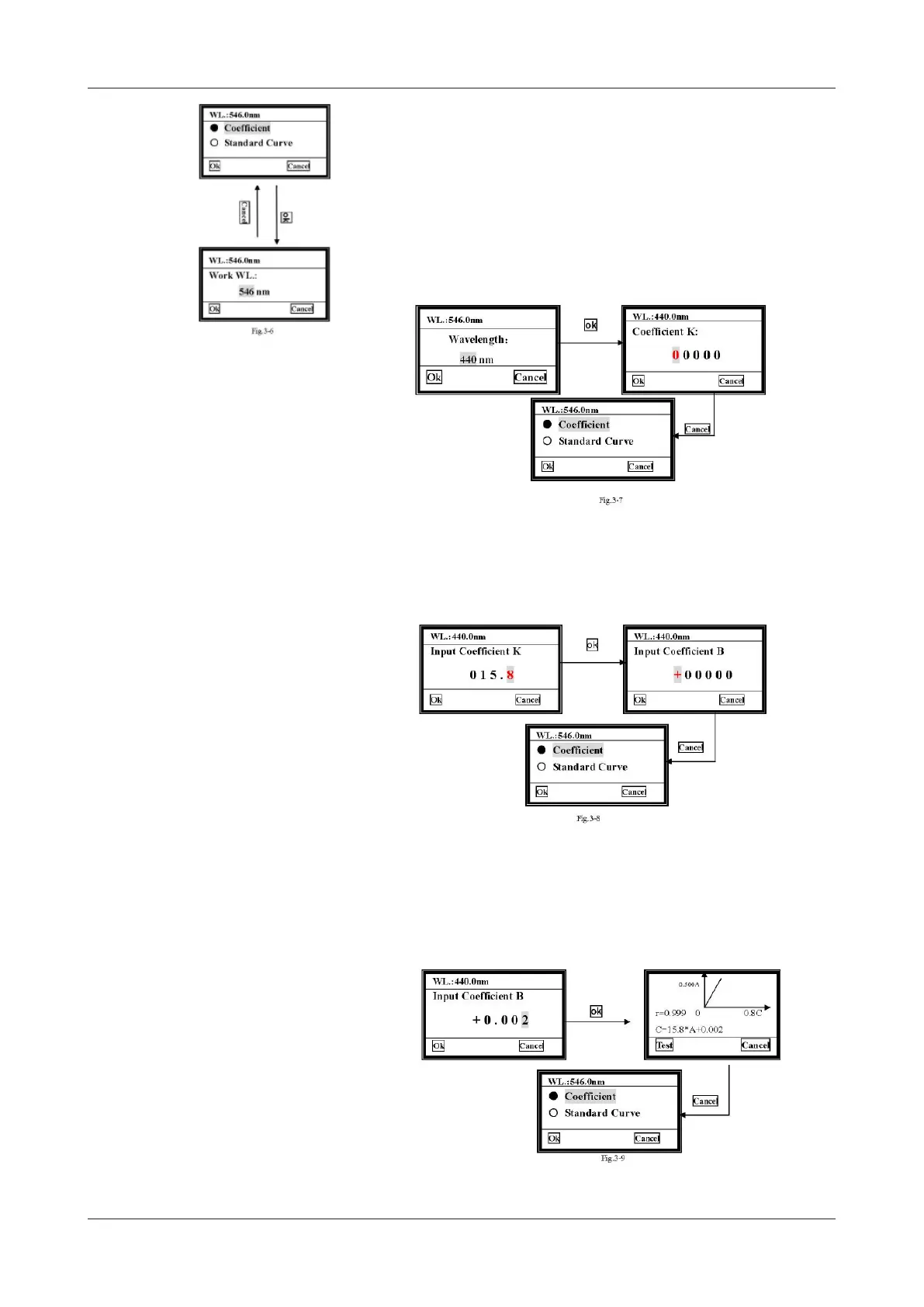
6.2.1.1 Coefcient
1) Move the cursor on to «Coefcient», then press ok and it will go into the wave-
length setting interface automatically.
2) Choose the wavelength you need by pressing [»] [«] and then press ok. It will
go into the coefcient setting interface.
3) Input the K coefcient
There are ve zeros on the screen, the cursor is on the rst one at the beginning. Press
[»] [«], the rst zero will vary between «0~9». Choose the number or symbol you
need, then press ok to conrm, the cursor then moves to the next zero automatically.
The second to the fth bits vary between «0~9» and decimal point (it’s between 9
and 8). Complete other bits of K Coefcient in the same way.
4) Input the B coefcient
When the last bit of K value is conrmed and Ok pressed, the interface goes into the
B Coefcient setting interface.
The rst bit is a symbol bit, and varies from «+» to «-». The other bits are number
bits. The way to Input B is the same as you have done with K.
After the last bit of B is conrmed, the curve will be displayed on the screen.


 To Next Page