INSTRUCTION MANUAL CODE 80247 REV A March/2011 (It can be modied without notice) Page: 28
J.P. SELECTA s.a. Autovía A2 Km 585.1 Abrera 08630 (Barcelona) España Tel 34 93 770 08 77 Fax 34 93 770 23 62
e-mail: selecta@jpselecta.es - website: http://www.jpselecta.es
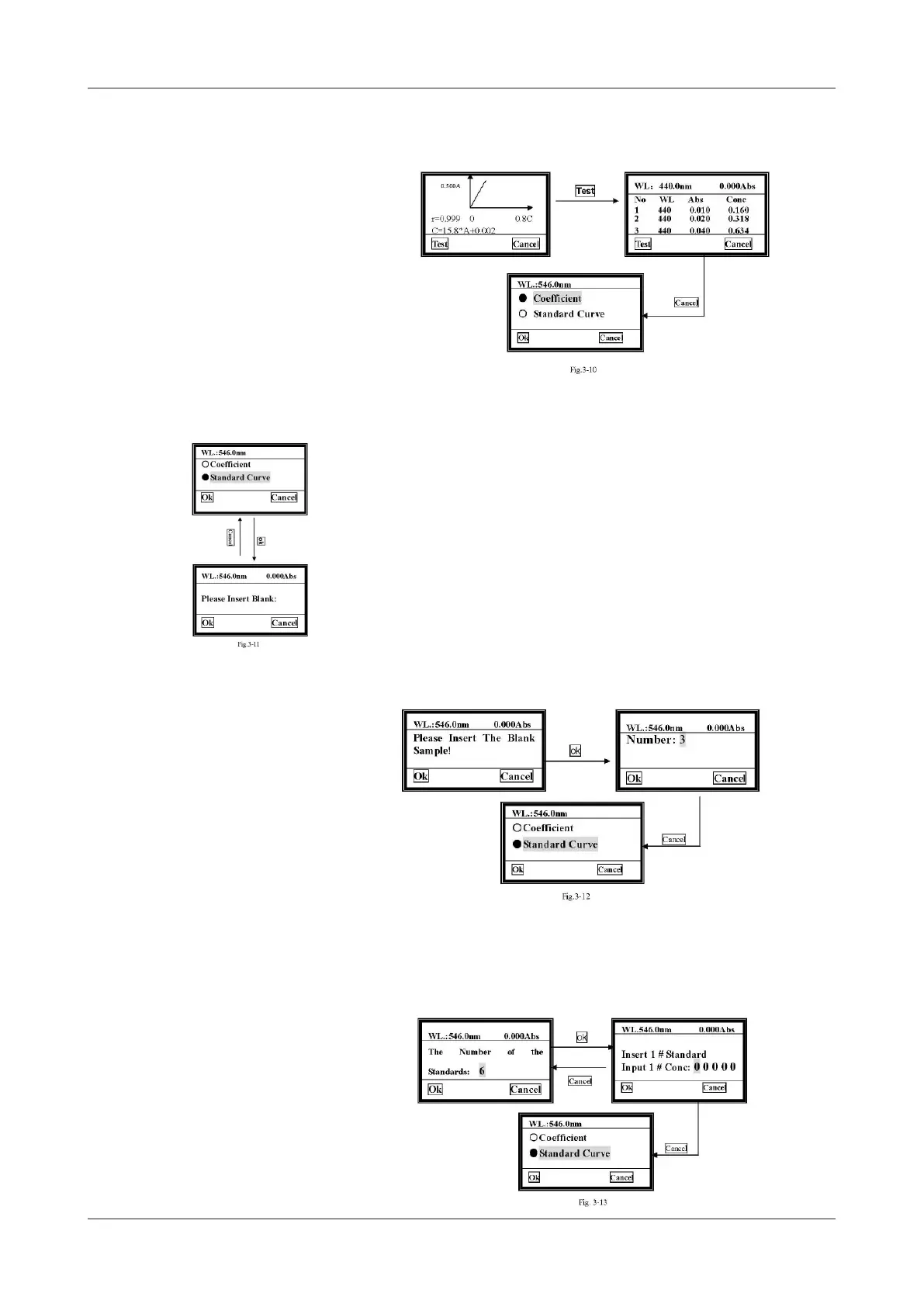
5) Begin to test
When the curve displays on the screen, you can use it to test the unknown sam-
ples’ concentration. Just Press Test to do it.
6) Print
Press [PRINT] in the concentration measure interface, and the test results will be
printed.
6.2.1.2 Standard Curve
1) Insert Blank Reference
Move the cursor on to «Standard Curve», then press ok. The system will ask you to
insert the blank reference.
a. Pull the blank cuvette in the light path, then close the compartment lid.
b. Press [GOTO] to set wavelength.
c. Press Ok to blank.
2) Input the number of standards
After blanking, the system will ask you to input the number of the standards.
Use [»] [«] to choose the number you need, then press Ok to conrm.
Note: At most 9 standards are permitted. Other number is invalid.
3) Input the concentration of standards
When you have nished the last step, the system will ask you to input the standards’
concentration one by one.
You should input the No.1 standard sample’s concentration rst as indicated in the
screen.


 To Next Page