MANUAL DE INSTRUCCIONES CODIGO 80247 REV A Marzo/2011 (Sujetas a modicaciones sin previo aviso) Pag.: 29
J.P. SELECTA s.a. Autovía A2 Km 585.1 Abrera 08630 (Barcelona) España Tel 34 93 770 08 77 Fax 34 93 770 23 62
e-mail: selecta@jpselecta.es - website: http://www.jpselecta.es
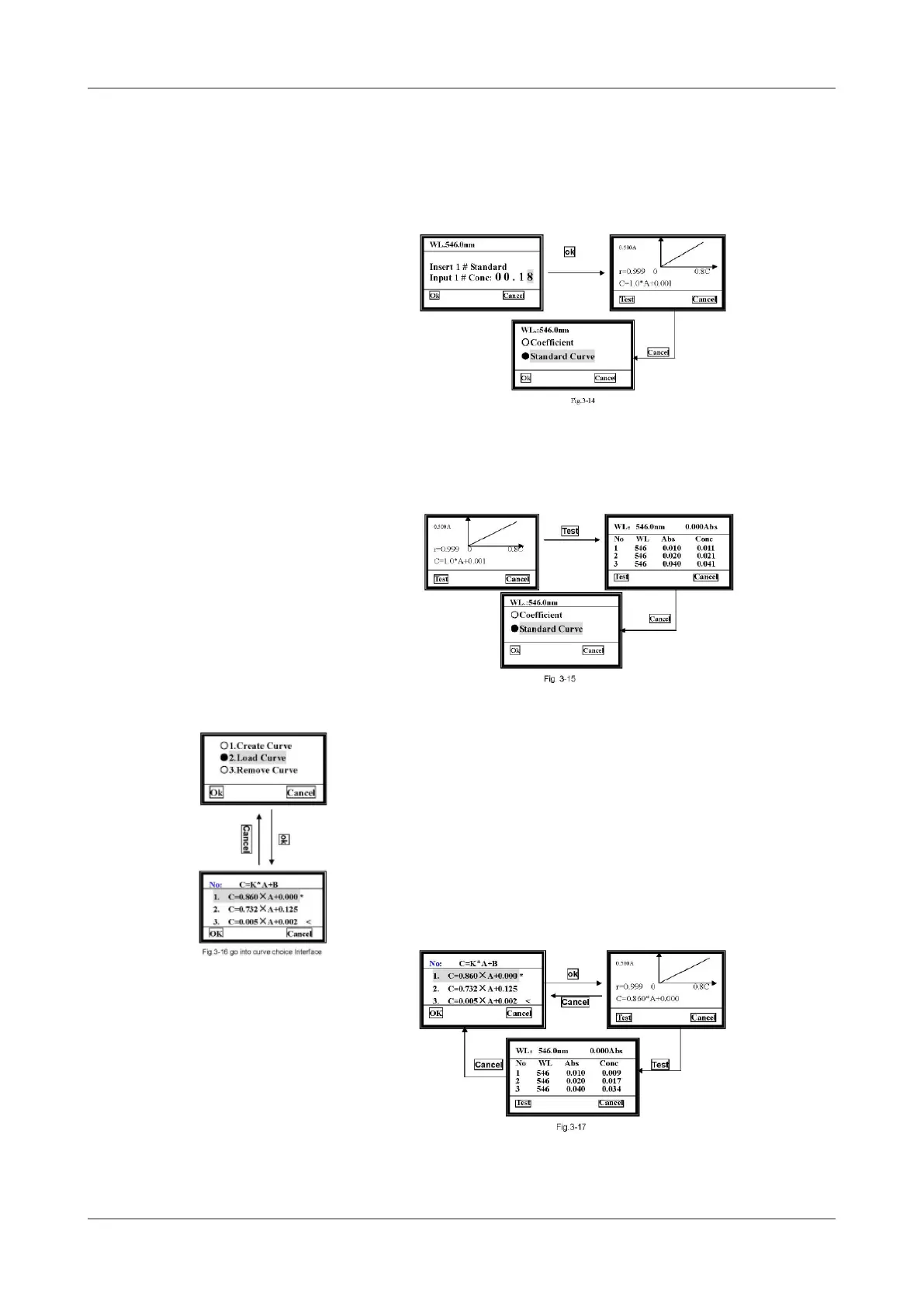
4) See the curve.
When the last one is nished, for example if a total of 6 standards are used, the curve
will be drawn on the screen, and the curve equation will also be displayed on the screen.
The curve and the curve equation will be saved in the RAM automatically. A total of
200 curves can be saved, and they’ll be numbered orderly.
5) Test
Insert the unknown concentration sample in the holder, then close the compartment
lid and pull the sample in the light path. Press Test to measure. The results will be
displayed on the screen.
6) Print
You can print the test results and the curve. For printing, just press [PRINT].
6.2.2 Load Curve
Use [»] [«] to move the cursor on to the second item, then press OK to conrm
and you’ll go into the curve choice interface.
All the curves you create will be saved in the RAM automatically. You can select the
one you want by using [»] [«] and then pressing Ok.
Note: A total of 200 curves can be saved, you can nd them by pressing [»] [«].


 To Next Page