3.7.2 JLR-20/30
Connection to JRC's GPS compass JLR-20/30 is pos
sible.
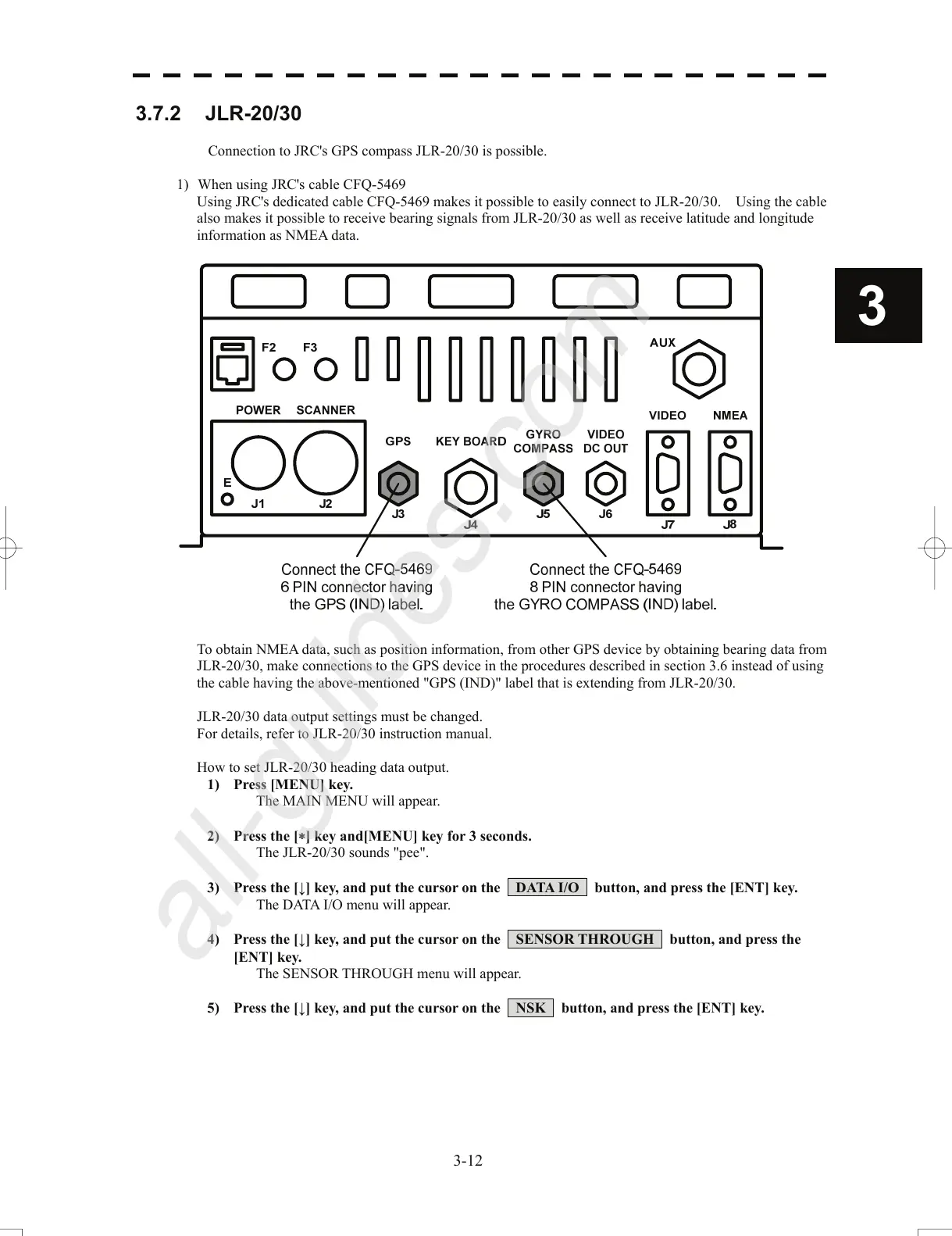
1) When using JRC's cable CFQ-5469
Using JRC's dedicated cable CFQ-5469 makes it possible to
easily con
nect to JLR-20/30. Using the cable
also makes it possible to receive bearing signals from JLR-20/30 as well as receive latitude and longitude
information as NMEA data.
3
To obtain NMEA data, such as position information, from other GPS device by obtaining bearing data from
JLR-
20/30, make connections to the GPS device in the procedures described in section 3.6 instead of using
the cable having the above-mentioned "GPS (IND)" label that is extending from JLR-20/30.
JLR-20/30 data output settings must be changed.
For details, refer to JLR-20/30 instruction manual.
How to set JLR-20/30 heading data output.
1) Pr
ess [MENU] key.
Th
e MAIN MENU will appear.
2) Press the [∗] key
and[MENU] key for 3 seconds.
The JLR-20/30 sounds "pee".
3) Press the [↓] key, and put the cursor on the DATA I/O button, and press the [ENT] key.
The DATA I/O menu will appear.
4) Press the [↓] key, and put the cursor on the SENSOR THROUGH button, and press the
[ENT] key.
The SENSOR THROUGH menu will appear.
5) Press the [↓] key, and put the cursor on the NSK button, and press the [ENT] key.
3-12


 To Next Page
 Loading...