EasyManua.ls Logo

JRC JMA-9922-9XA - Page 108

JRC JMA-9922-9XA
407 pages
Print Icon
To Next Page IconTo Next Page
To Previous Page IconTo Previous Page
Loading...
aaaaaaoaaaaaaaaaooaaaoaoaaooaaaoaooaaao
[Ml
Ghanging
the
Setting
of Pull-down
Menu
This method
is
used
when
a number
of items have alternative
selections
of ON and
OFF
in
one
menu.
(ln
this case,
only
one
item is
presented.)
O
T
NAV LINE
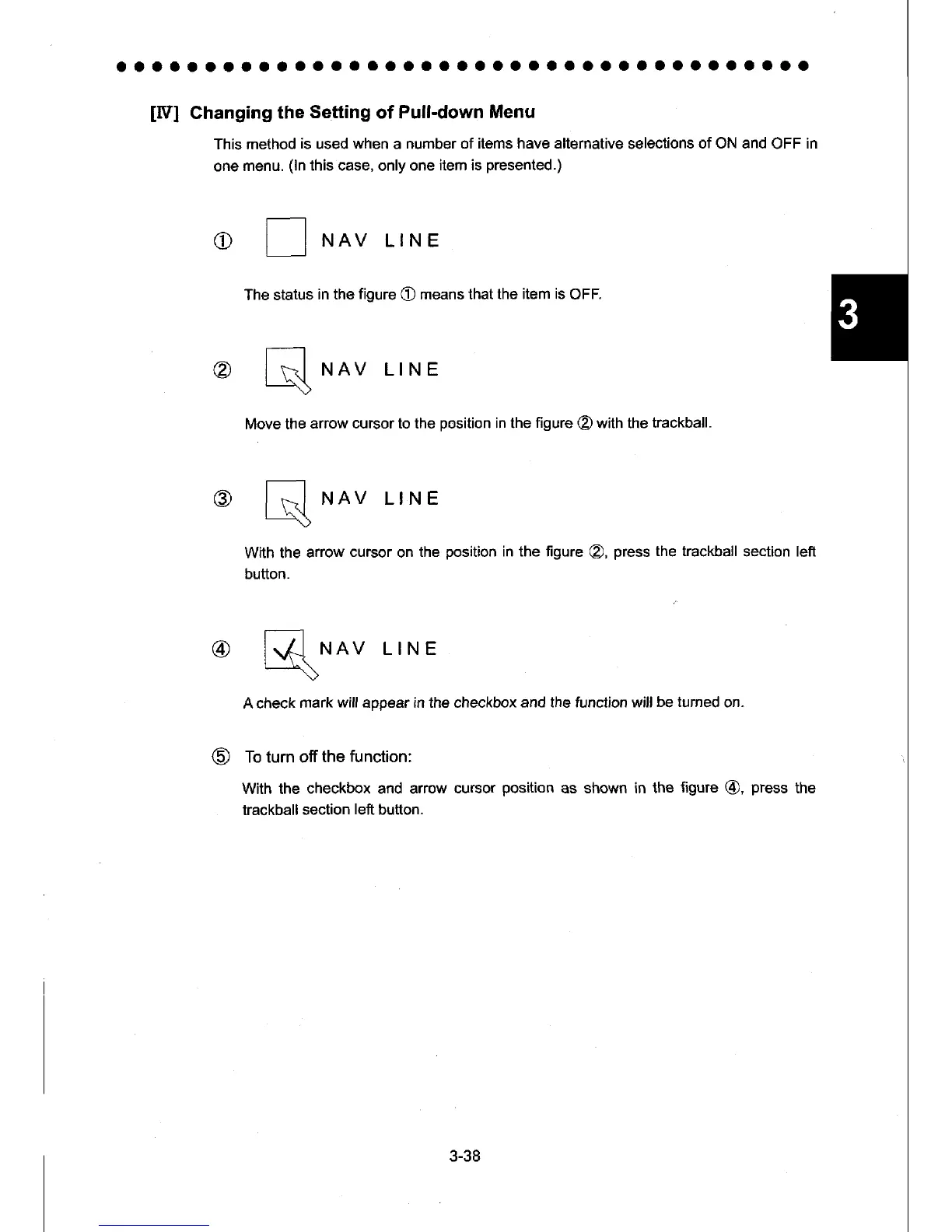
The status
in the
figure
O
means that
the item is
OFF.
@
l\d
NAV LINE
-\>
Move the
arrow cursor to the
position
in the
figure
@
with the
trackball.
@
lR.l
NAV LINE
------\)
With the
arrow
cursor
on
the
position
in the figure
@,
press the trackball
seclion left
button.
@
ffi
r.rnv
LINE
A check
mark
will
appear in the checkbox
and the funclion will
be turned
on.
To turn off
the
function:
With the
checkbox and arrow
cursor
position
as shown in the
figure
@,
press
the
trackball
section
left
button.
3-38

Table of Contents

Other manuals for JRC JMA-9922-9XA

Related product manuals