EasyManua.ls Logo

JRC JMA-9922-9XA - 1-3. AIS Function ON;OFF

JRC JMA-9922-9XA
407 pages
Print Icon
To Next Page IconTo Next Page
To Previous Page IconTo Previous Page
Loading...
aaoaaaaaaaaoooaaaaaaaaaaaaaaoaaaoaaoooa
1-3. AIS Function
ON/OFF
ION/OFF
of AIS
function
is
set up.
There
are two methods to
switch
ON/OFF of AIS function.
(Method-1
: With the AIS software
button
on
screen.)
Put the
arrow
cursor
on the
E
bufton
at
the lower
left
a screen
and click
the
left
button
of
the track ball. Every
time
the left
section button
is
pressed,
AIS function
on/off
changes alternatively
as follows.
a.
When the
symbol is
displayed
in the bright
color
--AlS
funclion is
ON.
b.
When
the symbol is
displayed
in the dark
color
----AlS
function is
OFF.
(Method-2
: With the menu
operation.)
1. Left-click
IME-NUI on
the
screen.
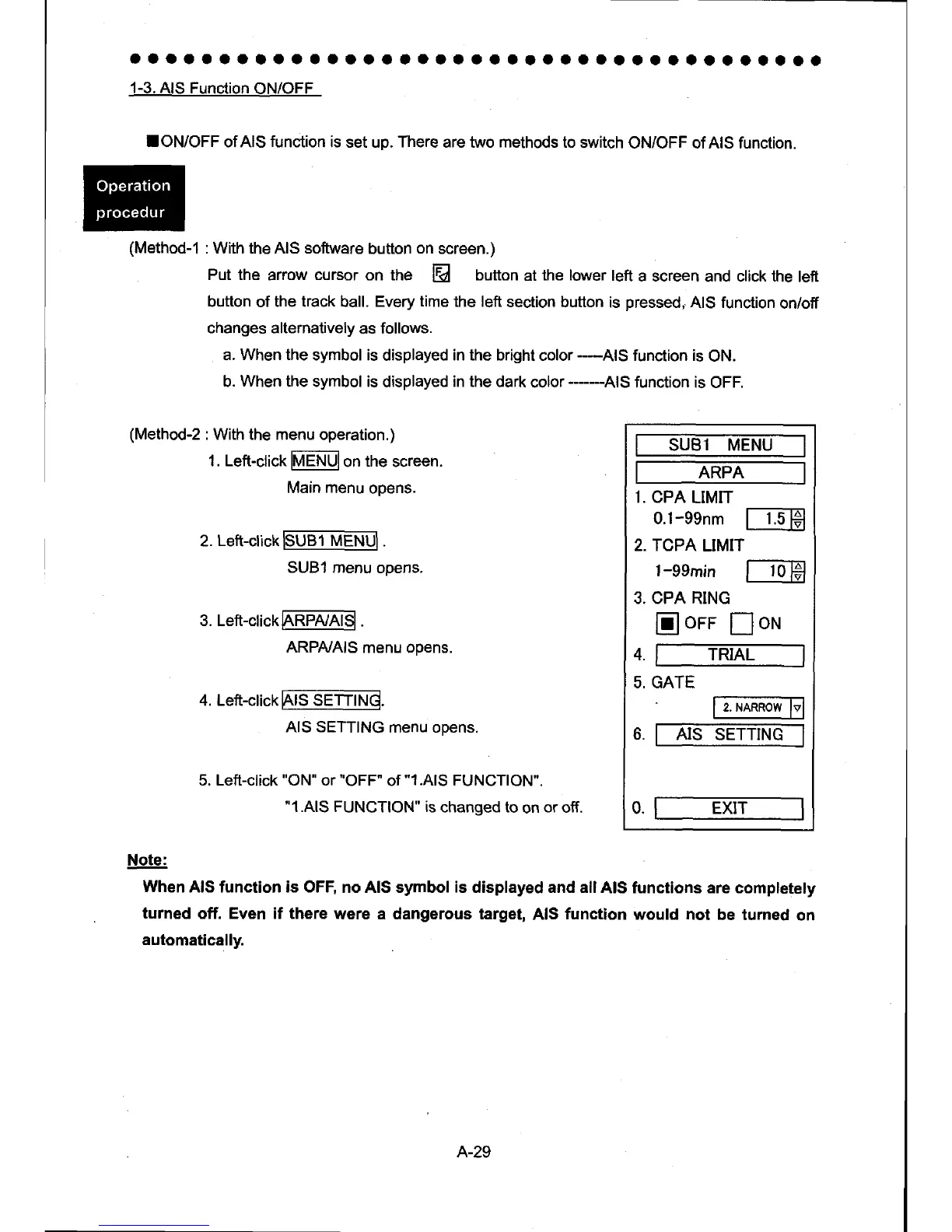
SUBl MENU
ARPA
1. CPA
LIMIT
0.1-eenm
ITH
2. TCPA
LIMIT
l-eemin
l-
1o-lH
3. CPA RING
Iorr Ioru
TRIAL
GATE
AIS SETTING
0. EXIT
4.
5.
6.
Main menu
opens.
2.
Left-click
3. Left-click
4. Left-click
5. Left-click
"ON"
or
'OFF"
of
"1.AlS
FUNCTION".
"1.AlS
FUNCTION" is
changed to
on
or
off.
FUe1
M-ENul.
SUB1 menu
opens.
M
ARPtuAlS
menu opens.
Frs
sETrrl.rd
AIS SETTING
menu opens.
Note:
When
AIS function is OFF,
no AIS symbol
is
displayed and all
AIS functions are completely
turned
off. Even if there
were a dangerous target,
AIS
functlon
would not
be turned
on
automatically.
A-29

Table of Contents

Other manuals for JRC JMA-9922-9XA

Related product manuals