23
Remote Communication
Communicator
Check with your Installation Engineer whether your system is fitted with a Communicator
connected via the telephone line to an Alarm Receiving Centre. If this is the case you may need
to use some of the following additional features incorporated into the RS125 (e.g. the Line
Monitor processing facility).
Line Status Light
The NO LINE indicator on the Remote Keypad can be used to indicate that there is a problem
with the telephone line or the Communicator, provided there is a Line Monitor connected to the
RS125. It is also possible that the RS125 has been programmed to give an Audible Warning (Fault
Tone) if a Line Fault is detected during the day. A continuous NO LINE indication signifies that the
telephone line is unavailable to the Communicators. If there has been a recent fault during the day
which has cleared itself the LINE indicator will FLASH slowly until the next time an Area is Unset.
Lockout
It is sometimes necessary to ensure that engineering assistance is obtained following an Alarm
Activation; before the system can be used again. The Panel may have been programmed to
generate an internal Lockout condition preventing any further Setting operations until the system
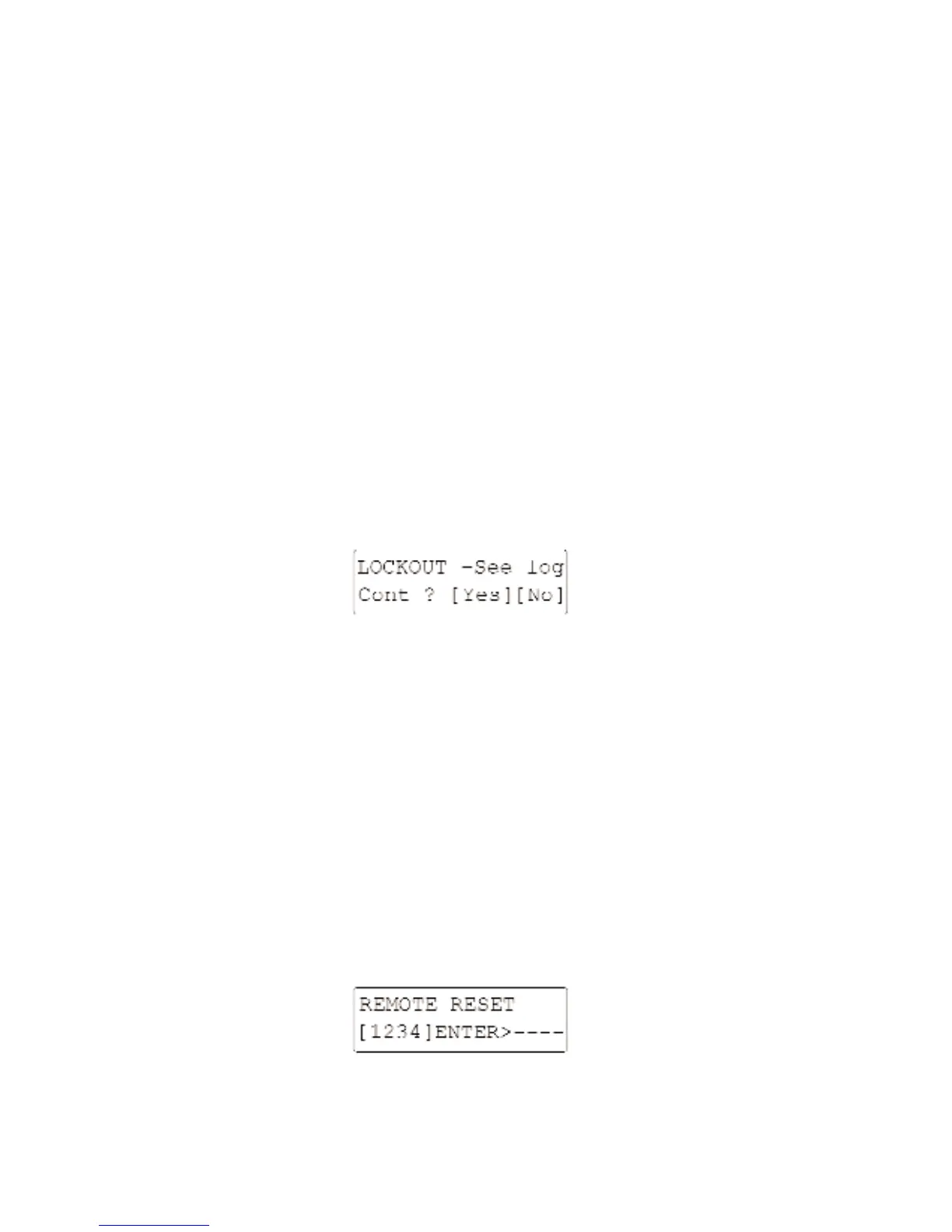
is Reset. Any attempts to Set a new Guard System will produce a message of the form:-
The most common reasons for creating a Lockout are:-
1. There was a call for police attendance through a remote Communication Device.
2. The alarm indicated that the security of the system may have been put at risk. The most
common event being a Tamper Alarm which could be associated with an attempt to defeat
the security system.
The system will need to be reset either by an Engineer attending the premises or by using the
Remote Reset facility below, which can be achieved using a telephone call.
Remote Reset
This allows the system to be remotely reset by a verbal exchange of codes with a suitably
authorised person. This facility can be provided either by your alarm company or the Alarm
Receiving Centre. The System Manager can access the system from the User Menu by selecting
“6-REMOTE RESET” and pressing [YES/OPTIONS].The following screen will be displayed:-
A suitably authorised person can tell you the answering Reset Code for the 4-Digit number
displayed. Enter the Reset Code advised and press [YES/OPTIONS].



 To Next Page
 Loading...