Need help?
Do you have a question about the JTECH GuestCall IQ J1705 and is the answer not in the manual?
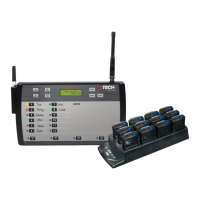
Identifies the three key elements of the GuestCall IQ paging system.
Provides step-by-step instructions for the initial setup of the paging system.
Explains how to distribute pagers to guests and the process of paging a guest.
Details the default settings of the paging system as shipped.
Instructions on how to set the current time on the transmitter.
Explains the 'ALL SLEEP' function to turn off all pagers at once.
Guide to using the feature to locate pagers not on the charging rack.
Customizes the number of alert cycles (flash/vibrate) for pagers.
Feature to alert guests when they are too far from the transmitter.
Allows users to create and manage groups of pagers.
Feature to test and determine the transmitter's effective range.
Renumbering and configuring pagers using the Smart Charger.
Instructions for programming new pagers to work with the existing system.
Guide for integrating JTECH pagers with the Host Concepts waitlist application.
Steps to assign static IP, Subnet Mask, and Gateway IP addresses.
Process for assigning pagers and their IP addresses within Host Concepts.
Explains why pagers flash and vibrate when removed from the charger.
Information on how to obtain and replace lost pagers.
Details on expected battery life and how to order replacements.
Steps for obtaining a repair form and shipping pagers for service.
Details on FCC licensing requirements for operating the paging system in the US.
Information on licensing requirements for operating outside the United States.
States compliance with FCC rules and potential voiding of authority.
Important notes on maintaining compliance with RF exposure guidelines.

 To Next Page
 General