14
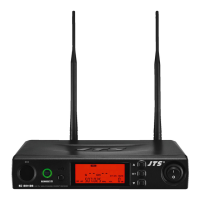
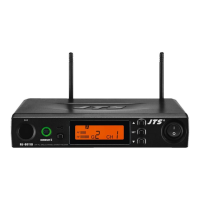
4-1-5 UHF PLL single-channel diversity receiver( True Diversity ) // RU-901G3
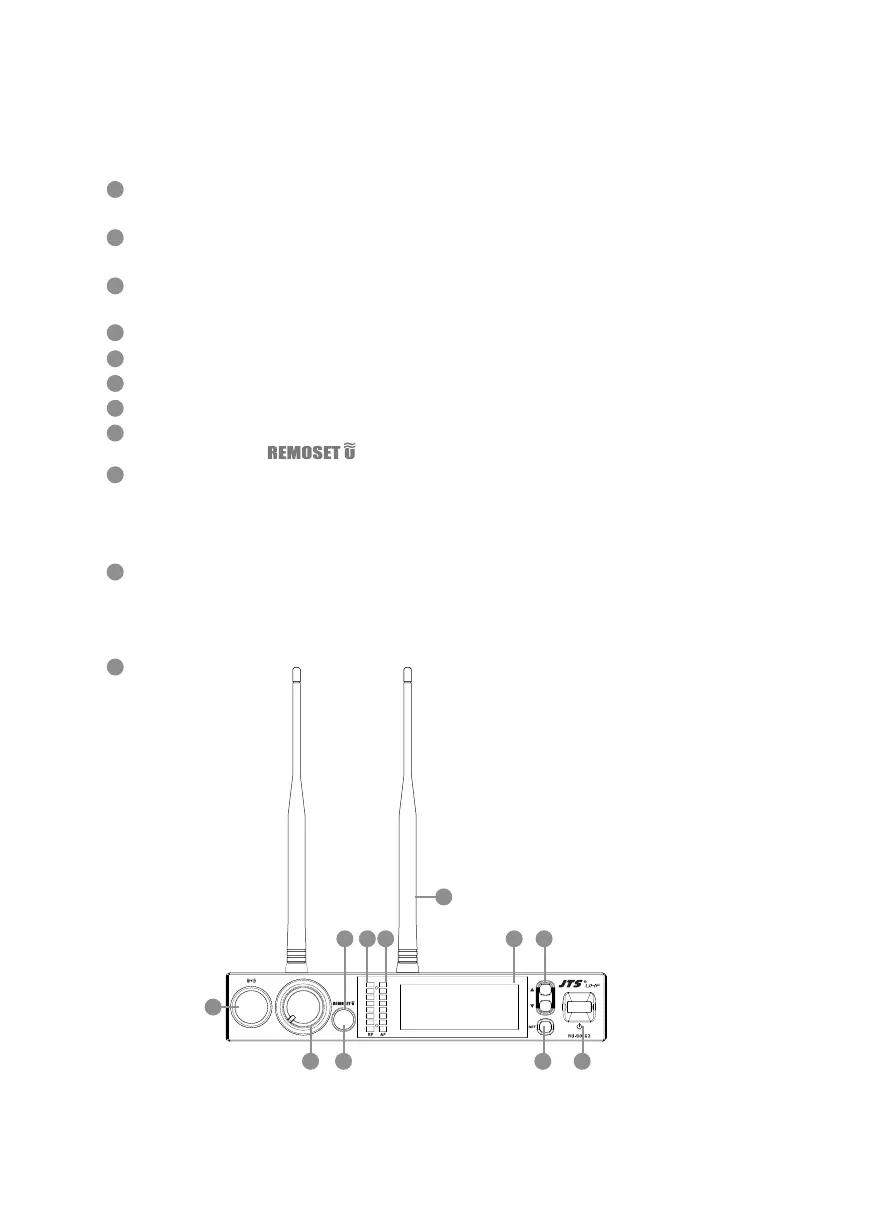
Front panel
Power On/Off switch: Press once to turn on the power,press and hold for 2
seconds to turn of.
SET: this is for function settings. Push and hold for 2 seconds to enter the setting
mode. Push “SET” repeatedly to search for the function you wish to set.
▲/▼In the setting mode, push▲/▼to change the function parameter
In the non-setting mode: push▲/▼to adjust volume
LCD display
AF signal level
RF signal level
Volume control
Remoset Button : this allows user to synchronize the transmitter after modifying a
parameter. Push “ ” to synchronize the settings to the transmitter.
Remoset indicator : this shows the current pairing status. It ashes rapidly when
data is being transmitted and the ashing stops when the synchronization is com-
pleted. However, the ashing slows down if synchronization fails after a period of
time of pairing attempt.
Ultrasonic transmission unit: it transmits digital pairing data at ultrasonic frequen-
cy. When setting, direct the ultrasonic receiving element of the microphone to the
ultrasonic transmitting unit of the receivers. The eective range is 30º on both sides
with the optimized distance at 30cm.
Antenna
1
4
2
5
3
6
7
11
10
8
9
VOL.
MIN. MAX.
DIVERSITY RECEIVER
1
3
2
11
10
4
8
5
69
7


 To Next Page