Wrapping Up
1. Check that the range adjustment board is still securely placed in or near the control
box and will be protected against the elements. Check that all electrical connections
are secure and no wiring remains exposed.
1. Make sure all connections are correct.
2. Make sure the Range Adjustment is set at maximum range.
3. Disconnect the power to the exit wand.
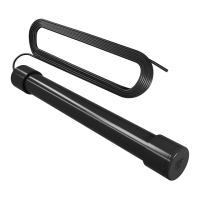
5. Test the exit wand to verify that it is working properly.
4. Reconnect the power to the exit wand and make sure that no metal object or
vehicle is moving around the exit wand for 60 seconds while it is calibrating.
Trouble Shooting
If the exit wand is not working:
Maintenance
● Always supervise children and pets near the wand to prevent accidents, decreasing
its sensitivity if necessary.
● Always fully disconnect your gate opener, its control box, and the exit wand from
their power supplies before making any adjustments.
3. Cover the wiring trench and the exit wand’s hole, tamping down the soil by foot.
4. Test that the exit wand still works properly once covered.
5. Place any necessary signage if needed and begin explaining to other users how
the system works and how to avoid potential entrapment or injuries in the case of
an emergency or malfunction.
2. Replace the control box cover and tighten its fasteners.
3. Drive your vehicle into the exit wand’s sensing boundary to see if your gate
automatically begins to open. If the wand does not detect the vehicle, increase its
sensitivity by disconnecting it from power, turning the range adjustment knob
counterclockwise, reconnecting power, and waiting 60 seconds for the system to
recalibrate.
4. If you want to limit the ability of other objects—such as riding lawnmowers or
bicycles—to automatically open the gate, test them in the same way. Use the range
adjustment knob to decrease sensitivity in the same way as before, but turning it
clockwise. Continue testing and adjustment until you find the best sensitivity setting
for your needs.
6


 To Next Page
 Loading...