Menu functions
64
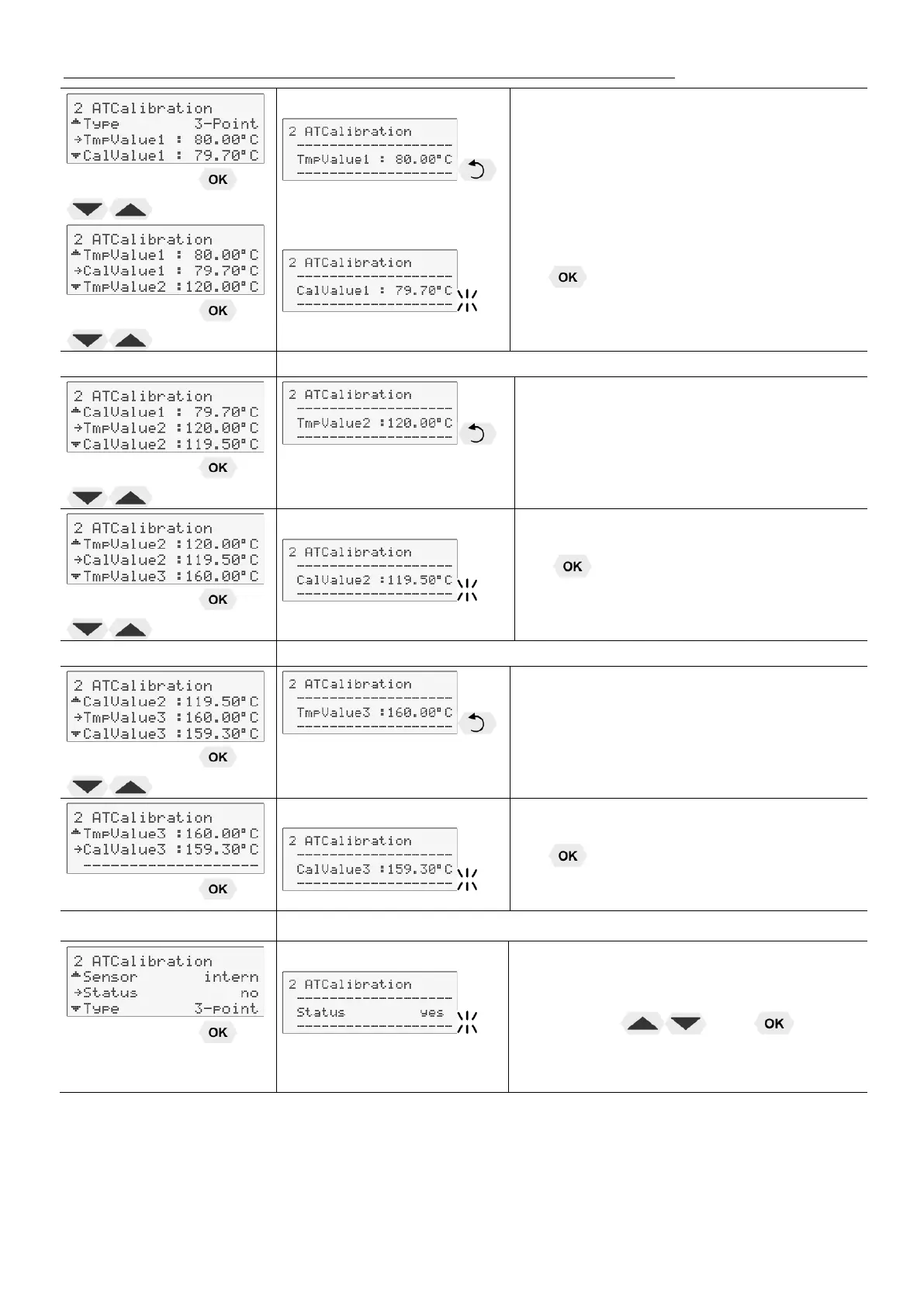
The value >TmpValue< is only indicated.
In addition the measured temperature
value >CalValue X< is saved during the
next step.
• The value flashes. Set by using the
numeric keypad and confirm by pressing
.
Return to 2. Set working temperature value: 120.00 °C
The value >TmpValue< is only indicated.
In addition the measured temperature
value >CalValue X< is saved during the
next step.
• The value flashes. Set by using the
numeric keypad and confirm by pressing
.
Return to 2. Set working temperature value: 160.00 °C
The value >TmpValue< is only indicated.
In addition the measured temperature
value >CalValue X< is saved during the
next step.
• The value flashes. Set by using the
numeric keypad and confirm by pressing
.
5. Return to standard operation
Set >YES< after calibration.
(Standard operation)
• The parameter flashes, switch by
pressing
and


 To Next Page