32
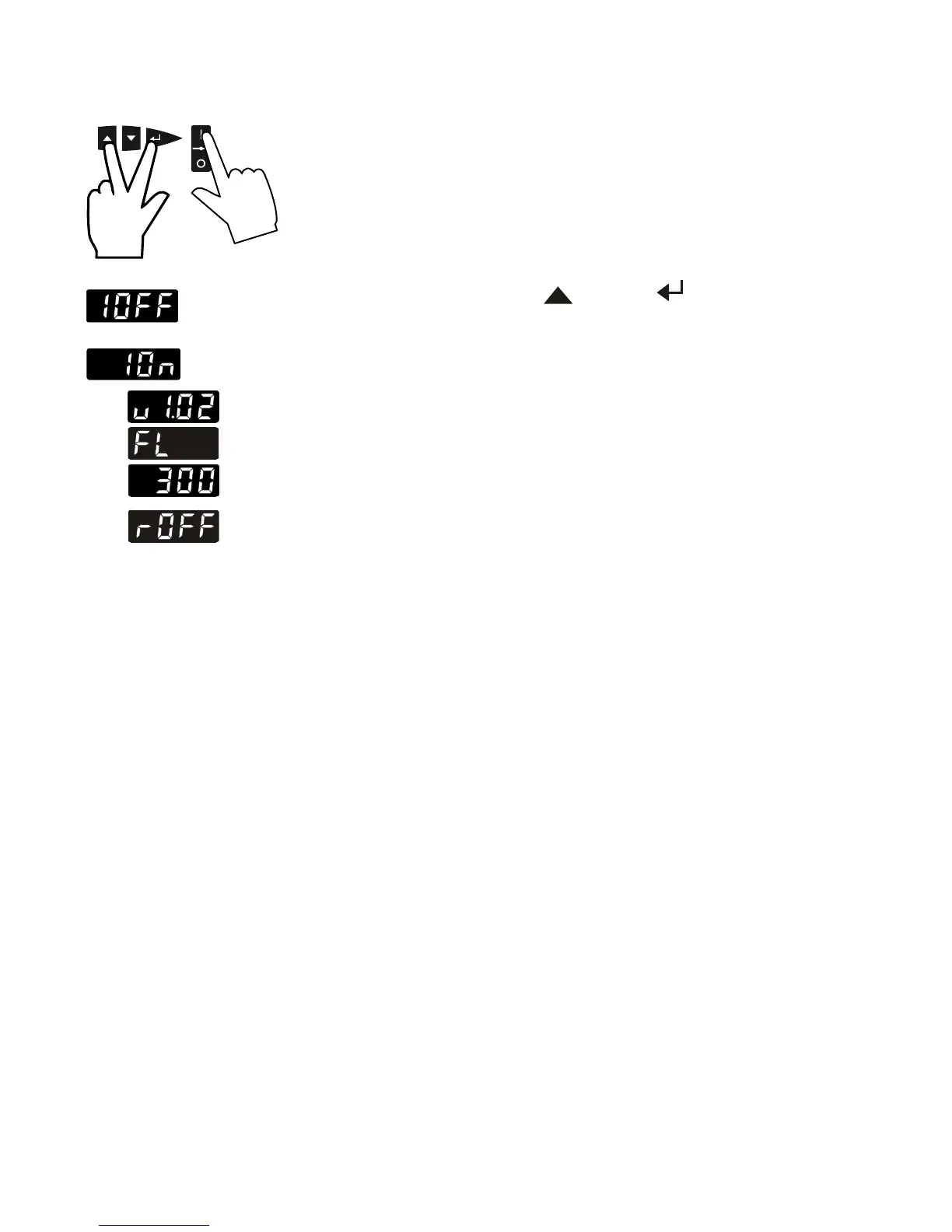
7.7. Remote control: activate – deactivate
(Interface OFF)
(Interface On)
The recirculating cooler is to be prepared for remote control by a
personal computer via the serial interface RS232.
Set the interface item from >IOFF< to >ION<.
Remote control: activate – deactivate:
Switch off recirculating cooler by pressing the mains switch and
wait approx. 5 seconds.
Keep depressed the keys and enter simultaneously and
turn on the unit with the mains power switch.
>I OFF< No remote control via RS232 (Factory setting)
>I On< Remote control via RS232
The software version and the type of unit is indicated
(see example on the left).
The display "rOFF" indicates the unit is ready to be operated via
remote control.


 To Next Page