4
1313
1414
1313
1414
MODEL MODEL
Function introduce
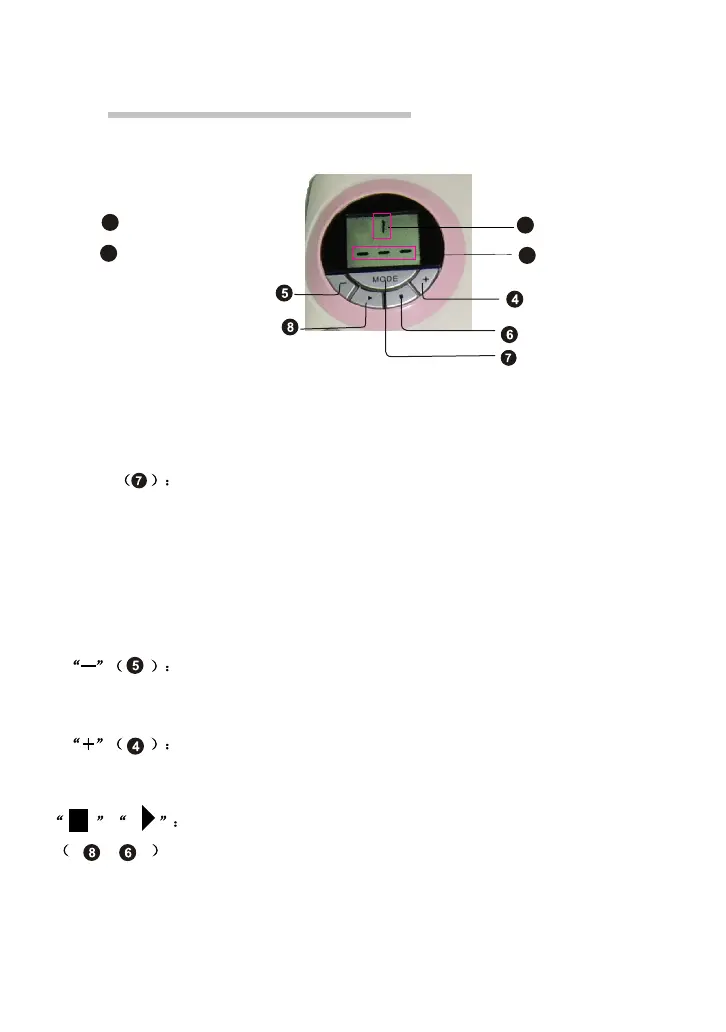
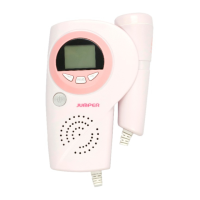
Symbol of monitor model
FHR display area
Monitor mode switch button,it has 3 models and sign by1,2,3
Model 1:instantaneous auto calculate FHR
Model 2:calculate average FHR per 10 seconds(easy to check the
baseling of FHR)
Model 3:Manual calculate FHR
Press the button can switch the monitor model,when you turn
on the equipment,acquiescence model 1.
Turn down button,press it,the volume reduced until no voice,
when the volume is minimum,press it will without voice.
Turn up button,press it ,the volume increased,when the volume
is maximun,press it will without voice.
Manual calculation start and stop button,the two buttons with
the same function and only valid in model 3.when it is in model
3,press the button and wait until 10 times fetal heart beat,then
press it again,FHR display area will display the manual calculate
result.


 To Next Page