JUNCTEK
JDS8000 Series User’s Manual
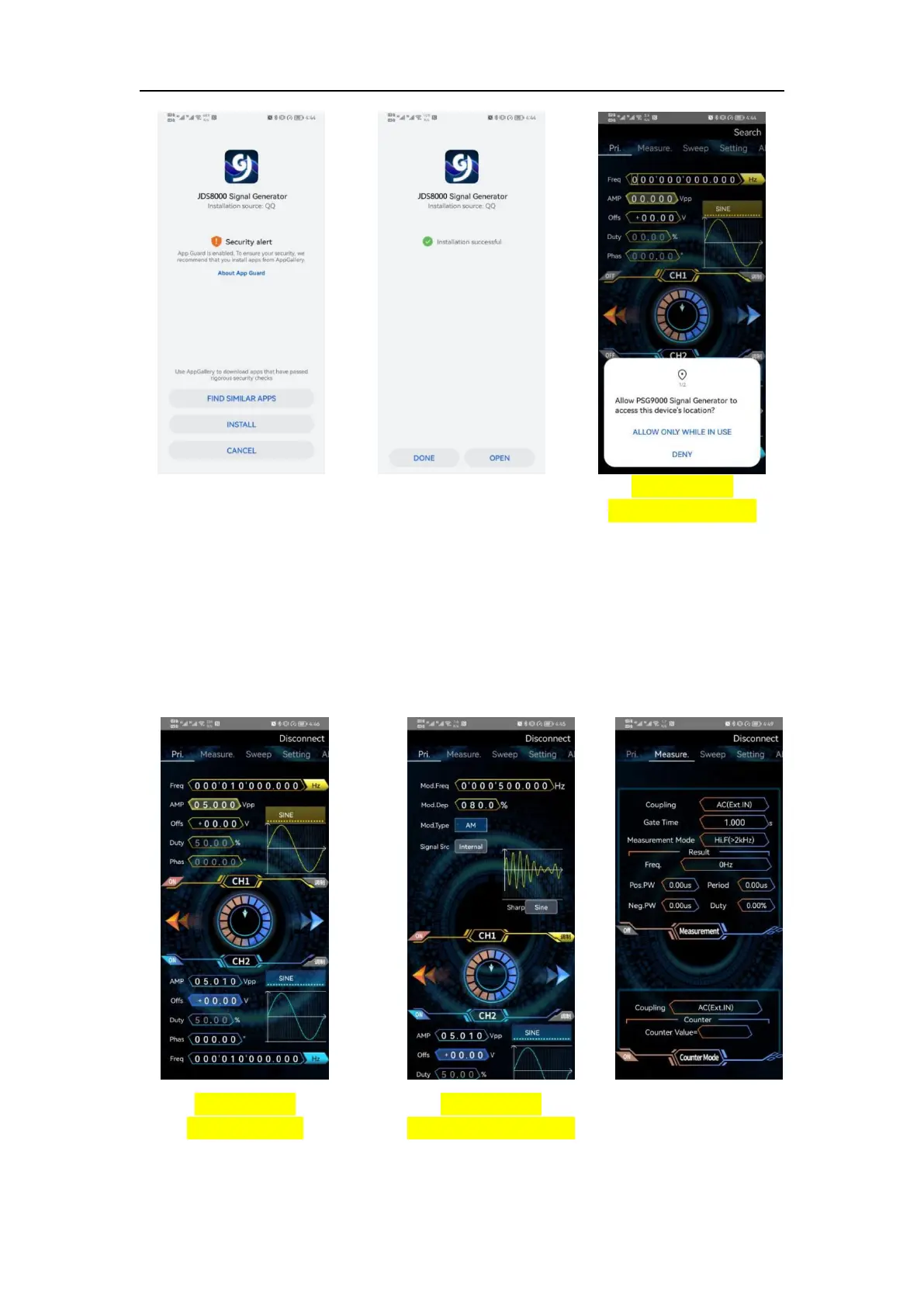
Figure 3-9-1
Installation Step 1
Figure 3-9-2
Installation Step 2
Figure 3-9-3
Installation Step 3
(4) Software update
Click the APP icon, after the APP starts, the system will automatically detect
whether the APP version has been updated, and the new version will pop up to
remind you to update. The app downloaded from Google Play need to
manually detect the new version.
(5) APP interface display
Figure 3-9-4
Main interface
Figure 3-9-5
Modulation interface
Figure 3-9-6
Measurement
interface



 To Next Page