2928
3. Automatic time synchronisation
The daily, fully automatic time synchro-
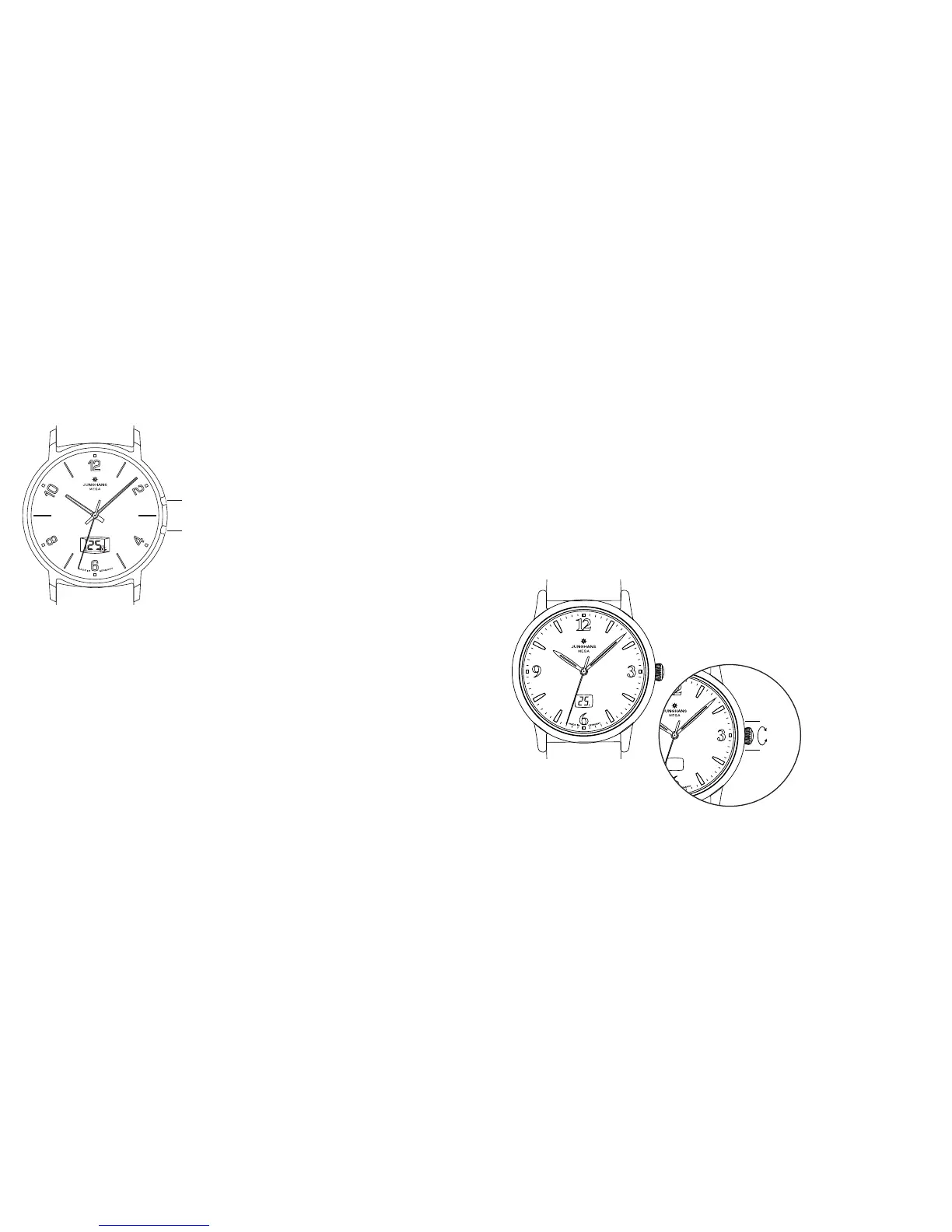
nisation is done at night. A flashing dot
in the LCD indicates that the watch is
receiving the signal.
As soon as automatic time synchronisa-
tion has been successful, the dot in the
LCD stops flashing. The date is always
advanced automatically by the time sig-
nal and takes the 29th February into
account in leap years.
If all attempts at picking up a signal lead
to no clear synchronisation, the recep-
tion indicator is increased by 1. Any subsequent days without synchronisa-
tion are added. During these days, your watch continues to run with the
accuracy of a quartz watch using the internal time memory. The next suc-
cessful pickup of a signal synchronises your watch and resets the reception
indicator to ”0“.
Recommendation: To ensure the best possible conditions for overnight syn-
chronisation, we recommend not wearing the watch to bed, or to place it in
the vicinity of electrical appliances, mobile or cordless phones.
4. Functions
Please note: Depending on the model, your Junghans radio-controlled watch
is equipped with buttons or recessed correctors. Please use a suitable poin-
ted object to operate the recessed correctors.
Crown operation (depending on model)
Depending on the model, you can cover the LC display of your Junghans
radio-controlled watch by rotating the crown. The sole purpose of the crown
on your Junghans radio-controlled watch is to cover the LC display. Pulling
the crown is not necessary – nor possible – as this could damage the mecha-
nism.
Rotating the crown upwards (approx. 1.5 revolu-
tions in direction of T1) covers the LC display.
Rotating downwards (approx. 1.5 revolutions in
direction of T2) uncovers the LC display again.












 To Next Page