5958
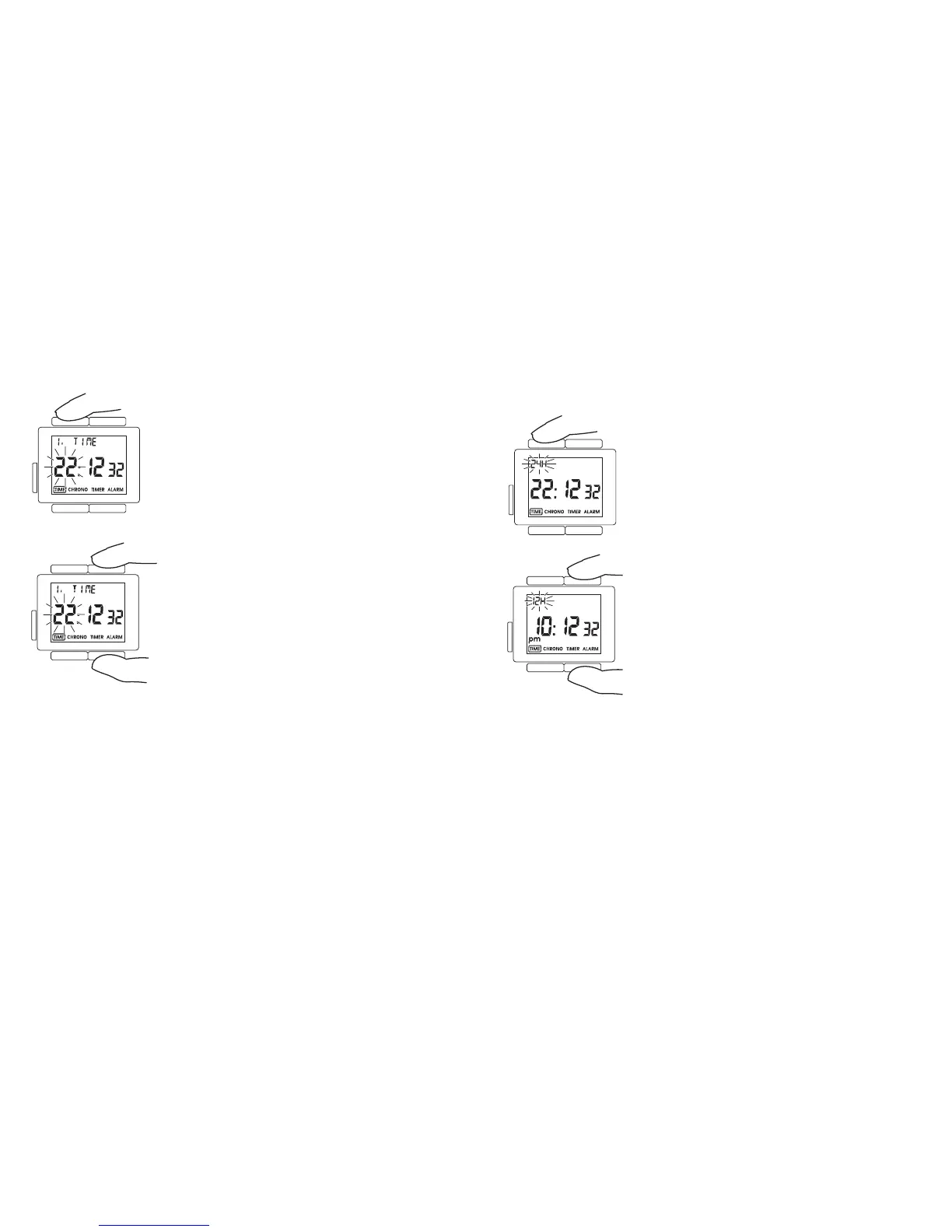
Press T4 until time display is selected (time display
mode 1). The display shows the time. T4 is used to
adjust the time zone. When the time zone is adju-
sted the main time display changes to show the time
in this time zone. Press T4 for more than 3 seconds.
The upper part of the display shows ”1. TIME”, the
hour figure flashes and can be adjusted by the hour
using T1 (set+) and T2 (set–). Where necessary the
date is automatically adjusted at the same time.
To reset the main time to your home time (see chapter 8.3 ”home time”), press
T2 for more than 3 seconds when in one of the 5 time display modes. The main
time display then shows the selected home time again. If the home time has
not been set manually then the time zone of the transmission station that was
last used for synchronisation is shown.
8.2 12-24 hour display
Press T4 once the desired time zone has been set.
You can now choose between the 12-hour time
display (am/pm) and the 24-hour time display.
The upper part of the display shows the display
mode that is currently selected and this can be
changed using T1 (set+) and T2 (set–).












 To Next Page