6362
9.2 Date display
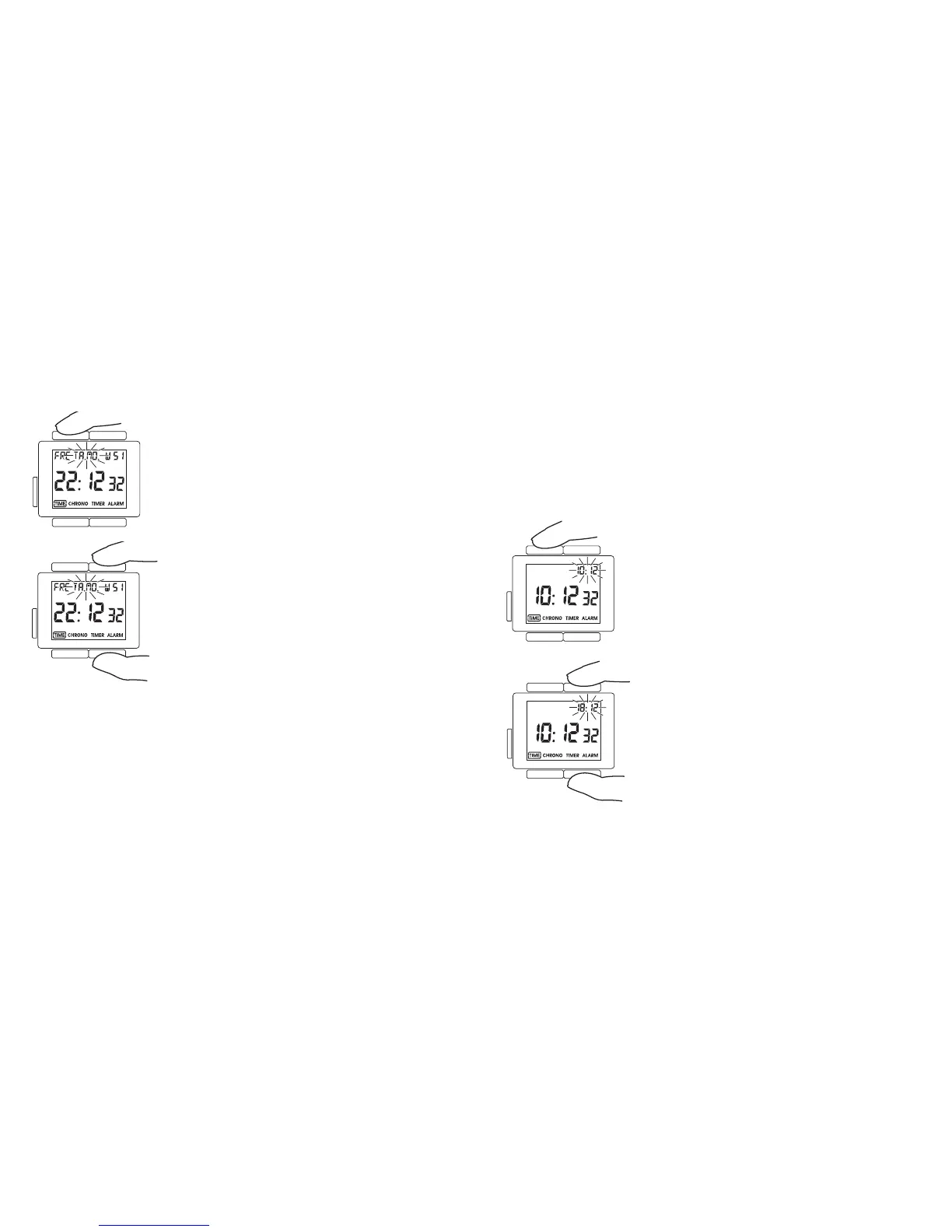
The date can be displayed either in day-month for-
mat or in month-day format. Press T4 to set the date
format.
The date format flashes in the upper part of the
display (TA.MO. or MO.TA – German, DA.MO or
MO.DA. – English and JO.MO or MO.JO – French)
This can be changed using T1 (set+) or T2 (set–).
Press T4 to return to the normal display mode.
10. 2
nd
Time
The 2
nd
time function enables you to show an additional time in the display
that is independent of the main time (e.g. when you want to see your home
time whilst holidaying in another time zone).
Make sure that one of the five time display modes is shown in the display and
if this is not the case, press T3 until one of the time display modes is shown.
Press T4 until the time display mode ”2nd TIME” is
selected.
Then press T4 for more than 3 seconds.
The 2
nd
time display flashes and can be adjusted in
15-minute steps using T1 (set+) and T2 (set–).
Afterwards, press the T4 button to return to the nor-
mal display.












 To Next Page