Table of Contents
About the Documentation | iv
Documentation and Release Notes | iv
Using the Examples in This Manual | iv
Merging a Full Example | v
Merging a Snippet | v
Documentation Conventions | vi
Documentation Feedback | ix
Requesting Technical Support | ix
Self-Help Online Tools and Resources | x
Creating a Service Request with JTAC | x
Overview
LTE Mini-Physical Interface Module (Mini-PIM) | 2
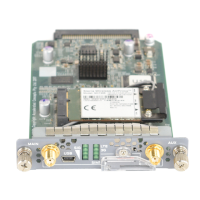
LTE Mini-Physical Interface Module | 2
LTE Mini-Physical Interface Module LEDs | 6
LTE Mini-Physical Interface Module Hardware Specifications | 7
Installation
LTE Mini-PIM Installation and Configuration | 9
Installing the LTE Mini-PIM in a SRX Series Services Gateway | 9
Configuring the LTE Mini-PIM on SRX Series Devices | 14
Configuring the LTE Mini-PIM | 14
Configuring a Static Route on the Dialer Interface | 15
LTE Mini-PIM Firmware Upgrade | 17
Upgrading the Mini-PIM Firmware Using the CLI | 17
Upgrading the Modem Firmware by Using OTA Upgrade | 20
iii


 To Next Page