Step 3: Install the Router
Because of the router's size and weight, you must remove all components before installing
the router. We also recommend that you install the router using a mechanical lift.
•
Remove Components on page 9
•
Install the Router Using a Lift on page 10
•
Install the Router Without a Mechanical Lift on page 12
•
Reinstall Components on page 13
Remove Components
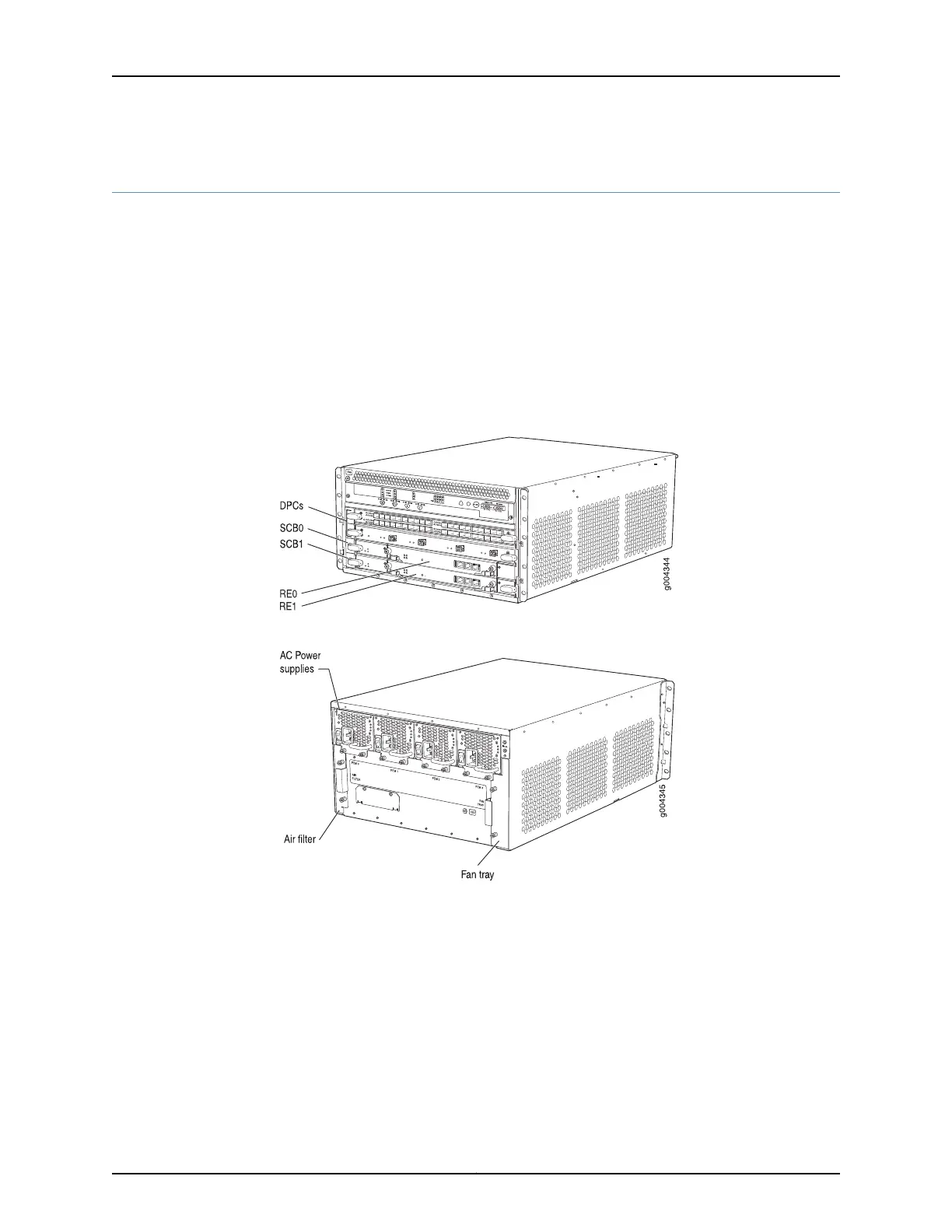
Figure 4: Components to Remove from the Front of the MX240 Router
Figure 5: Components to Remove from the Rear of the MX240 Router
Before lifting the router, you must remove the following components:
•
Power supplies
•
Switch Control Boards (SCBs)
•
Routing Engines
•
Air filter
•
Fan tray
•
Line cards:
9Copyright © 2015, Juniper Networks, Inc.
Step 3: Install the Router



 To Next Page