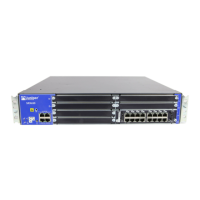
Replacing SRX5800 Services Gateway IOCs
To replace an IOC, perform the following procedures:
1. Removing an SRX5800 Services Gateway IOC on page 1
2. Installing an SRX5800 Services Gateway IOC on page 3
Removing an SRX5800 Services Gateway IOC
An IOC weighs up to 13.1 lb (5.9 kg). Be prepared to accept its full weight.
To remove an IOC (see Figure 1):
1. Have ready a replacement IOC or IOC blank panel and an antistatic mat for the
IOC. Also have ready rubber safety caps for each optical interface on the IOC
you are removing.
2. Attach an electrostatic discharge (ESD) grounding strap to your bare wrist, and
connect the strap to one of the ESD points on the chassis.
3. Label the cables connected to each port on the IOC so that you can later reconnect
the cables to the correct ports.
4. Use one of the following methods to take the IOC offline:
■ Press and hold the corresponding IOC online button on the craft interface.
The green OK LED next to the button begins to blink. Hold the button down
until the LED goes off.
■ Issue the following CLI command:
user@host>request chassis fpc slot slot-number offline
For more information about the command, see the JUNOS System Basics and
Services Command Reference.
5. Disconnect the cables from the IOC.
WARNING: Do not look directly into a fiber-optic transceiver or into the ends of
fiber-optic cables. Fiber-optic transceivers and fiber-optic cable connected to a
transceiver emit laser light that can damage your eyes.
CAUTION: Do not leave a fiber-optic transceiver uncovered except when inserting
or removing cable. The safety cap keeps the port clean and prevents accidental
exposure to laser light.
Replacing SRX5800 Services Gateway IOCs ■ 1



 To Next Page