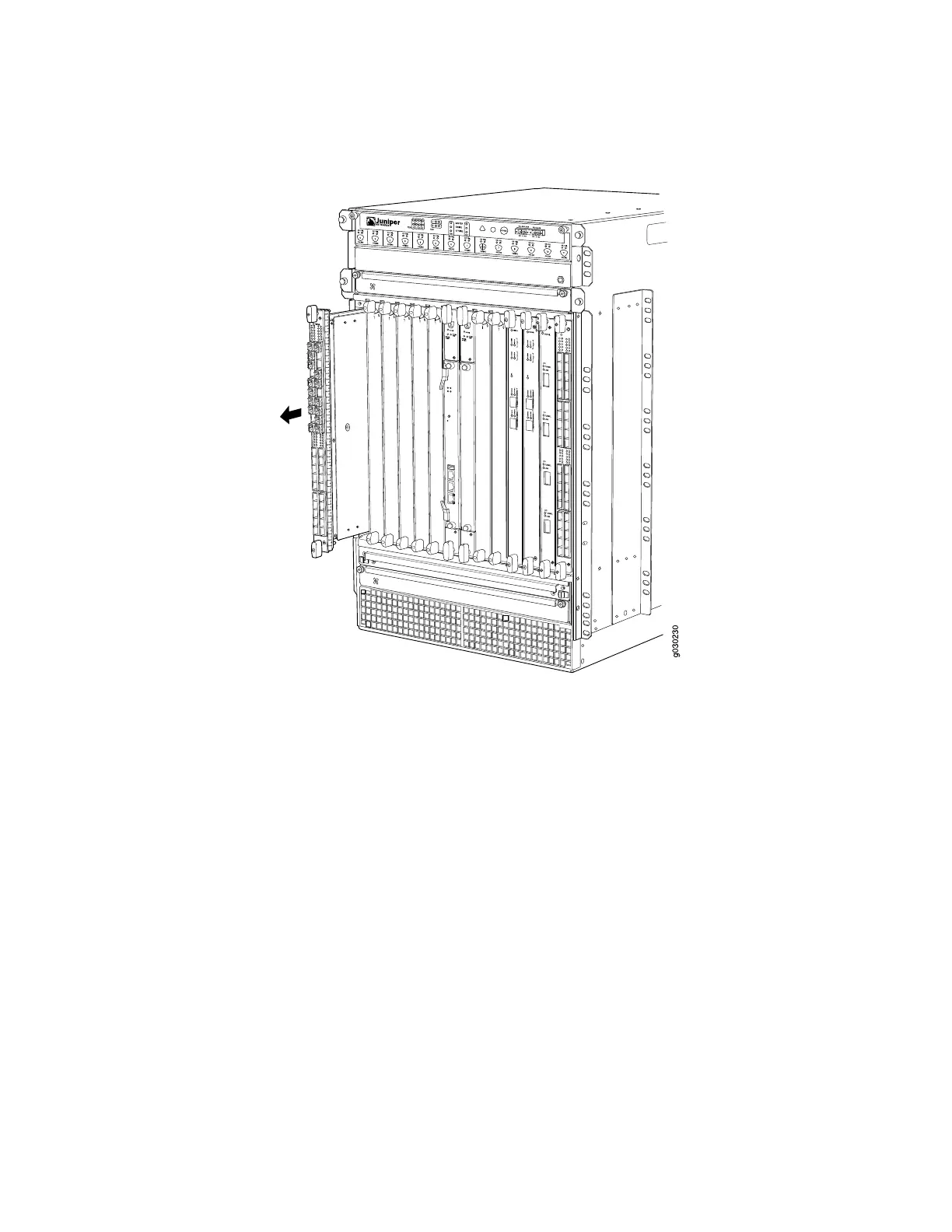
Figure 1: Removing an IOC
Installing an SRX5800 Services Gateway IOC
An IOC weighs up to 14.5 lb (6.6 kg). Be prepared to accept its full weight.
To install an IOC (see Figure 2):
1. Attach an electrostatic discharge (ESD) grounding strap to your bare wrist, and
connect the strap to one of the ESD points on the chassis.
2. Place the IOC on an antistatic mat or remove it from its electrostatic bag.
3. Identify the slot on the services gateway where it will be installed.
4. Verify that each fiber-optic transceiver is covered with a rubber safety cap. If it
does not, cover the transceiver with a safety cap.
5. Orient the IOC so that the faceplate faces you.
6. Lift the IOC into place and carefully align the top and bottom edges of the IOC
with the guides inside the card cage.
7. Slide the IOC all the way into the card cage until you feel resistance.
8. Grasp both ejector handles and rotate them clockwise simultaneously until the
IOC is fully seated.
9. Remove the rubber safety cap from each fiber-optic transceiver and cable.
Installing an SRX5800 Services Gateway IOC ■ 3



 To Next Page