JA94-N01A Dual Audio Controller - NVG
Installation and Operating Manual
Rev A Page 13
2.5.3.12 ICS Tie Line
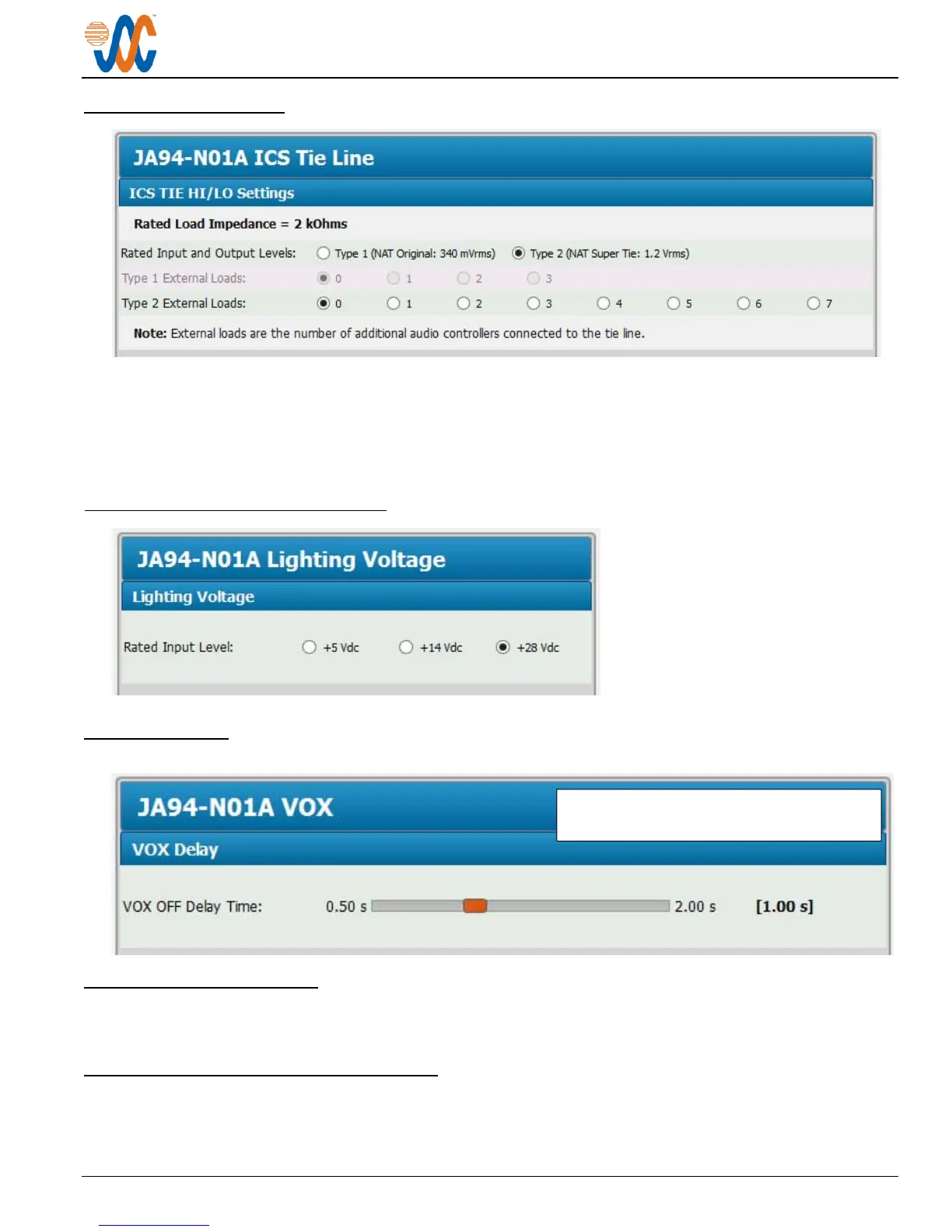
The rated input and output levels of the intercom tie line can be selected as Type 1 or Type 2 (Default Type 2).
The quantity of external loads for a type1 intercom tie line can be selected from 0 to 3 (Default 0).
The quantity of external loads for a type 2 intercom tie line can be selected from 0 to 7 (Default 0).
2.5.3.13 Lighting Voltage Selection
The rated input level for the lighting
voltage may be selected from
+5 Vdc, +14 Vdc or +28Vdc
(Default +28 Vdc).
2.5.3.14 VOX
2.5.3.15 Connector Maps
This section contains connector maps and interconnects that are automatically generated to show changes that affect
the installation of the JA94-N01A, such as switch labels and voltages. See section 2.7.1.
2.5.4 Other Configuration Features
In the JA94-N01A Product Information Window, the model number, serial number and check sum of the JA94-N01A
audio panel can be viewed.
The VOX OFF Delay Time can be adjusted
from 0.50 to 2.00 sec (Default 1 sec).



 To Next Page