Chapter 2 Internet Connection Setup
2.1. Hardware Installation
① Position the wireless Range extender close to a wireless router or access point
and then plug it into a power outlet nearby.
② Connect your Wireless Clients (such as notebook, pad, smart phone, etc.) to the
range extender wirelessly. Or you can connect your PC to the either of the two LAN
port of Range Extender with an Ethernet cable.
2.2 Connect Your Range Extender
• Method 1: Wired
Connect your Device to the range extender with an Ethernet cable.
• Method 2: Wirelessly
① Find the SSID (Network Name) printed on the label at the back of the range
extender.
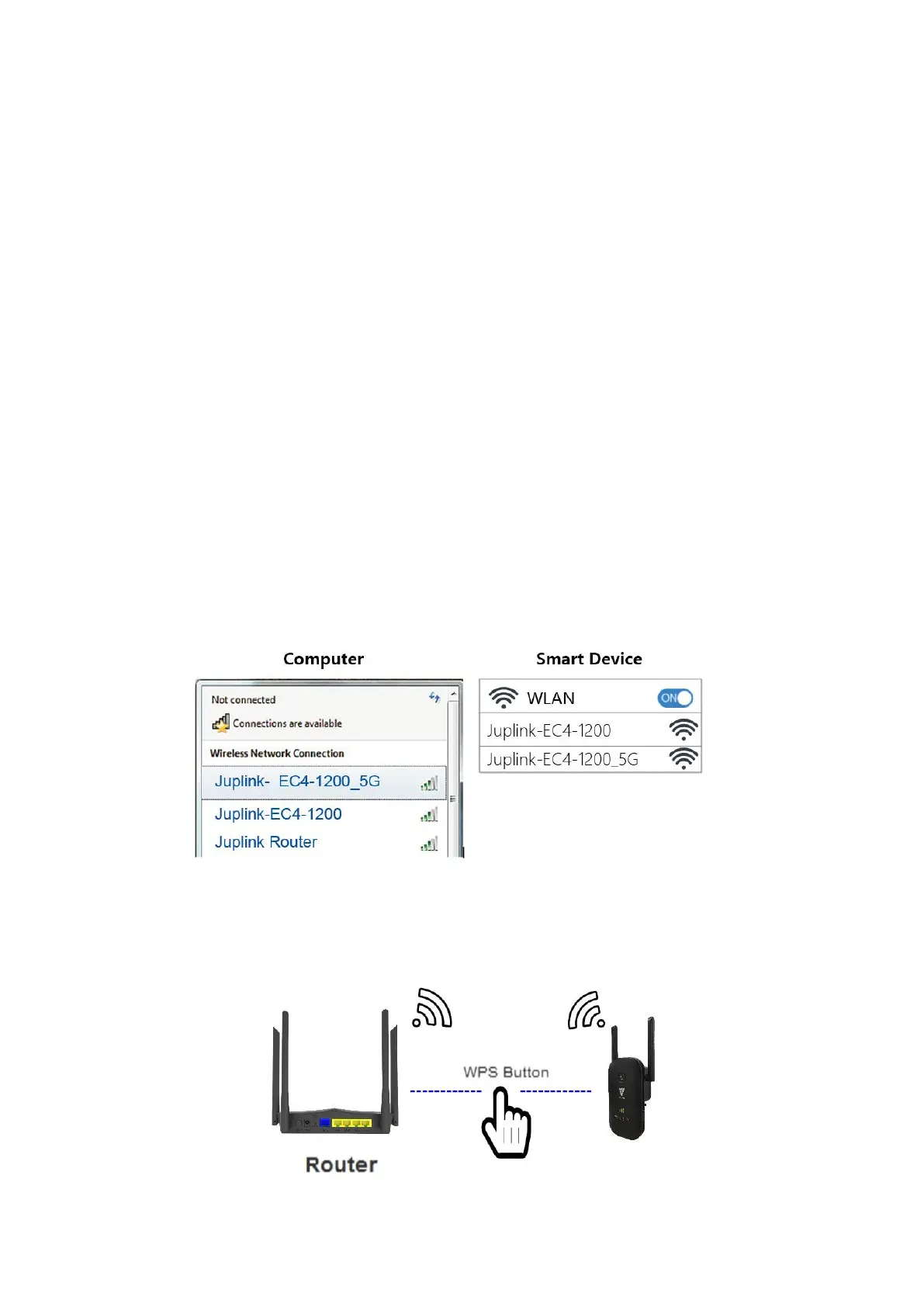
② Click the network icon of your computer or go to Wi-Fi Settings of your smart
device, and then select the SSID to join the network.
• Method 3: Use the WPS button
Wireless devices that support WPS, including Router, most Android phones, tablets,
and most USB network adapters, can be connected to your repeater through this
method.


 To Next Page