Chapter 4 Maintain the Extender
4.1 Change the Extender User Name and Password
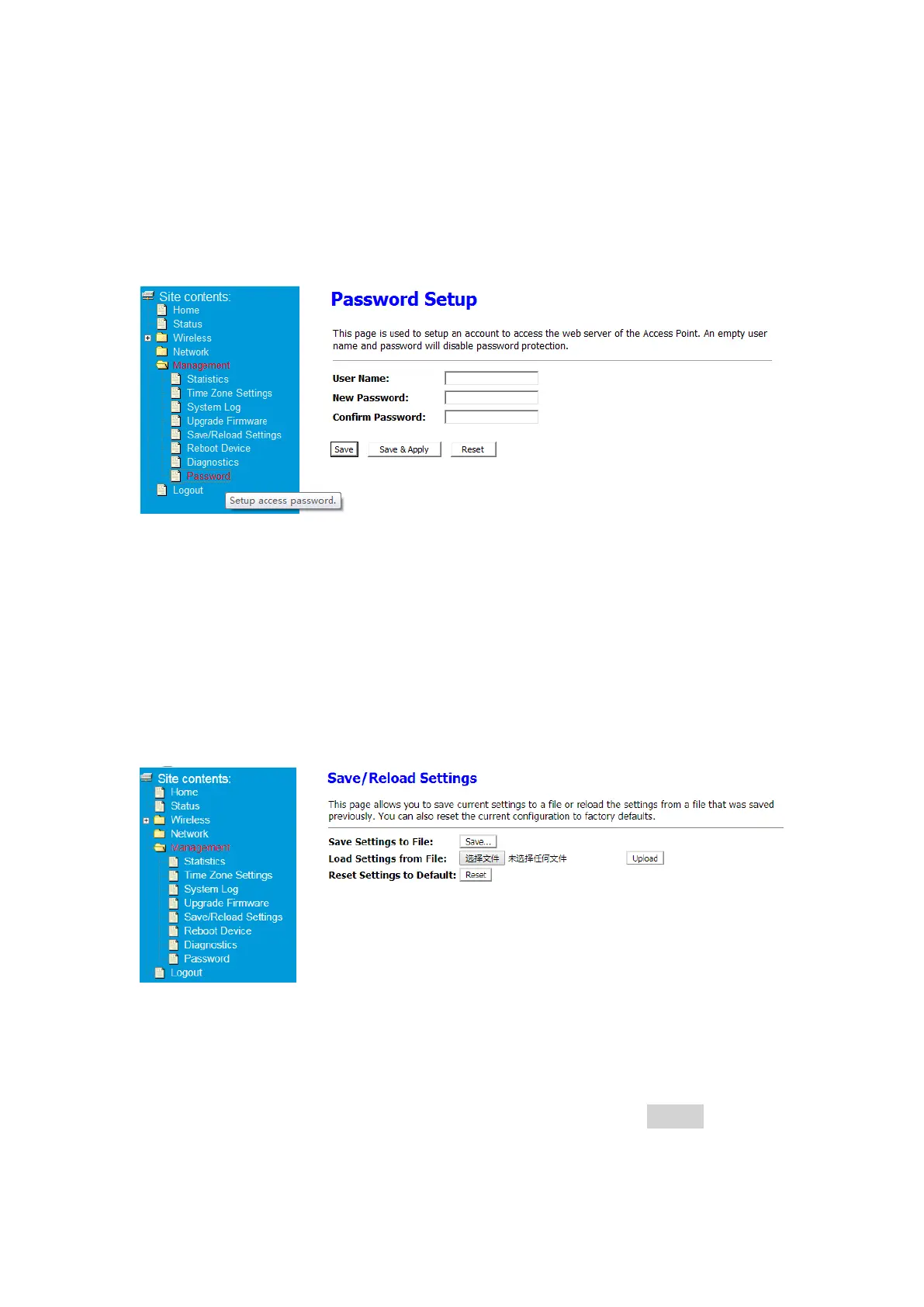
You can change the user name and password to log in to the extender.
① After Log in to Your Router, Click Advanced button on the top of Web page
② Click Management>Password
③Change your user name, password click Save&Apply. Your settings are applied
4.2 Save/Reload Settings
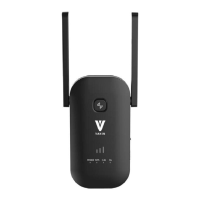
This page allows you to save current settings to a file or reload the settings from a file that
was saved previously. You can also reset the current configuration to factory defaults.
① After Log in to Your Router, Click Advanced button on the top of Web page
② Click Management>Save/Reload Setting
③ -Save Settings to File Click Save Settings to File, then save it to your device,
Your browser extracts the configuration file from the extender. By default, the
name of the backup file is config.dat.
-Load Settings from File: Click Load Settings from File then click Upload button
-Reset Settings to Default: Click reset button, your Extender will restore to
factory settings


 To Next Page