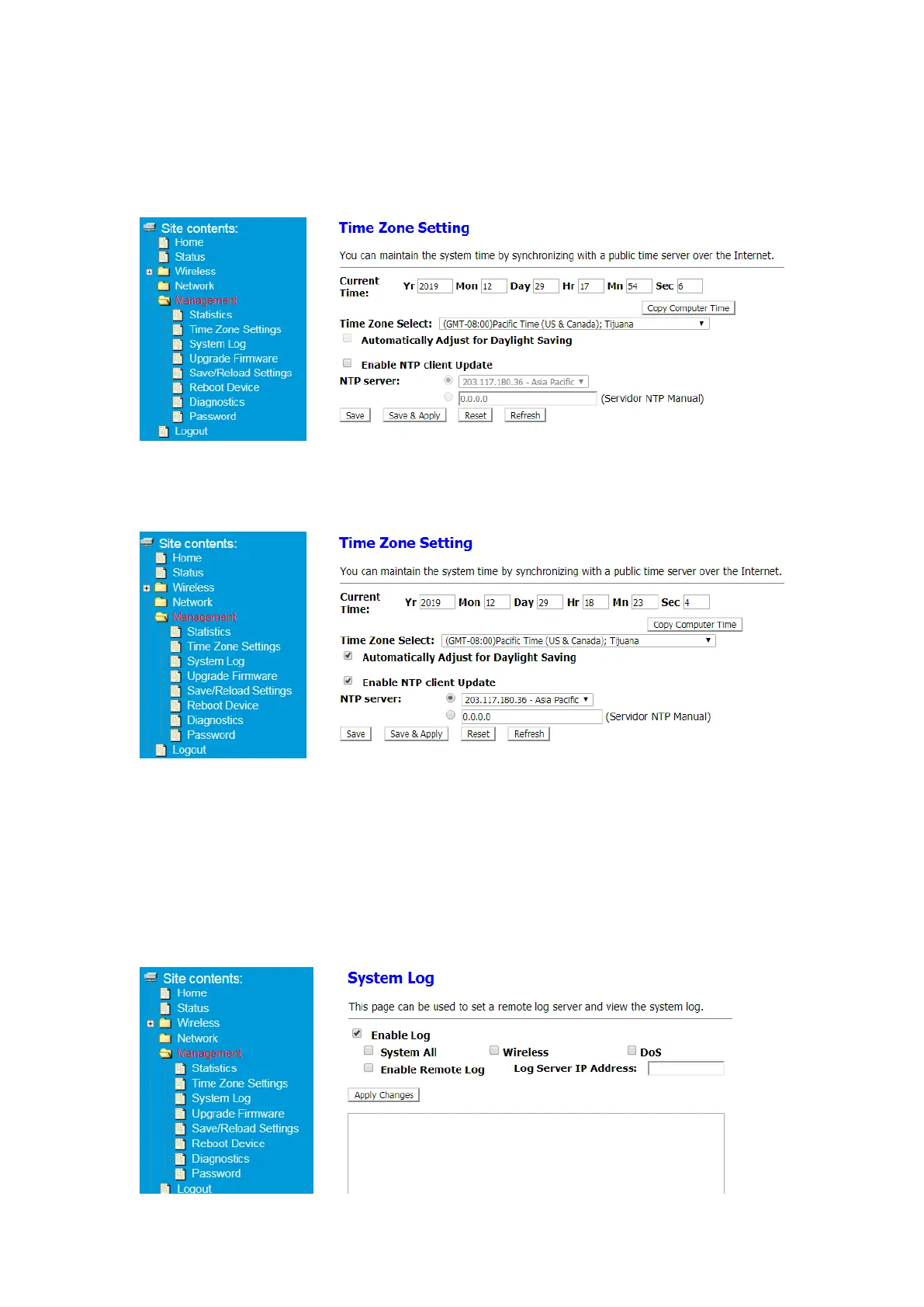
4.3 Time Zone Setting
You can maintain the system time by synchronizing with a public time server over
the Internet.
You can modify the Time Zone of the device as follows
4.3.1 copy computer Time (not: Only for Windows devices)
4.3.2 Enable NTP client Update-select stable NTP sever or add servidor NTP Manual
4.4 System Log
This page can be used to set a remote log server and view the system log.
① After Log in to Your Router, Click Advanced button on the top of Web page
② Click Management> System Log
③ Click Enable Log, select System All or Wireless, DoS, Enter Log Server IP Address
after Enable Remote Log


 To Next Page