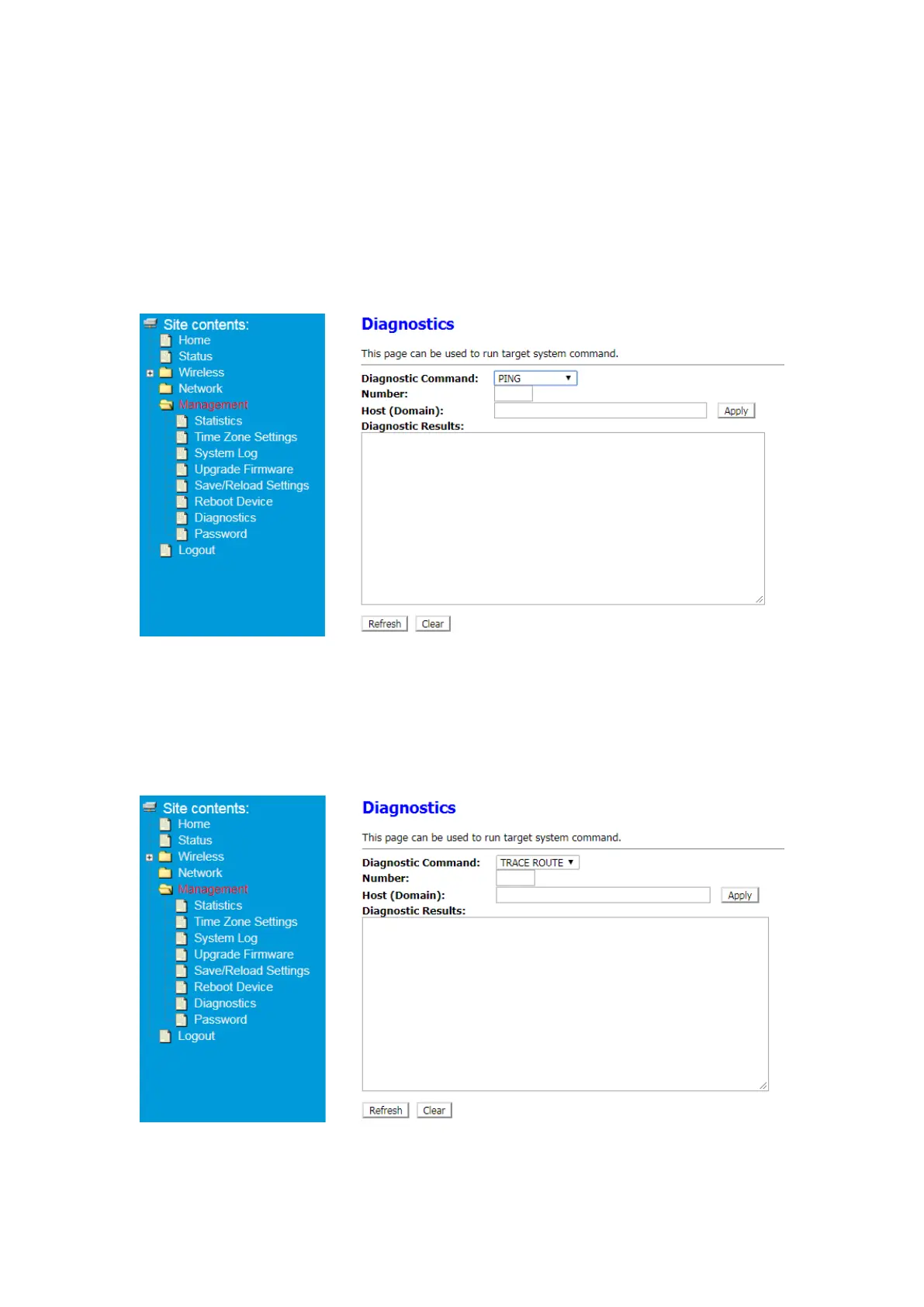
4.5 Diagnostics
This page can be used to run target system command.
4.5.1Diagnostic Command-PING
① After Log in to Your Router, Click Advanced button on the top of Web page
② Click Management> Diagnostics
③ Select PING in Diagnostic Command list.
④ Enter Number, Host (Domain) and click Apply button. Then you can check result.
4.5.1Diagnostic Command-TRACE ROUTE
① After Log in to Your Router, Click Advanced button on the top of Web page
② Click Management> Diagnostics
③ Select TRACE ROUTE in Diagnostic Command list.
④ Enter Number, Host (Domain) and click Apply button. Then you can check result.


 To Next Page