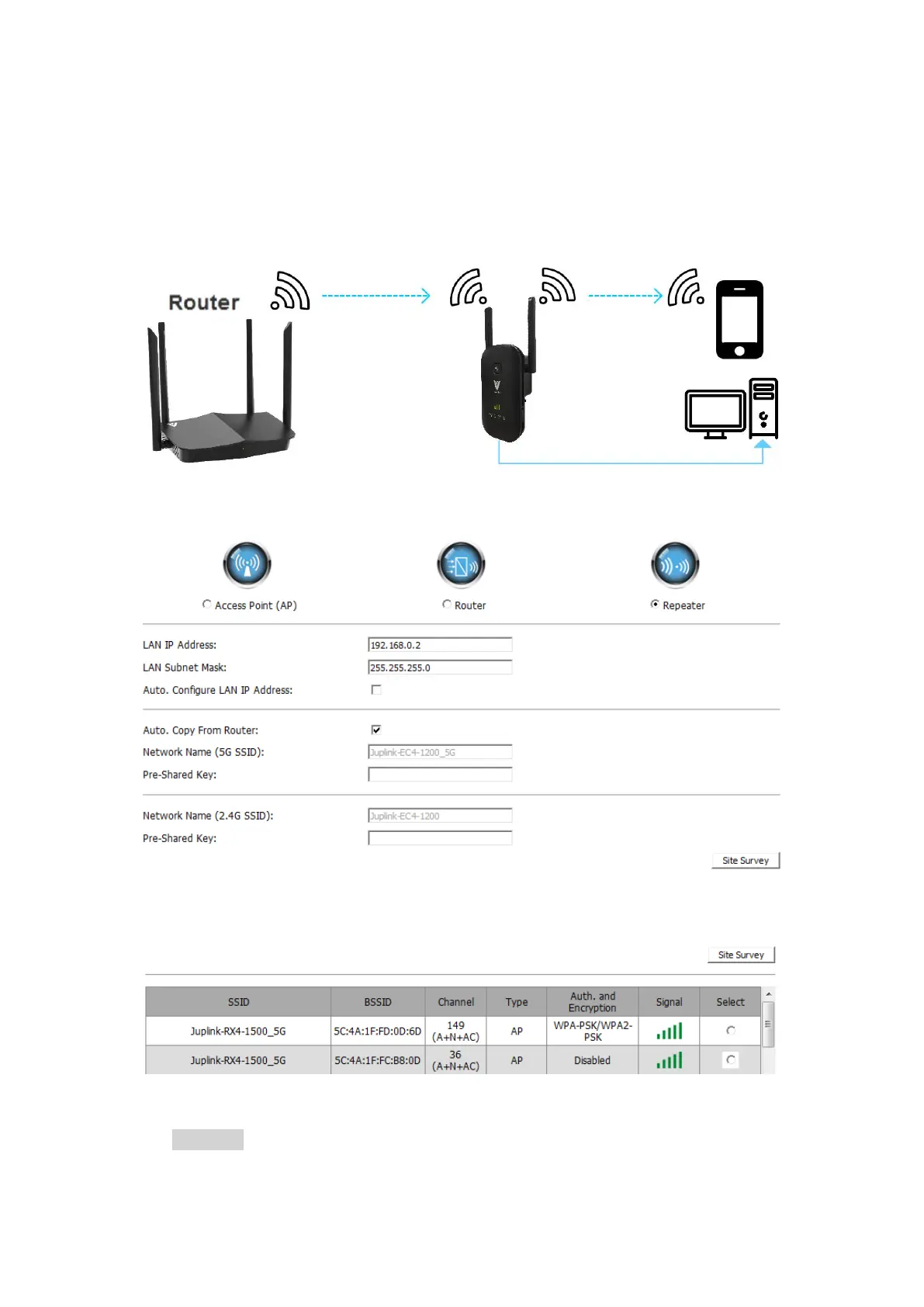
Chapter 3 Extender Internet Connection
3.1 Manually Set Up Internet Connection- Repeater / Client (default)
Connect your Device to the Range Extender with an Ethernet cable or via wireless
connection and Log In to Your Range Extender.
① Select Repeater - default
② Select a Wi-Fi network (SSID) you want to extend
Note: -It may take a few second to scan the network, If you can't find the signal you want to expand.
Click Site Survey button search the signal again.


 To Next Page