Chapter 5 Extender Internet Srtting
5.1 Static DHCP Setup (IP Address reservation)
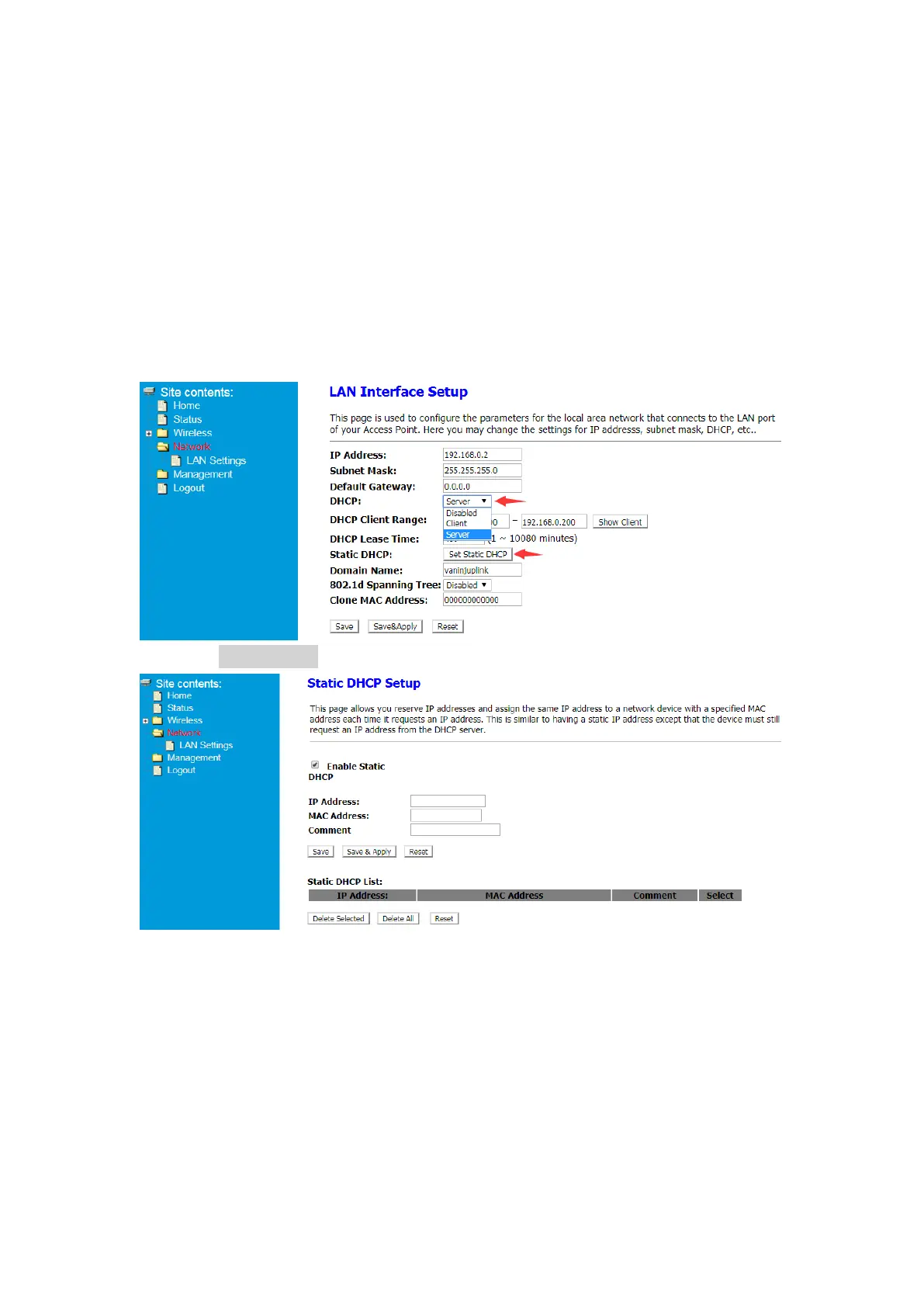
This page allows you reserve IP addresses and assign the same IP address to a
network device with a specified MAC address each time it requests an IP address.
This is similar to having a static IP address except that the device must still request
an IP address from the DHCP server.
① After Log in to Your Router, Click Advanced button on the top of Web page
② Click Network> LAN Settings>Select Sever in DHCP Drop-down menu>Click Set
Static DHCP button.
③ Select Enable Static
④ Enter the IP address you want to specify and enter the MAC address of the
device (For easy identification, you can add a comment in the comment column)


 To Next Page