5.2 Wireless Basic Settings
This page allows you reserve IP addresses and assign the same IP address to a
network device with a specified MAC address each time it requests an IP address.
This is similar to having a static IP address except that the device must still request
an IP address from the DHCP server.
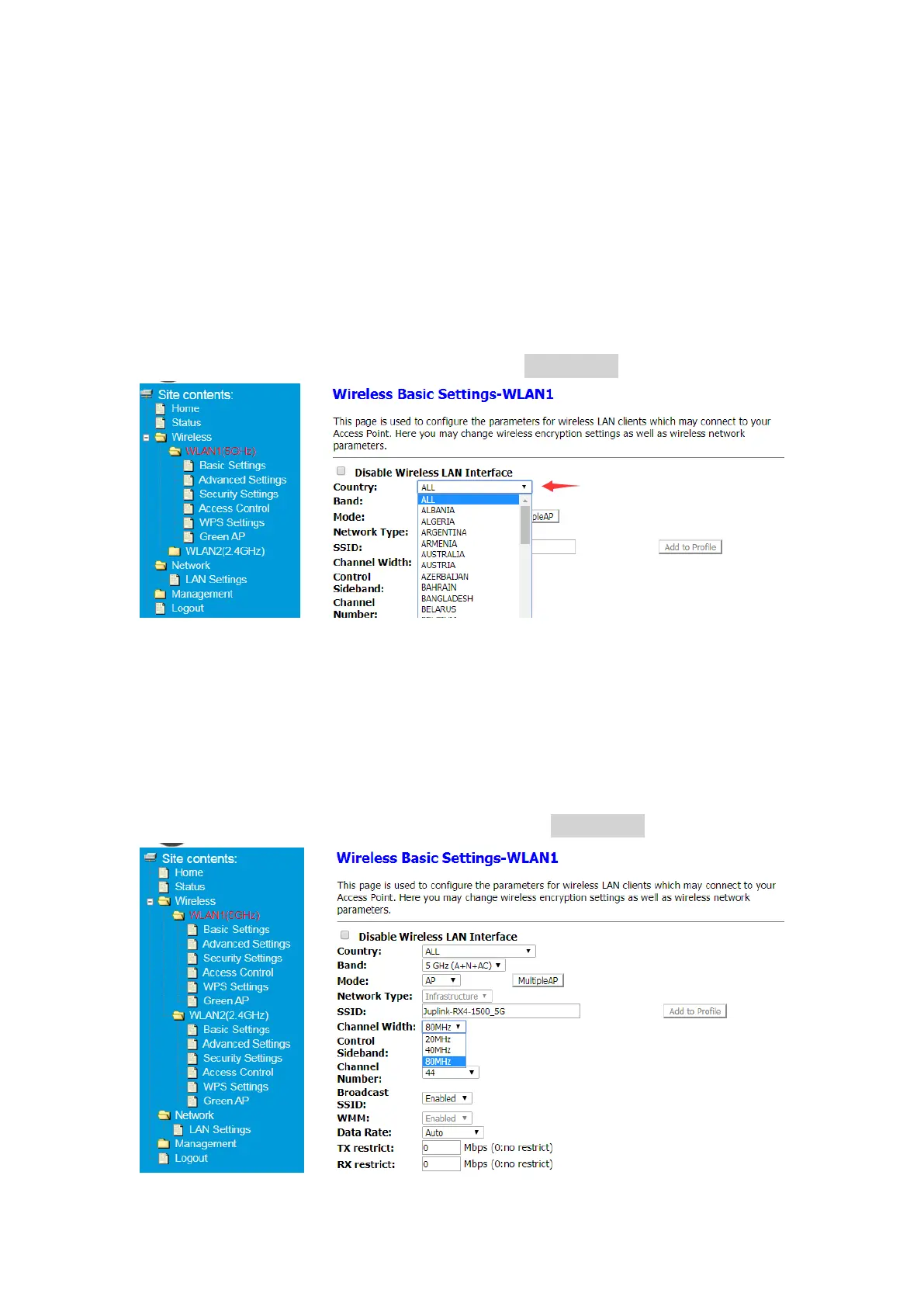
5.2.1 Select country
① After Log in to Your Router, Click Advanced button on the top of Web page
② Click Wireless> WLAN1(5GHz)>Basic Settings or
Click Wireless> WLAN2(2.4GHz)>Basic Settings
③ Select your country in Drop-down list and click Save&Apply button
5.2.2 Change Channel Width
① After Log in to Your Router, Click Advanced button on the top of Web page
② Click Wireless> WLAN1(5GHz)>Basic Setting or
Click Wireless> WLAN2(2.4GHz)>Basic Settings
③ Change Channel Width in Drop-down list and click Save&Apply button


 To Next Page