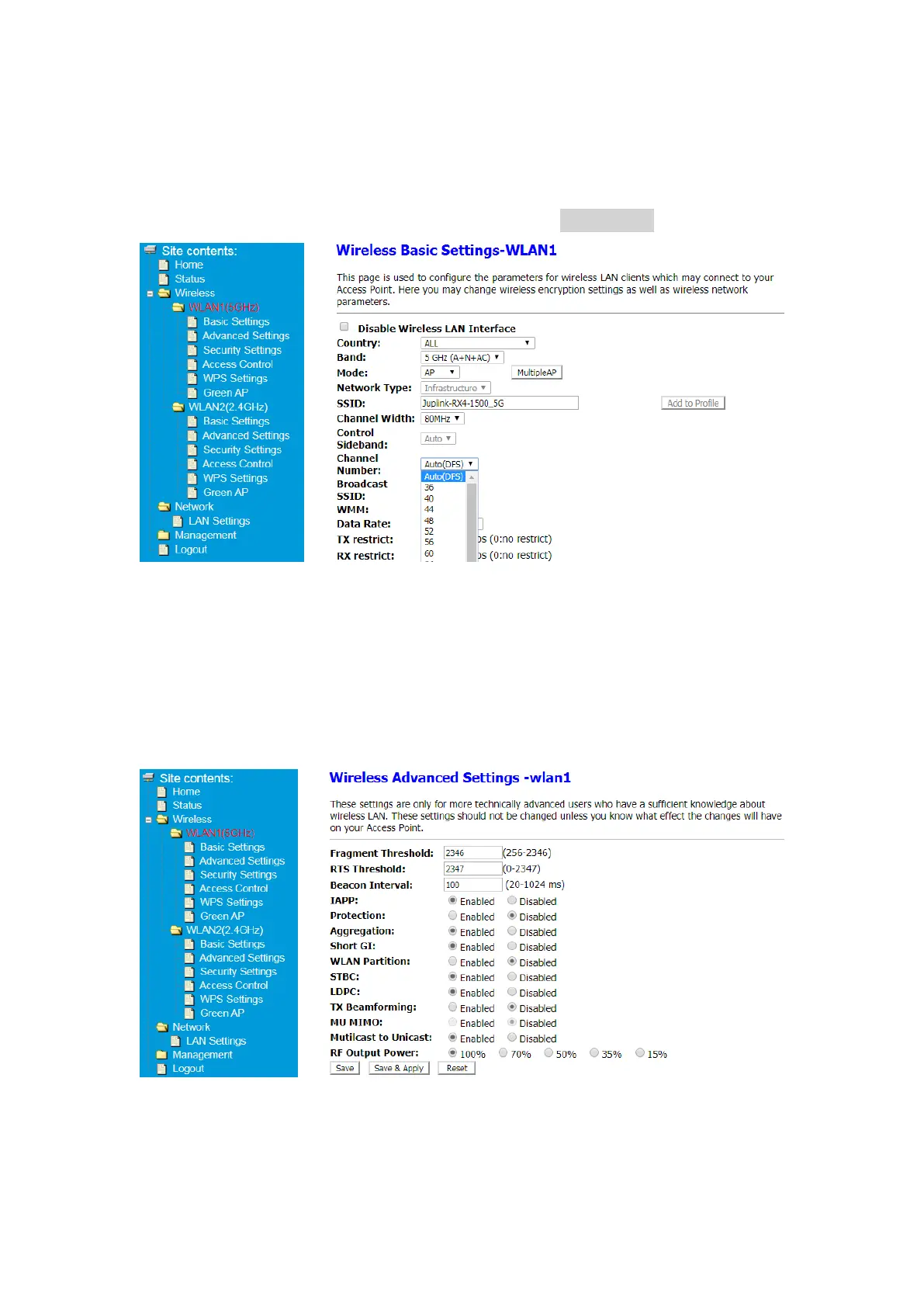
5.2.3 Switch channel
① After Log in to Your Router, Click Advanced button on the top of Web page
② Click Wireless> WLAN1(5GHz)>Basic Setting or
Click Wireless> WLAN2(2.4GHz)>Basic Settings
③ Switch Channel Number in Drop-down list and click Save&Apply button
5.2.4 Wireless Advanced Settings
These settings are only for more technically advanced users who have a sufficient
knowledge about wireless LAN. These settings should not be changed unless you know
what effect the changes will have on your Access Point.
① After Log in to Your Router, Click Advanced button on the top of Web page
② Click Wireless> WLAN1(5GHz)> Advanced Settings or
Click Wireless> WLAN2(2.4GHz)> Advanced Settings
Note: It is not recommended to modify the default values


 To Next Page