4.6 Change Login Address
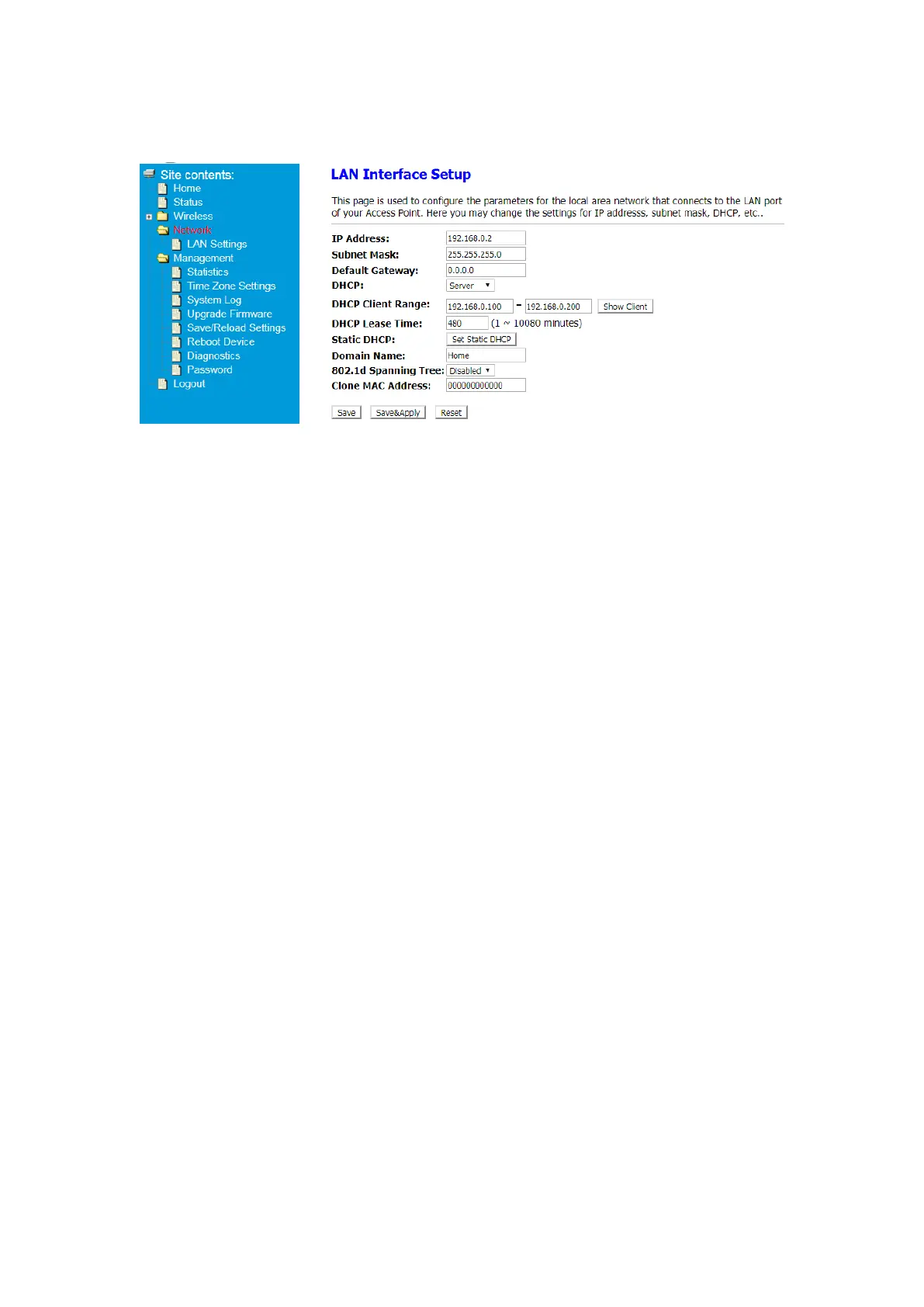
Change your default login address
① After Log in to Your Router, Click Advanced button on the top of Web page
② Click Network> LAN Settings
③ Enter an IP Address in the IP Address blank. After click Save&Apply button, You
can Login your Extender using this IP address.


 To Next Page